How I Prompted My Personal AI Assistant to Write a Blog For Me
January 16, 2026
Introduction
Earlier today I published a comprehensive blog post about my Clawdbot setup. It covered Docker deployment, multi-channel configuration, AI model selection, skills integration, and hard-won learnings from weeks of tinkering.
Here’s the twist: I co-authored that blog with my personal AI assistant "Sage".
What does that mean?
Well, I did not actually write write that blog. I simply instructed Sage via Telegram to do it for me. Sage asked me some clarifying questions. I answered them and it went ahead and wrote it. The only additional thing…
How I Prompted My Personal AI Assistant to Write a Blog For Me
January 16, 2026
Introduction
Earlier today I published a comprehensive blog post about my Clawdbot setup. It covered Docker deployment, multi-channel configuration, AI model selection, skills integration, and hard-won learnings from weeks of tinkering.
Here’s the twist: I co-authored that blog with my personal AI assistant "Sage".
What does that mean?
Well, I did not actually write write that blog. I simply instructed Sage via Telegram to do it for me. Sage asked me some clarifying questions. I answered them and it went ahead and wrote it. The only additional things (read: context) I gave Sage was the frontend design skill, the doc-coauthoring skills and my writing style guide (I used Claude Code to curate this guide for me by browsing all my tech blogs).
I think it did a great job. The blog roughly follows the same format that I’ve been using for all my blogs here. And, I was happy with the first draft that Sage put out. Sage issued a PR letting me preview it. I reviewed it and merged the PR. The blog was live in ~8 mins (from the moment I started texting Sage). Welcome to 2026!!
Also, before you come at me asking what I think about AI doing the writing for me - my opinion on that is as long as the writing is not creative or purely non-technical, I am okay with Sage doing it for me. Because, at the end of the day, its just describing how everything is setup. It has all the details anyways. And, I read each and every word of it to ensure its not hallucinating. I am okay with this sort of co-authoring relationship with Sage. I also like to be transparent so every blog that has been co-authored with Sage will explicitly call it out.
In this post, I’ll walk you through that experience — the prompts, the back-and-forth, and the meta-realization that I’m now using the same workflow to write this post about writing that post. 🤯
So, let’s get started!
The Setup
If you haven’t read my previous post, here’s the quick context: Clawdbot is a personal AI assistant that connects to your messaging apps. I have the gateway running inside a docker container on my NAS, connected to Telegram and Discord. The AI behind it is Claude Opus 4.5, and it has access to various "skills" — tools like web search, GitHub integration, image generation, and browser automation.
One of those skills is doc-coauthoring — a structured workflow for writing documents collaboratively with AI. Another is Nano Banana Pro — Google’s Gemini 3 Pro Image model for generating visuals. And there’s a frontend-design skill for making things look good.
The stage was set.
The Prompt
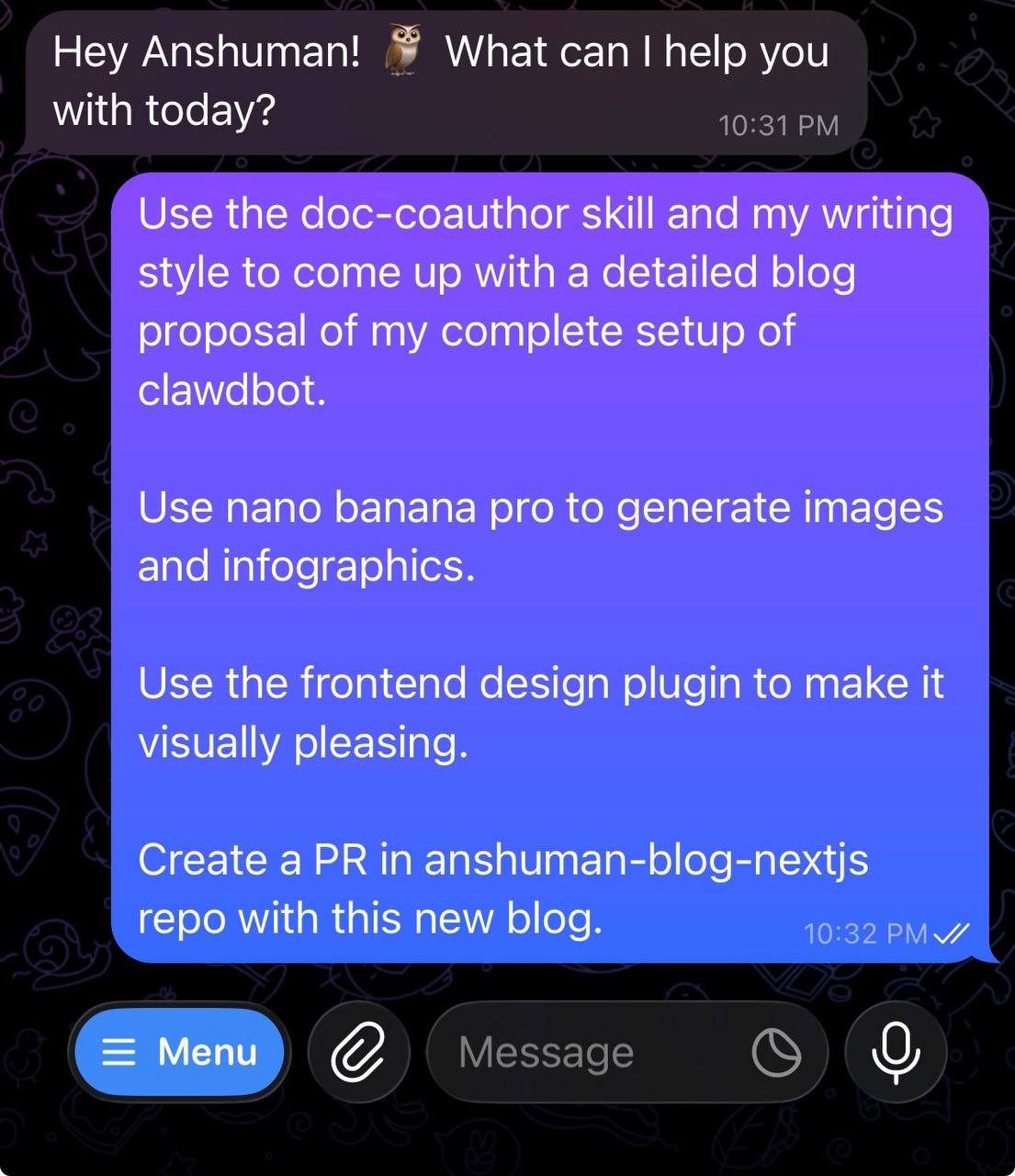
It started with a single message at 10:32 PM:
That’s it. One paragraph. From my phone.
What happened next was... magical.
The Dance: How AI-Assisted Writing Actually Works
Stage 1: Context Gathering
Sage immediately kicked into the doc-coauthoring workflow. First, it loaded my writing style guide — a document I’d created earlier that captures my voice, typical structure, signature phrases, and formatting preferences.
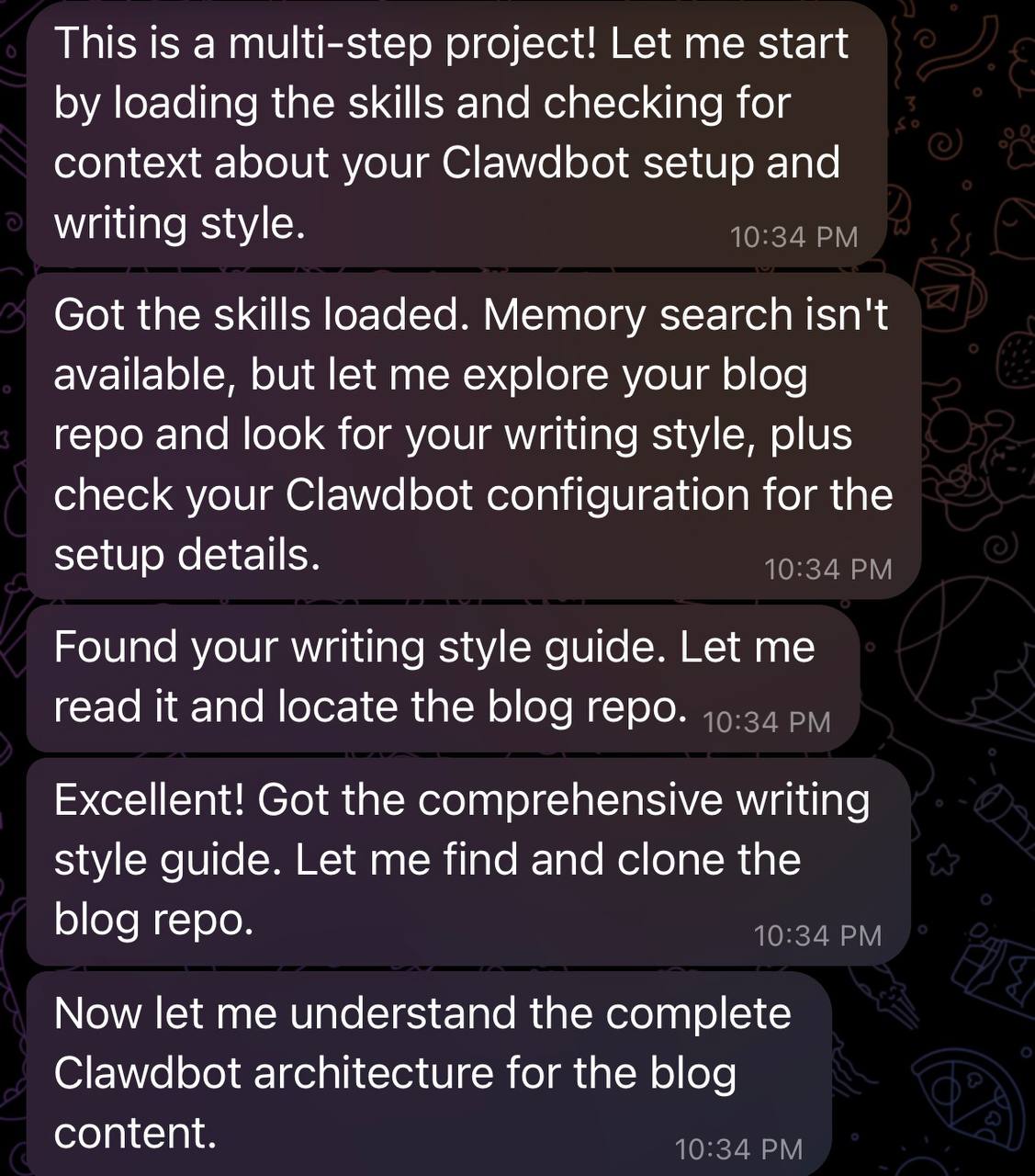
Then came the questions:
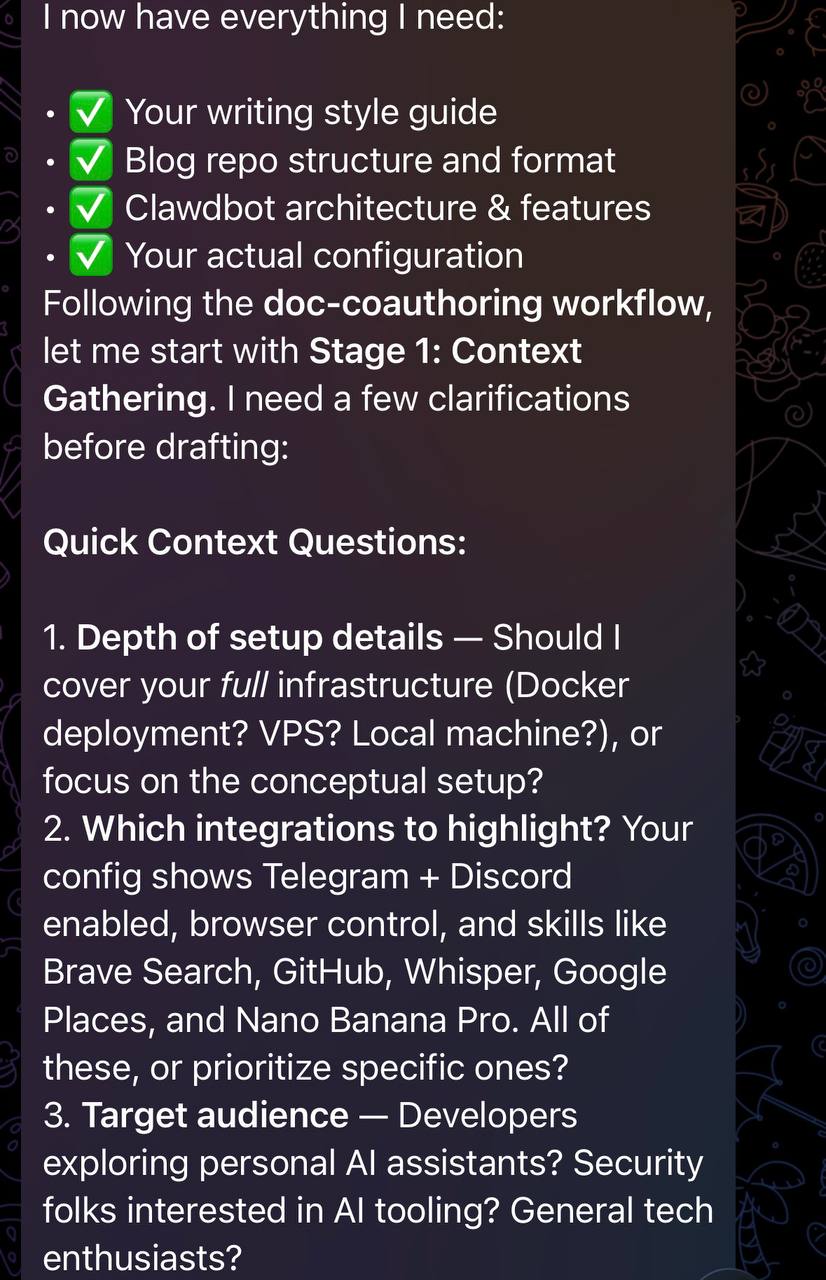
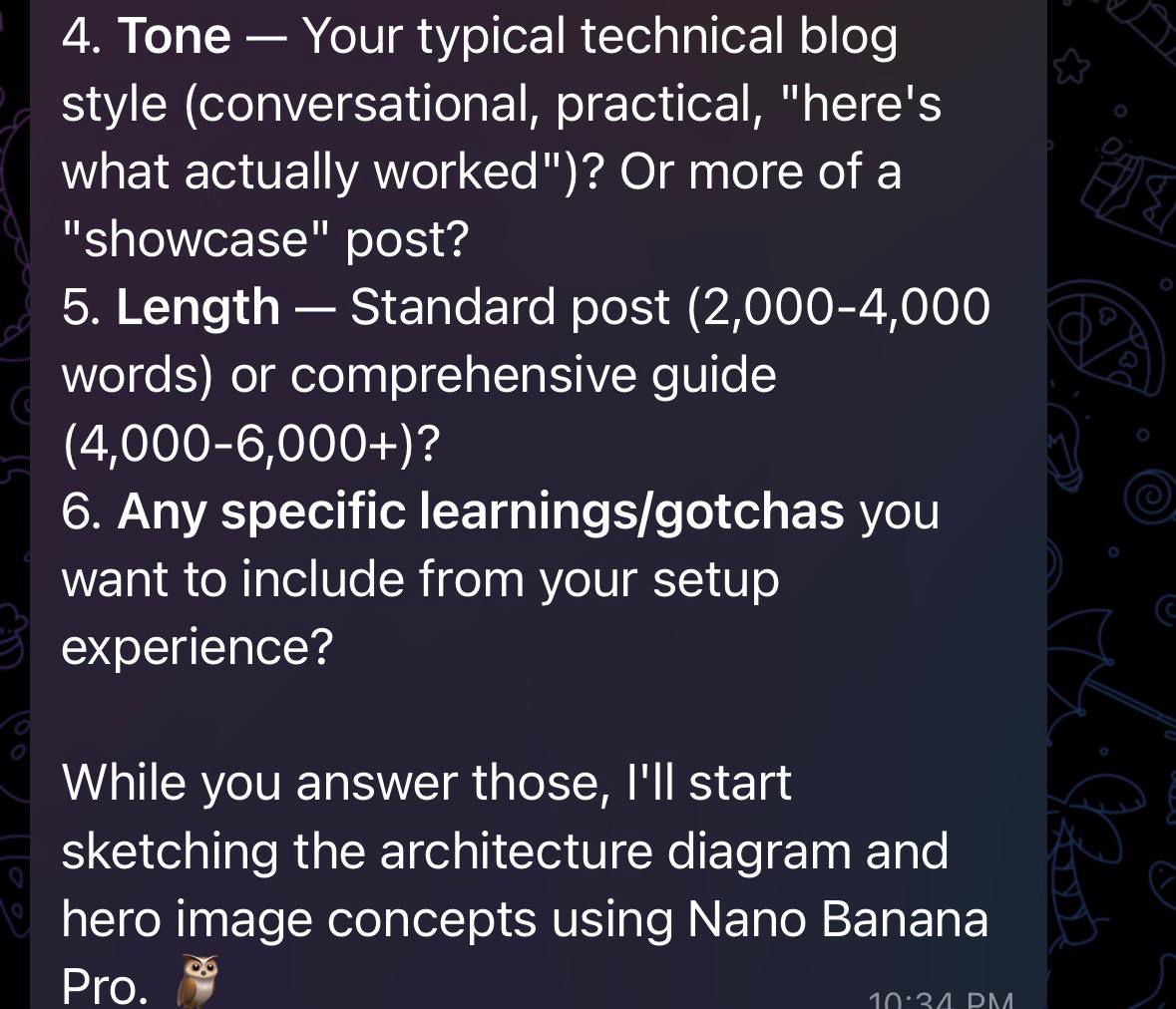
This is the part most people skip when working with AI, and it’s exactly why their output feels generic. The context-gathering stage is where the AI learns what makes your writing yours.
My Answers (The Shorthand)
Here’s what I typed back:
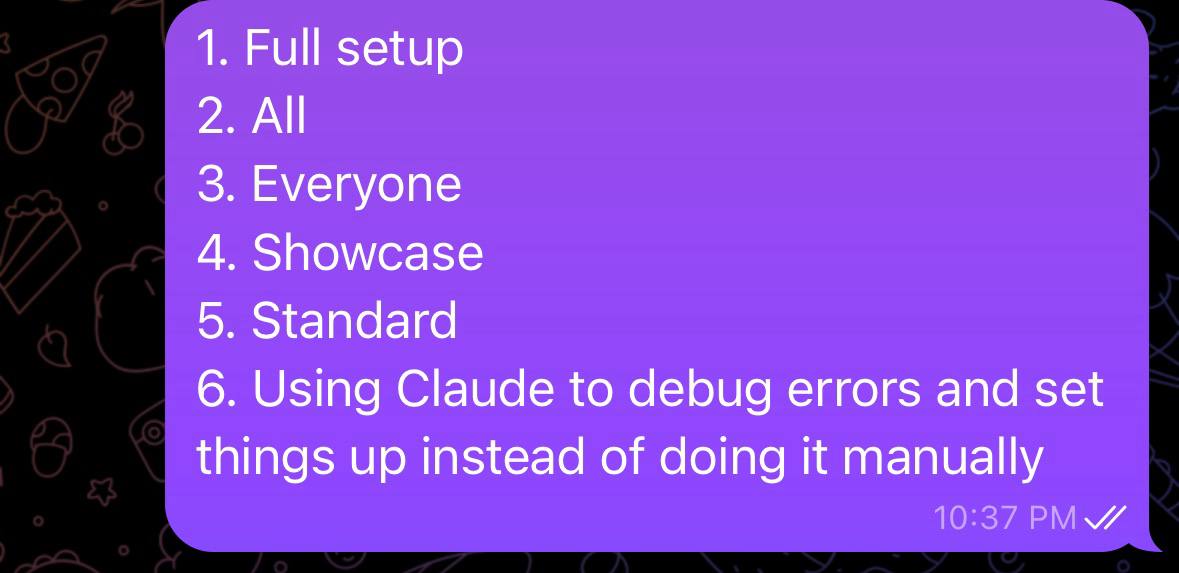
Six lines. That’s all the AI needed.
The Output
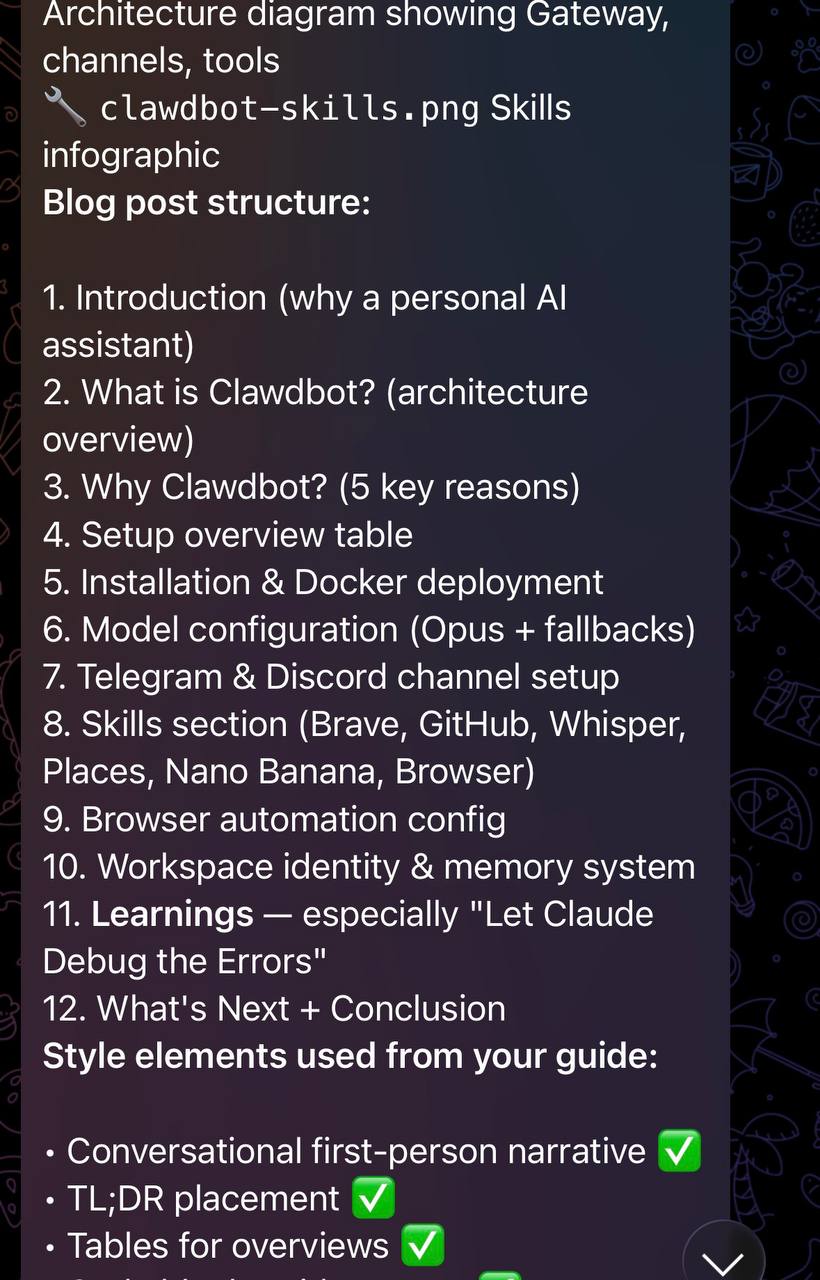
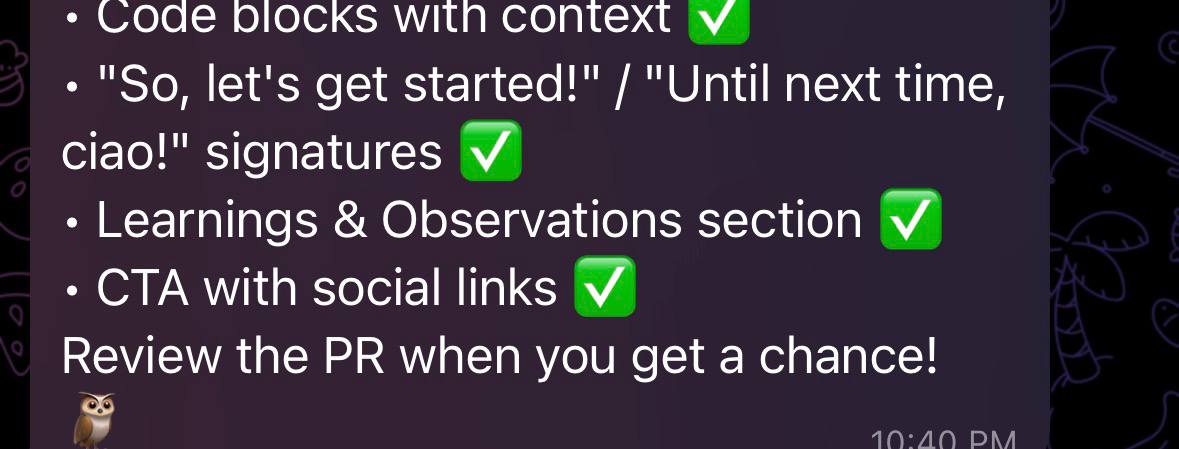
Eight minutes later, I had:
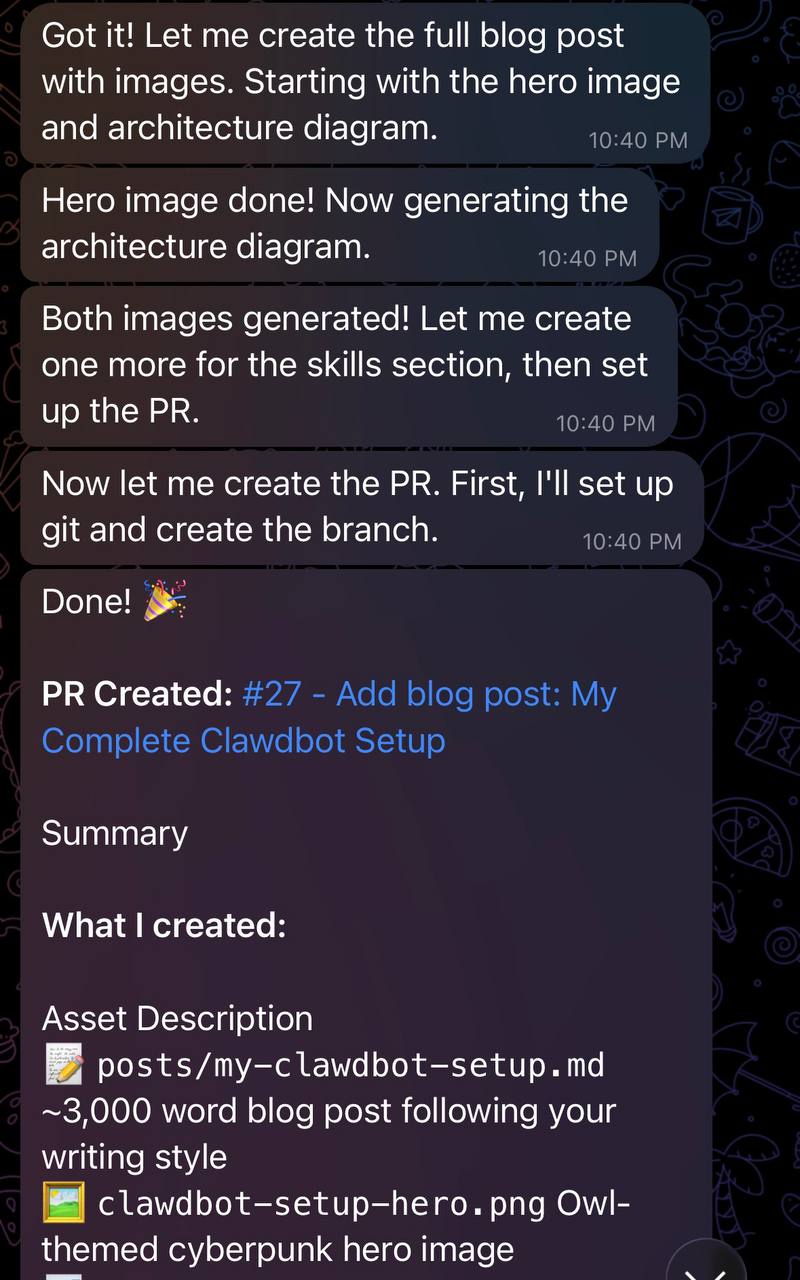
The blog post wasn’t just generated text dumped into a file. It followed my structure — the "So, let’s get started!" opener, tables for technical overviews, TL;DR sections, the "Until next time, ciao!" sign-off. It captured my voice because it learned my voice from the style guide.
What Made This Possible
1. Pre-Investment in Style
I’d asked Claude to analyze my existing blog posts and create a comprehensive writing style guide. That 3,000-word document captures:
- My conversational first-person narrative
- Typical section structures
- Signature phrases ("So, let’s get started!", "Having said that...")
- How I handle code blocks and technical details
- My approach to learnings sections
This upfront investment pays dividends every time I write. The AI doesn’t guess my style — it knows it.
2. Structured Workflows > Freeform Prompting
The doc-coauthoring skill isn’t magic. It’s a structured process:
- Context gathering — Asking the right questions upfront
- Refinement — Building section by section with feedback loops
- Reader testing — Validating the output actually makes sense
This structure prevents the AI from going off on tangents or producing generic content. It forces specificity.
3. Meeting Me Where I Am
The whole interaction happened in Telegram. I didn’t need to:
- Open a laptop
- Navigate to a web interface
- Context-switch between tools
I was literally lying on my couch. The barrier to creating content dropped to near-zero.
4. End-to-End Automation
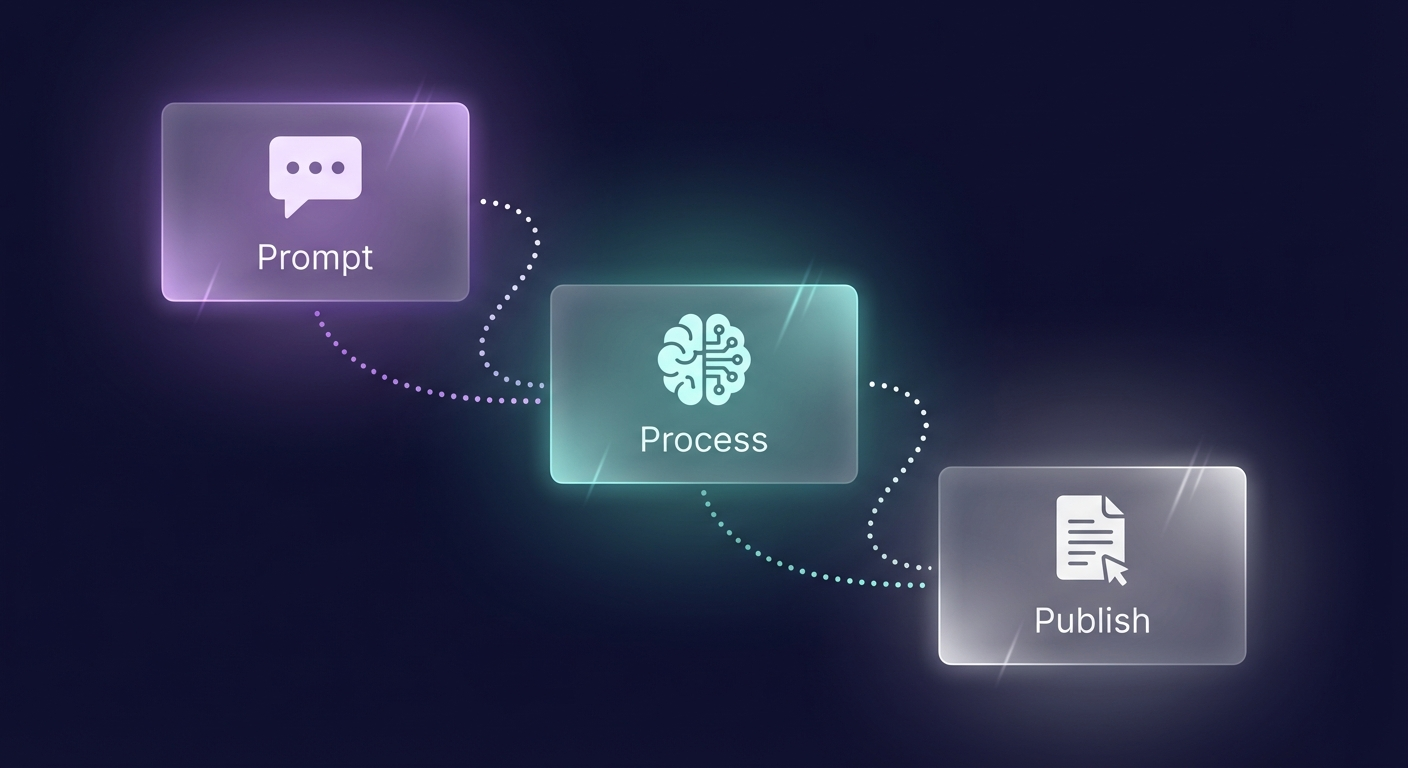
The AI didn’t just write text. It:
- Generated images using Nano Banana Pro
- Cloned my blog repository
- Created a properly formatted markdown file
- Committed and pushed to a new branch
- Created a GitHub PR with a descriptive summary
One prompt → deployed artifact. That’s the dream.
The Meta Moment
And now here I am, writing this blog post using the exact same workflow.
I sent eight screenshots to Sage via Telegram, asked it to write about the experience, and it’s doing exactly that. The screenshots become the source material. The style guide ensures consistency. The skills handle the heavy lifting.
It’s blogs all the way down. 🐢
Learnings and Observations
Let AI Handle the Scaffolding
The hardest part of writing isn’t the words — it’s the structure. Deciding what sections to include, how to organize them, what to emphasize. AI is remarkably good at this scaffolding work, especially when given proper context.
Invest in Your Voice
Creating a writing style guide felt like overkill at the time. Now it’s the single most valuable artifact in my AI toolkit. Every piece of content benefits from it.
Mobile-First AI is Different
There’s something about the constraints of mobile that changes the interaction. You can’t write long prompts easily. You’re forced to be concise. And somehow, that brevity produces better results.
The PR is the Product
What matters isn’t that AI wrote the words. What matters is that there’s a reviewable, mergeable PR at the end. The artifact is tangible. The workflow produces deployable output.
Trust But Verify
I still review every word before merging. AI gets you 90% there faster than ever before. The last 10% — fact-checking, nuance, personal judgment — remains human work. And that’s fine.
What’s Next?!
I’m continuing to explore what’s possible with this mobile-first AI writing workflow. Some ideas:
- Thread-based conversations — Using replies to refine specific sections
- Multi-day writing — Starting a draft, sleeping on it, continuing via mobile
- Voice notes — Speaking ideas instead of typing, with AI transcription
The friction between thinking and publishing keeps dropping. What used to take a weekend now takes an evening. What used to require a desk now requires only a couch and a phone.
Conclusion
Writing a blog post via Telegram felt like cheating at first. But it’s not cheating — it’s evolution. The tools have gotten good enough that the bottleneck is no longer typing or formatting or deploying. The bottleneck is having something worth saying.
AI handles the scaffolding. Skills handle the tooling. Structured workflows handle the process. What remains is the irreducibly human part: the ideas, the experiences, the learnings.
I just happen to capture them while lying on my couch.
Until next time, ciao! ✌️
Feel free to reach out to me with any comments/feedback on LinkedIn or GitHub. If you’re curious about Clawdbot, check out clawdbot.com.