The setup for my notes blog looks like this:
- Content is plain-text markdown files (synced via Dropbox, editable in iA Writer on my Mac, iPad, or iPhone)
- Codebase is on GitHub
- Builds are triggered in Netlify by a Shortcut
I try to catch spelling issues and what not before I publish, but I’m not perfect.
I can proofread a draft as much as I want, but nothing helps me catch errors better than hitting publish and re-reading what I just published on my website.
If that fails, kind readers will often reach out and say “Hey, I found a typo in your post [link].”
To fix these errors, I will:
- Open iA Writer
- Find the post
- Fix typo
- Fire Shortcut to trigger a build
- Refre…
The setup for my notes blog looks like this:
- Content is plain-text markdown files (synced via Dropbox, editable in iA Writer on my Mac, iPad, or iPhone)
- Codebase is on GitHub
- Builds are triggered in Netlify by a Shortcut
I try to catch spelling issues and what not before I publish, but I’m not perfect.
I can proofread a draft as much as I want, but nothing helps me catch errors better than hitting publish and re-reading what I just published on my website.
If that fails, kind readers will often reach out and say “Hey, I found a typo in your post [link].”
To fix these errors, I will:
- Open iA Writer
- Find the post
- Fix typo
- Fire Shortcut to trigger a build
- Refresh my website and see the updated post
However, the “Open iA Writer” and “Find the post” are points of friction I’ve wanted to optimize.
I’ve found myself thinking: “When I’m reading a post on notes.jim-nielsen.com and I spot a mistake, I wish I could just click an ‘Edit’ link right there and be editing my file.”
You might be thinking, “Yeah that’s what a hosted CMS does.”
But I like my plain-text files. And I love my native writing app.
What’s one to do?
Well, turns out iA Writer supports opening files via links with this protocol:
ia-writer://open?path=location:/path/to/file.md
So, in my case, I can create a link for each post on my website that will open the corresponding plain-text file in iA Writer, e.g.
<article>
<!-- content of post here -->
<a href="ia-writer://open?path=notes:2026-01-04T2023.md">
Edit
</a>
</article>
And voilà, my OS is now my CMS!
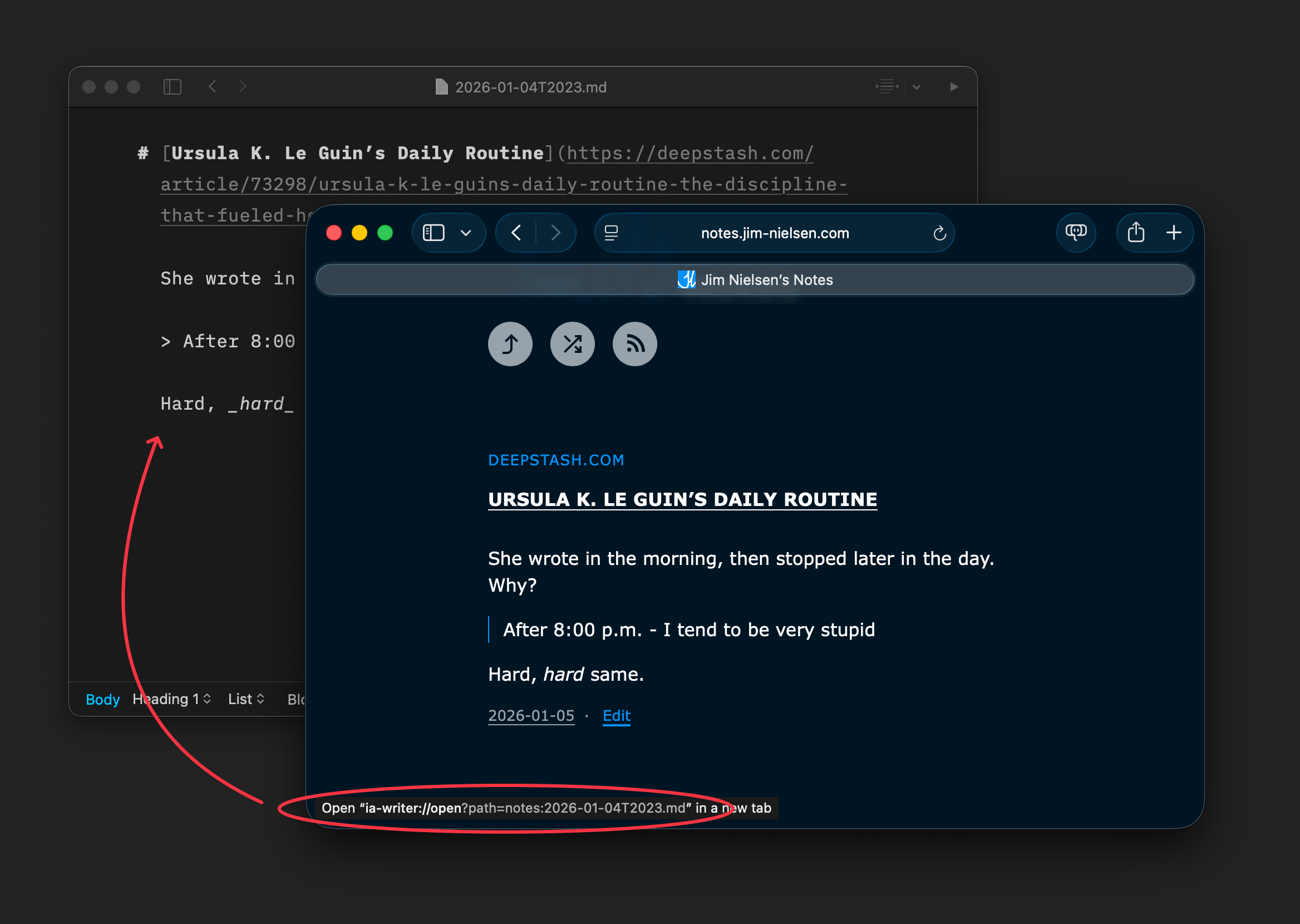
It’s not a link to open the post in a hosted CMS somewhere. It’s a link to open a file on the device I’m using — cool!
My new workflow looks like this:
- Read a post in the browser
- Click “Edit” hyperlink to open plain-text file in native app
- Make changes
- Fire Shortcut to trigger a build
It works great. Here’s an example of opening a post from the browser on my laptop: