This little webapp takes a PNG, and adds a blob of binary data to it. The fun part is that when that blob of data is shown in base64 encoding, text shows up. This doesn’t change what the image looks like when it’s viewed, the text is entirely ignored by most (hopefully all) browsers and tools.
However, if you were to attach this PNG file to an email, then the way email attachments are done means that the text might be visible in the raw email body. Which is fun, right?!
What does that mean?
Let’s start with a really simple image, a 1x1 pixel white square.

That base64 looks like this:
iVBORw0KGgoAAAANSUhEUgAAAAEAAAABCAYAAAAfFcSJAAAACklEQVR4nGMAAQAABQABDQottAAA
AABJRU5ErkJggg==
But this next ima…
This little webapp takes a PNG, and adds a blob of binary data to it. The fun part is that when that blob of data is shown in base64 encoding, text shows up. This doesn’t change what the image looks like when it’s viewed, the text is entirely ignored by most (hopefully all) browsers and tools.
However, if you were to attach this PNG file to an email, then the way email attachments are done means that the text might be visible in the raw email body. Which is fun, right?!
What does that mean?
Let’s start with a really simple image, a 1x1 pixel white square.
That base64 looks like this:
iVBORw0KGgoAAAANSUhEUgAAAAEAAAABCAYAAAAfFcSJAAAACklEQVR4nGMAAQAABQABDQottAAA
AABJRU5ErkJggg==
But this next image is also a 1x1 pixel white square.

That base64 looks like this:
iVBORw0KGgoAAAANSUhEUgAAAAEAAAABCAYAAAAfFcSJAAAC9XNMT1AA++++++++++++++++++++
++++++++++++++++++++++++++++++++++++++++++++++++++++++++++++++++++++++++++++
++++++++++++++++++++++++++++++++++++++++++++++++++++++++++++++++++++++++++++
++++++++++++++++++++++++++++++++++++++++++++++++++++++++++++++++++++++++++++
All+nontrivial+abstractions+to+some+degree+are+leaky++++++++++++++++++++++++
++++++++++++++++++++++++++++++++++++++++++++++++++++++++++++++++++++++++++++
Abstractions+fail+Sometimes+a+little+sometimes+a+lot+Theres+++++++++++++++++
leakage+Things+go+wrong+It+happens+all+over+the+place+when++++++++++++++++++
you+have+abstractions+++++++++++++++++++++++++++++++++++++++++++++++++++++++
++++++++++++++++++++++++++++++++++++++++++++++++++++++++++++++++++++++++++++
Joel+Spolsky+2002+++++++++++++++++++++++++++++++++++++++++++++++++++++++++++
++++++++++++++++++++++++++++++++++++++++++++++++++++++++++++++++++++++++++++
++++++++++++++++++++++++++++++++++++++++++++++++++++++++++++++++++++++++++++
++++++++++++++++++++++++++++++++++++++++++++++++++++++++++++++++++++++++++++
IxEC/AAAAApJREFUeJxjAAEAAAUAAQ0KLbQAAAAASUVORK5CYII=
Basically, if you attach one of these images to an email, and you view the original SMTP/MIME source of the email body, you’ll see the base64 parts as above. Similarly if you include the image in a webpage using an embedded data base64 image, then your encoded text is visible in the raw html, but doesn’t appear in webpage search or when looking at the image itself.
What are the implications?
Nothing! This was just for fun after a discussion with a colleague whether it might be even possible to make base64 blobs look readable. There’s certainly no poorly coded systems out there which might be hooked up to read emails or webpages and interpret any text they see as information.
No siree I’m sure everyone is keeping the attachments and the content well and truly isolated from each other and this couldn’t possibly do anything other than be a fun proof of concept and excuse for me to play with wasm.
Some fun images include:
- pixel.png A 1x1 transparent pixel which displays the full text of the Universal Declaration of Human Rights
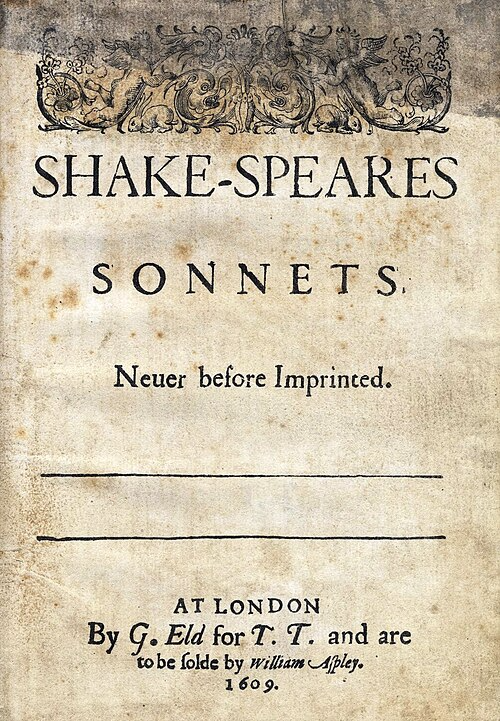
- sonnets.png A picture of Shakespeare’s Sonnets which displays full text of Shakespeare’s Sonnets
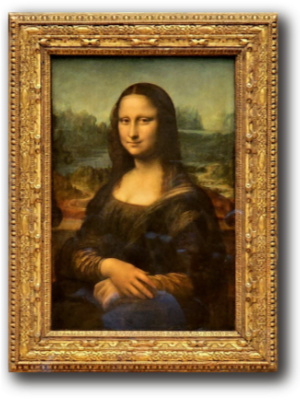
- Mona_Lisa_300x400.png The image of the Mona Lisa used on this site - which displays the CC-BY-SA 4.0 attribution for it’s sourcing
- environment.png An "please consider this environment" email footer which has an instruction that the email must be printed out and stored offsite


Ok, how does it work?
We take advantage of a few things.
-
PNG files allow us to add our own blocks of data without affecting the image itself
-
base64 encodes data by converting bytes to the ascii characters
A..Z,a..z,0..9as well as+and/ -
email programs and browsers put attachments in base64 blobs
-
email is a series of mime parts bodies (blocks of text separated by dividers)
-
browsers use the data type to inline images into pages
So let’s say we want to display the text "1000 words" when our image is encoded in base64. Our first problem is that base64 doesn’t allow spaces, but maybe we’re ok with +1000+words+ (we like our message to be a multiple of four characters).
We first need to work out what bytes encode to that base64 string. That’s easy enough, since 3 bytes is encoded as 4 base64 characters. (3 * 8 bits = 24 bits of data) Then each of the 64 valid base64 characters represents 6 bits of data (4 * 6 bits = 24 bits). So 3 bytes in the input becomes 4 characters in the output.
Which means to show +1000+words+ in the encoded data, we need the 3-byte sequences which create the 4-char values we want.
fb5d34becomes+100d3ec28becomes0+woaddb3ebecomesrds+
Of course, it’s not quite that simple, and we need to make sure we start on a 3-byte offset so our text always shows up, but that’s just a little padding. You can experiment yourself with this in GCHQ’s cyberchef if you’d like to explore what any of that means
Can I see the code?
Yep, it’s on github and is MIT licensed. Yes, it was AI assisted, but not vibe coded.
Are you stealing my pictures?
No, i don’t want your pictures and in fact I never see them. This webapp is a blazor WASM application, originally written in dotnet and built to run in your browser. Nothing here ever leaves your browser. I don’t even run analytics on this site.