clip-path is often used for trimming a DOM node into specific shapes, like triangles. But what if I told you that it’s also great for animations?
In this article, we’ll dive into clip-path and explore some cool things you can do with it. After reading it, you’ll start seeing this CSS property being used everywhere.
The clip-path property is used to clip an element into a specific shape. We create a clipping region with it, content outside of this region will be hidden, while content inside will be visible. This allows us to easily turn a rectangle into a circle for example.
.circle {
clip-path: circle(50% at 50% 50%);
}
This has no effect on layout meaning that an element with clip-path will occupy the same space as an element with…
clip-path is often used for trimming a DOM node into specific shapes, like triangles. But what if I told you that it’s also great for animations?
In this article, we’ll dive into clip-path and explore some cool things you can do with it. After reading it, you’ll start seeing this CSS property being used everywhere.
The clip-path property is used to clip an element into a specific shape. We create a clipping region with it, content outside of this region will be hidden, while content inside will be visible. This allows us to easily turn a rectangle into a circle for example.
.circle {
clip-path: circle(50% at 50% 50%);
}
This has no effect on layout meaning that an element with clip-path will occupy the same space as an element without it, just like transform.
We positioned our circle above using a coordinate system. It starts at the top left corner (0, 0). circle(50% at 50% 50%) means that the circle will have a border radius of 50% and will be positioned at 50% from the top and 50% from the left, which is the center of the element.
There are other values like ellipse, polygon, or even url() which allows us to use a custom SVG as the clipping path, but we are going to focus on inset as that’s what we’ll be using for all animations in this post.
The inset values define the top, right, bottom, and left offsets of a rectangle. This means that if we use inset(100%, 100%, 100%, 100%), or inset(100%) as a shortcut, we are “hiding” (clipping) the whole element. An inset of (0px 50% 0px 0px) would make the right half of the element invisible, and so on.
clip-path: inset(0, 0, 0, 0);
We now know that clip path can “hide” parts of an element, this opens up a lot of possibilities for animations. Let’s start discovering them.
I’m sure you’ve seen those before and after sliders somewhere. There are many ways to create one, we could have two divs with overflow hidden and change their width for example, but we can also use more performant approach with clip-path.
We start by overlaying two images on top of each other. We then create a clip-path: (0 50% 0 0) that hides the right half of the top image and adjust it based on the drag position.
clip-path: inset(0 50% 0 0)
Visuals are coming from Raycast.
This way we get a hardware-accelerated interaction without additional DOM elements (we’d need additional element for overflow hidden in the width approach).
Knowing that we can create such comparison slider with clip-path opens the door to many other use cases. We could use it for a text mask effect for example.
We overlay two elements on top of each other again, but this time, we hide the bottom half of the dashed text with clip-path: inset(0 0 50% 0), and the top half of the solid text with clip-path: inset(50% 0 0 0). We then adjust these values based on the mouse position.
Dashed textclip-path: inset(0 0 50% 0);
Filled textclip-path: inset(50% 0 0 0);
This one is technically a vertical comparison slider too, but it doesn’t look like one. It’s just a matter of creativity.
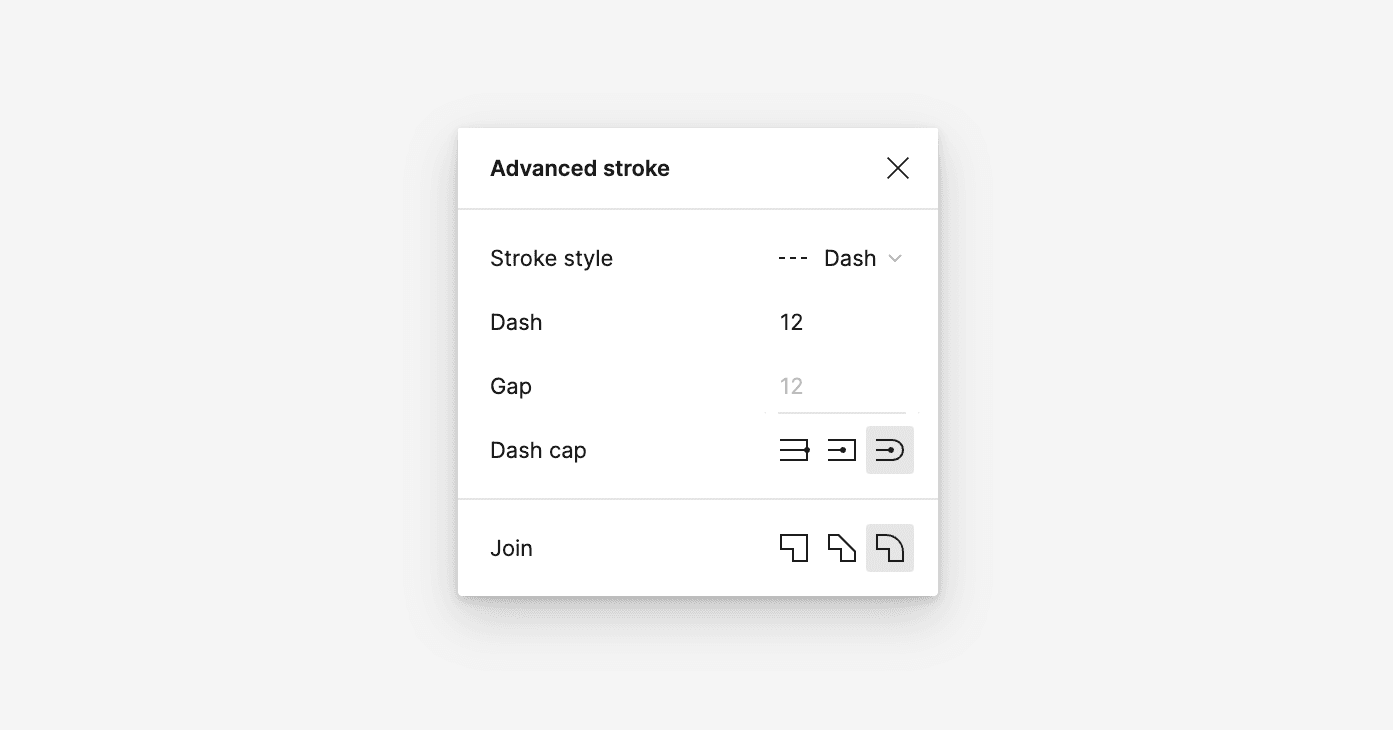
The dashed text here is a stroke applied in Figma that is then converted to SVG.
clip-path can also be used for an image reveal effect. We start off with a clip-path that covers the whole image so that it’s invisible, and then we animate it to reveal the image.
We could also do it with a height animation, but there are some benefits to using clip-path here. clip-path is hardware-accelerated, so it’s more performant than animating the height of the image. Using clip-path also prevents us from having a layout shift when the image is revealed, as the image is already there, it’s just clipped.
The image reveal effect must be triggered when the image enters the viewport; otherwise, the user will never see the image being animated. So how do we do that?
I usually use Framer Motion for animations, so I’ll show you how to do it with it. But if you are not using this library in your project already, I’d suggest you use the Intersection Observer API, as Framer Motion is quite heavy.
Framer Motion exposes a hook called useInView which returns a boolean value indicating whether the element is in the viewport or not. We can then use this value to trigger the animation.
Code Playground
"use client";

import { useInView } from "framer-motion";
import { useRef, useState } from "react";

export default function ImageRevealInner() {
const ref = useRef(null);

const isInView = useInView(ref, { once: true, margin: "-100px" });

if (isInView && ref.current) {
ref.current.animate(
[{ clipPath: "inset(0 0 100% 0)" }, { clipPath: "inset(0 0 0 0)" }],
{
duration: 1000,
fill: "forwards",
easing: "cubic-bezier(0.77, 0, 0.175, 1)",
},
);
}

return (
<>
<h1>scroll down</h1>
<img
className="image-reveal"
alt="A series of diagonal black and white stripes with a smooth gradient effect. The alternating light and dark bands create a sense of depth and movement, resembling light rays or shadows cast across a surface. The overall aesthetic is abstract and high-contrast, with a sleek, modern feel."
src="https://emilkowal.ski/clip-path/raycast.jpg"
height={430}
ref={ref}
width={644}
/>
</>
);
}
I used WAAPI here instead of CSS animations to keep all animation-related logic in one place. I also added two options to the useInView hook. The once option makes sure that the animation is triggered only once, and the margin option makes sure that the animation is triggered when at least 100px of the image is in view.
Another scroll interaction we can create with clip-path is this vertical line that gets longer as we scroll down. It might look like an SVG that gets drawn, but it’s just a clipped div which we gradually reveal upon scrolling.
I’ve first seen this effect in one of Rauno’s tweets. That tweet inspired me to recreate it and include it in this post.
In this case I used the useScroll hook from Framer Motion to get the scroll progress of our container. The offset option ensures that we start measuring when the top of the element reaches the bottom of the viewport, and end measuring when the bottom of the element reaches the bottom of the viewport. This way we don’t revert the animation when the user scrolls past it.
Thanks to useTransform we can map the scroll progress (0 to 1) to a value that we can use in the clip-path property. I basically map 0 to 100% and 1 to 0%, everything in between is calculated automatically.
const { scrollYProgress } = useScroll({
target: containerRef,
offset: ["start end", "end end"],
});

const clipPathY = useTransform(scrollYProgress, [0, 1], ["100%", "0%"]);
The scrollYProgress is a motion value, which is an internal value of Framer Motion. It contains the up to date value without re-rendering the component, which is great, but it also limits the ways in which we can access it.
I need to use the motion value to create a new motion value that I can use in the clip-path property. This is done with the useMotionTemplate function, which lets us create a new motion value from a string template containing other motion value.
const motionClipPath = useMotionTemplate`inset(0 0 ${clipPathY} 0)`;
The beauty of motion values is that if we use them as inline styling, they will be updated automatically. That’s why I needed to keep scrollYProgress as a motion value. If I saved it in a const variable for example, it would not receive updates.
<motion.div
ref={containerRef}
// This style value updates automatically,
// because `motionClipPath` is a motion value
style={{ clipPath: motionClipPath }}
>
...
</motion.div>
This is the most advanced example in this post, as it covers some more complex features of Framer Motion. I decided to include it to show you what’s possible with this library, but please, don’t feel bad if you don’t understand it! I might make a more in-depth post about Framer Motion in the future.
I’m sure you’ve seen this one before as well. The problem here is that the active tab has a different text color than the inactive ones. Usually, people apply a transition to the text color and that kinda solves it.
This is okay-ish, but we can do better.
We can duplicate the list and change the styling of it so that it looks active (blue background, white text). We can then use clip-path to trim the duplicated list so that only the active tab in that list is visible. Then, upon clicking, we animate the clip-path value to reveal the new active tab.
This way we get a seamless transition between the tabs, and we don’t have to worry about timing the color transition, which would never be seamless anyway.
clip-path: inset(0px 75% 0px 0% round 17px);
To better understand this, you can press the “Toggle clip path” button to see how it looks without clipping. Slowing it down by clicking on the button next to it will help you notice the difference in transition.
I’ve first seen this technique in one of Paco’s tweets, his profile is full of gems like this one.
You might say that not everyone is going to notice the difference, but I truly believe that small details like this add up and make the experience feel more polished. Even if they go unnoticed.
Below, you can see my implementation of this technique. Keep in mind that this code is simplified to focus on the clip-path part, the actual implementation would require more work. For example, to make it more accessible, I’d reach for Radix’s Tabs.
Code Playground
"use client";

import { useEffect, useRef, useState } from "react";

export default function TabsClipPath() {
const [activeTab, setActiveTab] = useState(TABS[0].name);
const containerRef = useRef(null);
const activeTabElementRef = useRef(null);

useEffect(() => {
const container = containerRef.current;

if (activeTab && container) {
const activeTabElement = activeTabElementRef.current;

if (activeTabElement) {
const { offsetLeft, offsetWidth } = activeTabElement;

const clipLeft = offsetLeft;
const clipRight = offsetLeft + offsetWidth;
container.style.clipPath = `inset(0 ${Number(100 - (clipRight / container.offsetWidth) * 100).toFixed()}% 0 ${Number((clipLeft / container.offsetWidth) * 100).toFixed()}% round 17px)`;
}
}
}, [activeTab, activeTabElementRef, containerRef]);

return (
<div className="wrapper">
<ul className="list">
{TABS.map((tab) => (
<li key={tab.name}>
<button
ref={activeTab === tab.name ? activeTabElementRef : null}
data-tab={tab.name}
onClick={() => {
setActiveTab(tab.name);
}}
className="button"
>
{tab.icon}
{tab.name}
</button>
</li>
))}
</ul>

<div aria-hidden className="clip-path-container" ref={containerRef}>
<ul className="list list-overlay">
{TABS.map((tab) => (
<li key={tab.name}>
<button
data-tab={tab.name}
onClick={() => {
setActiveTab(tab.name);
}}
className="button-overlay button"
tabIndex={-1}
>
{tab.icon}
{tab.name}
</button>
</li>
))}
</ul>
</div>
</div>
);
}

const TABS = [
{
name: "Payments",
icon: (
<svg
aria-hidden="true"
width="16"
height="16"
viewBox="0 0 16 16"
fill="none"
xmlns="http://www.w3.org/2000/svg"
>
<path
fillRule="evenodd"
clipRule="evenodd"
fill="currentColor"
d="M0 3.884c0-.8.545-1.476 1.306-1.68l.018-.004L10.552.213c.15-.038.3-.055.448-.055.927.006 1.75.733 1.75 1.74V4.5h.75A2.5 2.5 0 0 1 16 7v6.5a2.5 2.5 0 0 1-2.5 2.5h-11A2.5 2.5 0 0 1 0 13.5V3.884ZM10.913 1.67c.199-.052.337.09.337.23v2.6H2.5c-.356 0-.694.074-1 .208v-.824c0-.092.059-.189.181-.227l9.216-1.984.016-.004ZM1.5 7v6.5a1 1 0 0 0 1 1h11a1 1 0 0 0 1-1V7a1 1 0 0 0-1-1h-11a1 1 0 0 0-1 1Z"
></path>
<path
fillRule="evenodd"
clipRule="evenodd"
fill="currentColor"
d="M10.897 1.673 1.681 3.657c-.122.038-.181.135-.181.227v.824a2.492 2.492 0 0 1 1-.208h8.75V1.898c0-.14-.138-.281-.337-.23m0 0-.016.005Zm-9.59.532 9.23-1.987c.15-.038.3-.055.448-.055.927.006 1.75.733 1.75 1.74V4.5h.75A2.5 2.5 0 0 1 16 7v6.5a2.5 2.5 0 0 1-2.5 2.5h-11A2.5 2.5 0 0 1 0 13.5V3.884c0-.8.545-1.476 1.306-1.68l.018-.004ZM1.5 13.5V7a1 1 0 0 1 1-1h11a1 1 0 0 1 1 1v6.5a1 1 0 0 1-1 1h-11a1 1 0 0 1-1-1ZM13 10.25c0 .688-.563 1.25-1.25 1.25-.688 0-1.25-.55-1.25-1.25 0-.688.563-1.25 1.25-1.25.688 0 1.25.562 1.25 1.25Z"
></path>
</svg>
),
},
{
name: "Balances",
icon: (
<svg
data-testid="primary-nav-item-icon"
aria-hidden="true"
width="16"
height="16"
viewBox="0 0 16 16"
fill="none"
xmlns="http://www.w3.org/2000/svg"
>
<path
fill="currentColor"
d="M1 2a.75.75 0 0 1 .75-.75h7.5a.75.75 0 0 1 0 1.5h-7.5A.75.75 0 0 1 1 2Zm0 8a.75.75 0 0 1 .75-.75h5a.75.75 0 0 1 0 1.5h-5A.75.75 0 0 1 1 10Zm2.25-4.75a.75.75 0 0 0 0 1.5h7.5a.75.75 0 0 0 0-1.5h-7.5ZM2.5 14a.75.75 0 0 1 .75-.75h4a.75.75 0 0 1 0 1.5h-4A.75.75 0 0 1 2.5 14Z"
></path>
<path
fillRule="evenodd"
clipRule="evenodd"
fill="currentColor"
d="M16 11.5a3.5 3.5 0 1 1-7 0 3.5 3.5 0 0 1 7 0Zm-1.5 0a2 2 0 1 1-4 0 2 2 0 0 1 4 0Z"
></path>
</svg>
),
},
{
name: "Customers",
icon: (
<svg
aria-hidden="true"
width="16"
height="16"
viewBox="0 0 16 16"
fill="none"
xmlns="http://www.w3.org/2000/svg"
>
<path
fillRule="evenodd"
clipRule="evenodd"
fill="currentColor"
d="M2.5 14.4h11a.4.4 0 0 0 .4-.4 3.4 3.4 0 0 0-3.4-3.4h-5A3.4 3.4 0 0 0 2.1 14c0 .22.18.4.4.4Zm0 1.6h11a2 2 0 0 0 2-2 5 5 0 0 0-5-5h-5a5 5 0 0 0-5 5 2 2 0 0 0 2 2ZM8 6.4a2.4 2.4 0 1 0 0-4.8 2.4 2.4 0 0 0 0 4.8ZM8 8a4 4 0 1 0 0-8 4 4 0 0 0 0 8Z"
></path>
</svg>
),
},
{
name: "Billing",
icon: (
<svg
aria-hidden="true"
width="16"
height="16"
viewBox="0 0 16 16"
fill="none"
xmlns="http://www.w3.org/2000/svg"
>
<path
fill="currentColor"
d="M0 2.25A2.25 2.25 0 0 1 2.25 0h7.5A2.25 2.25 0 0 1 12 2.25v6a.75.75 0 0 1-1.5 0v-6a.75.75 0 0 0-.75-.75h-7.5a.75.75 0 0 0-.75.75v10.851a.192.192 0 0 0 .277.172l.888-.444a.75.75 0 1 1 .67 1.342l-.887.443A1.69 1.69 0 0 1 0 13.101V2.25Z"
></path>
<path
fill="currentColor"
d="M5 10.7a.7.7 0 0 1 .7-.7h4.6a.7.7 0 1 1 0 1.4H7.36l.136.237c.098.17.193.336.284.491.283.483.554.907.855 1.263.572.675 1.249 1.109 2.365 1.109 1.18 0 2.038-.423 2.604-1.039.576-.626.896-1.5.896-2.461 0-.99-.42-1.567-.807-1.998a.75.75 0 1 1 1.115-1.004C15.319 8.568 16 9.49 16 11c0 1.288-.43 2.54-1.292 3.476C13.838 15.423 12.57 16 11 16c-1.634 0-2.706-.691-3.51-1.64-.386-.457-.71-.971-1.004-1.472L6.4 12.74v2.56a.7.7 0 1 1-1.4 0v-4.6ZM2.95 4.25a.75.75 0 0 1 .75-.75h2a.75.75 0 0 1 0 1.5h-2a.75.75 0 0 1-.75-.75ZM3.7 6.5a.75.75 0 0 0 0 1.5h4.6a.75.75 0 0 0 0-1.5H3.7Z"
></path>
</svg>
),
},
];
Back in 2021 I shared a theme animation on X. The implementation was a bit hacky, as I duplicated the whole page, but it worked for a quick prototype.
The way this works is I basically animate the clip-path of either light or dark theme to reveal the other one. I know which theme to animate, because I store the current theme in the state and change it when the user clicks the button.
The code is very similar to the image reveal effect. This is the thing with clip-path, once you understand the basics you can create many great animations with it, it’s just a matter of creativity.
.clipPathReveal {
clip-path: inset(0 0 100% 0);
animation: revealClipPath 1s cubic-bezier(0.77, 0, 0.175, 1) forwards;
}

@keyframes revealClipPath {
from {
clip-path: inset(0 0 100% 0);
}
to {
clip-path: inset(0 0 0 0);
}
}
While this implementation is hacky as it requires duplicating the element you want to animate, you can achieve the same effect with View Transitions API. We won’t get into that here to keep the article relatively concise.
Now that you know how to animate with clip-path, you should start seeing it being used in many places. Vercel uses it on their security page for example.
Although Tuple uses the width approach we discussed earlier, they could use clip-path here for a more performant solution.
And here’s the very same tabs component we discussed earlier being used on Stripe’s blog.
This post is made to inspire you and show you that thinking outside the box can lead to some great animations. clip-path is a very powerful property, but that’s not the only one! There are many other creative ways to animate elements on the web. I cover them in my course called "Animations on the Web".