About MeshSTL
MeshSTL is a community-driven initiative to bring offline communication to the St. Louis area using the Meshtastic platform. By leveraging low-power, long-range radios, our decentralized mesh network allows people to stay connected without relying on cellular networks or the internet.
Each Meshtastic-compatible device acts as a node, passing messages between other nodes to ensure communication persists—even during internet or phone outages. Devices like the TTGO T-Beam can be used to join the network. For a list of supported devices, visit Meshtastic Hardware Devices.
MQTT Note: Those using the MQTT server (listed below) are typically either out of range of other MeshSTL users or operate ROUTER_LATE nodes to…
About MeshSTL
MeshSTL is a community-driven initiative to bring offline communication to the St. Louis area using the Meshtastic platform. By leveraging low-power, long-range radios, our decentralized mesh network allows people to stay connected without relying on cellular networks or the internet.
Each Meshtastic-compatible device acts as a node, passing messages between other nodes to ensure communication persists—even during internet or phone outages. Devices like the TTGO T-Beam can be used to join the network. For a list of supported devices, visit Meshtastic Hardware Devices.
MQTT Note: Those using the MQTT server (listed below) are typically either out of range of other MeshSTL users or operate ROUTER_LATE nodes to extend the mesh across the internet.
Warning Enabling Licensed amateur radio (HAM) on the User Config module will likely cause issues connecting to MeshSTL as it disables AES Encryption.
Get Involved
Join our community discussions on our forums and Discord server.
LoRa Config
- Use Modem Preset: True
- Modem Preset: Long_Fast
- Frequency Offset: 0.0
- Region: United States
- Hop Limit: 3-7
- TX Enabled: True
- TX Power: 30
- Frequency Slot: 20
- Override Duty Cycle: True
- Override Frequency: 906.875
- Ignore MQTT: False
- OK to MQTT: True
MeshSTL Channels
| Channel Name | Role | Purpose |
|---|---|---|
| LongFast | Primary | Node discovery, chatting outside network |
| MeshSTL | Secondary | Primary internal mesh communication |
| Desired EAS Channel/s | Secondary | Emergency Alert System |
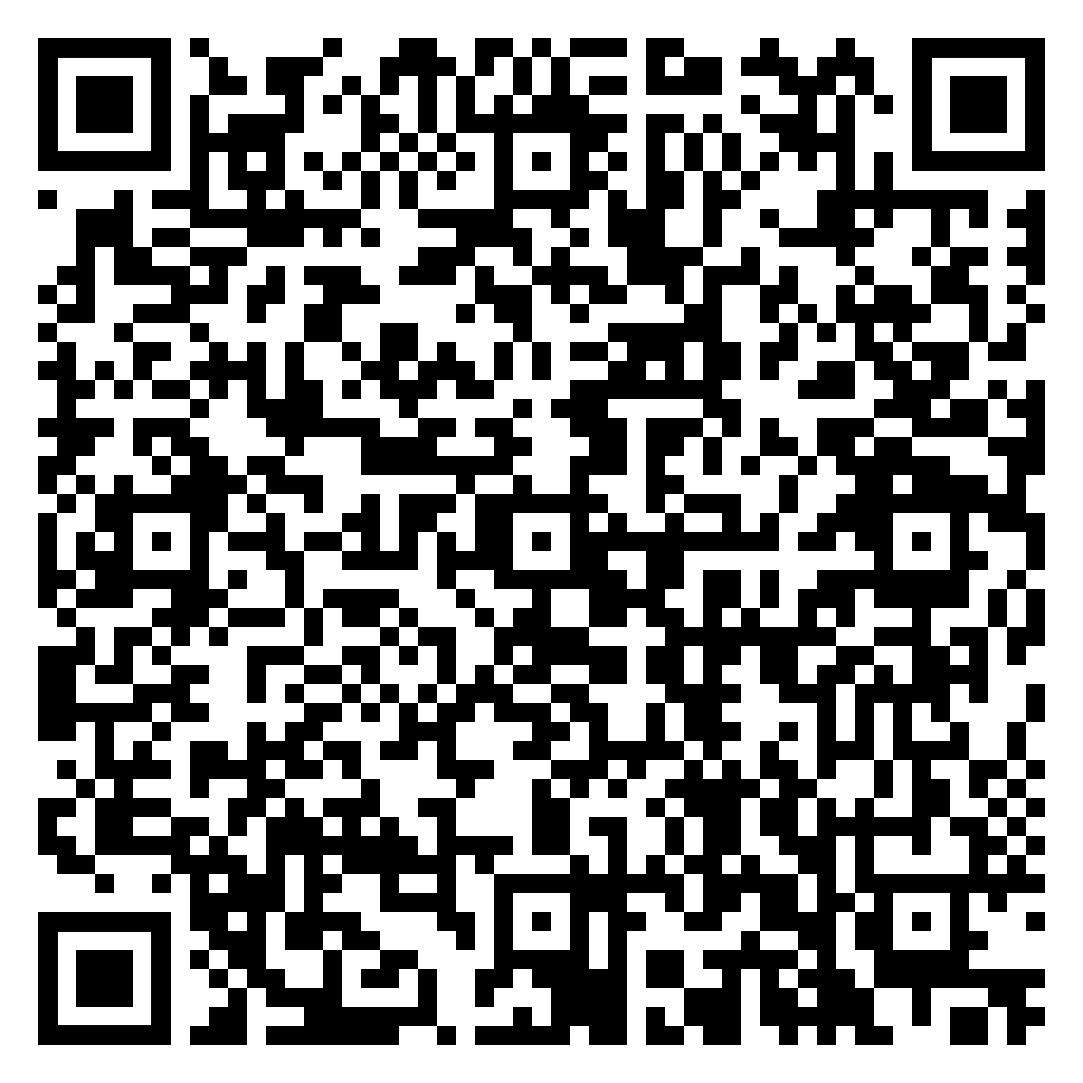
- Scan the QR Code in Meshtastic App
- Select Replace
- Click Accept
Click to scan QR Code for all channels
× 
EAS System
EAS System consist of special channels designed for emergency alert systems (EAS) sent from the dedicated EAS Node. It is used to broadcast critical emergency alerts within the MeshSTL LoRa and MQTT network.
Ensure these settings are correctly configured in the device to ensure seamless integration with the EAS System. If you are configuring a Meshtastic device for these channel, follow the steps outlined here.
Important Notes: The uplink and downlink are only needed if you are using MQTT for communication. For other setups, these may not be necessary.
Coverage Area
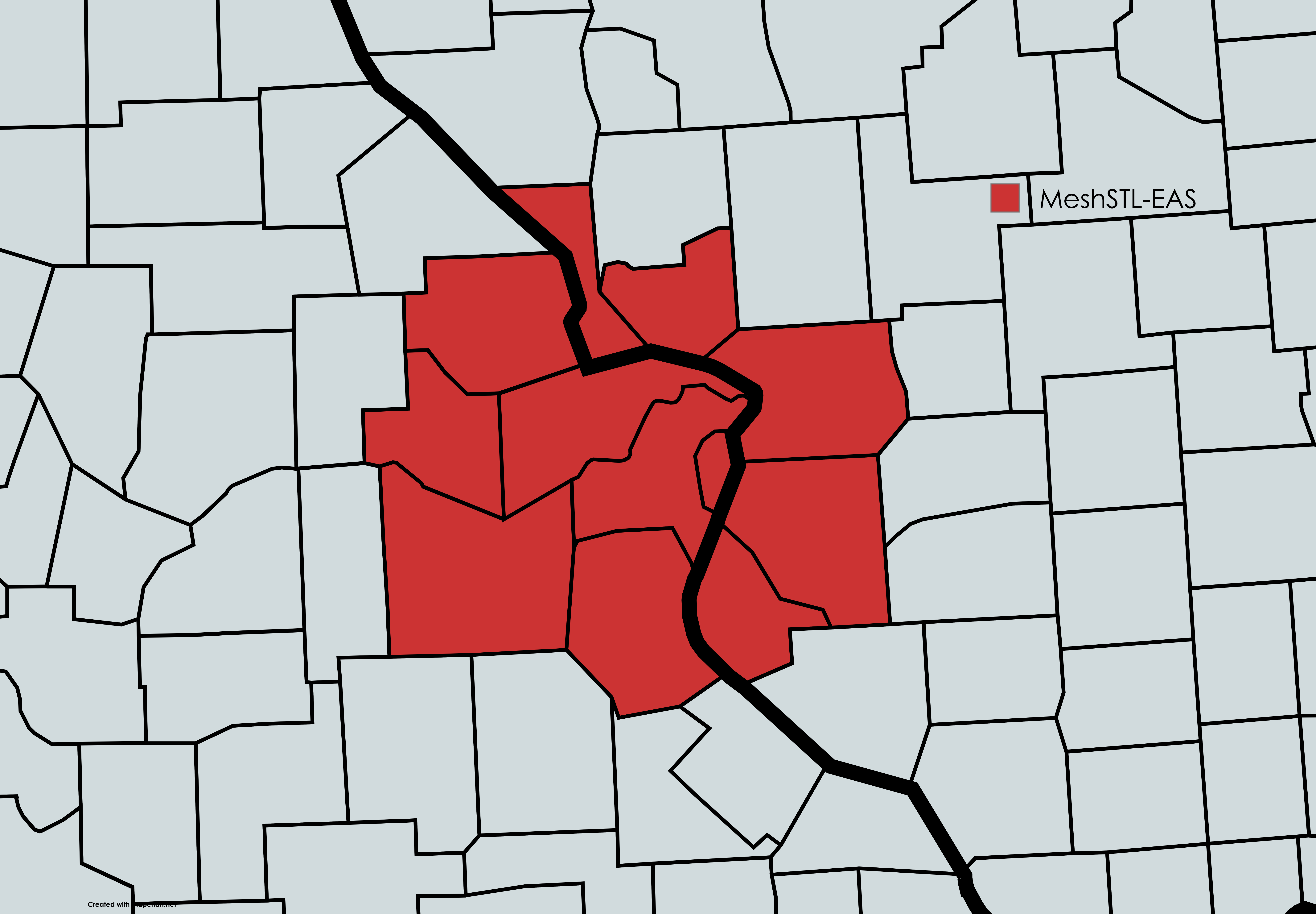
- RED: MeshSTL-EAS
- BLUE: CMRG-EAS
- PURPLE: ILMesh-EAS
- ORANGE: SEMO-EAS
- YELLOW: Ozarks-EAS
- PINK: NEMO-EAS
- PSK Key: AQ==
MQTT Server
Optional but recommended for routers/clients. Enter these settings in your Meshtastic app.
- Host: mqtt.meshstl.org
- Port: 1883
- Encryption: Yes
- Username: MeshSTL
- Password: meshstl
- Root Topic: msh/US/MO
Mesh Info
⚠️ Currently testing. Site may go down without notice.
Access the Mesh Info here: