I recently switched over my search engine in Firefox to noai.duckduckgo.com. As you might guess, this how you can use DuckDuckGo without the integrated AI feature called "Search Assist". While I do have some conservation in applying generative AI in my life, this is not an anti-AI move. My decision to make this change is largely driven by my desire to use technology in a mindful and responsible way. Every query has an environmental cost and I simply don't want to have the temptation to use it for everything.
Firefox
To do this, I follow Firefox's instructions to add a custom search engine. In the "URL with %s in place...
I recently switched over my search engine in Firefox to noai.duckduckgo.com. As you might guess, this how you can use DuckDuckGo without the integrated AI feature called "Search Assist". While I do have some conservation in applying generative AI in my life, this is not an anti-AI move. My decision to make this change is largely driven by my desire to use technology in a mindful and responsible way. Every query has an environmental cost and I simply don't want to have the temptation to use it for everything.
Firefox
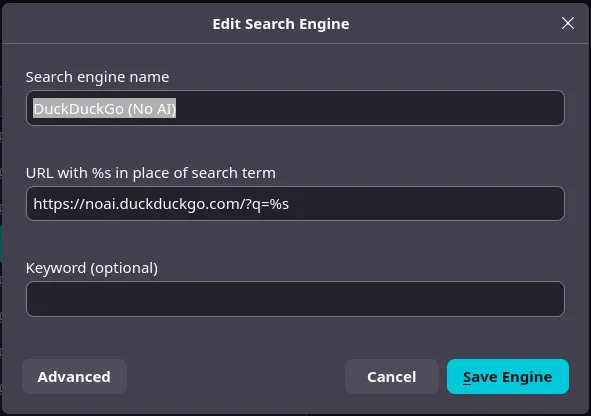
To do this, I follow Firefox's instructions to add a custom search engine. In the "URL with %s in place of search term", I simply add https://noai.duckduckgo.com/?q=%s.
I still need to figure out if I can do this easily through a config file so that I can apply it at the same time as I apply my user.js file for a new Firefox profile so I'm doing the change manually with the instructions above for now.
Vanadium
I haven't figured out how to change do it in Vanadium yet. I'll update this if I figure it out...
Final Remarks
Some readers might point out that I can turn it off from the DDG Settings page. While this works, it doesn't work for me as I have my browsers to wipe their state constantly which means those settings would be reverted with normal use.