- 11 Dec, 2025 *
I don’t even remember when was the last time I posted something on social media. Even less on... wait, a blog? Of course I used to post stuff once in a while on my professional blog associated with my wordpress academic page, or my research group’s page. But a personal blog? Sheesh. This coming from a guy that still remembers when livejournal was a thing.
For some reason lately I felt compelled to start posting long-form stuff. Was deciding between this platform and hosting a page on Github pages with Jekyll, or the hottest thing in that space, Hugo. Decided to give Bear a try. By the way, I am huge fan of another (u…
- 11 Dec, 2025 *
I don’t even remember when was the last time I posted something on social media. Even less on... wait, a blog? Of course I used to post stuff once in a while on my professional blog associated with my wordpress academic page, or my research group’s page. But a personal blog? Sheesh. This coming from a guy that still remembers when livejournal was a thing.
For some reason lately I felt compelled to start posting long-form stuff. Was deciding between this platform and hosting a page on Github pages with Jekyll, or the hottest thing in that space, Hugo. Decided to give Bear a try. By the way, I am huge fan of another (unrelated) tool called Bear, the Bear MacOS notes app which replaced Evernote for me when the company decided to implement LLM garbage in that platform and raise the subscription by 2-3x.
So, coming back to the post’s title: how could I have lived for so long without Syncthing? If you have multiple Linux devices at home (including Android ones) and you constantly need to transfer files to them, Syncthing was made for you.
In my case, I have one Mac desktop where I get work and writing done, and three linux devices, each serving for a specific purpose:
- Palma 2: For reading ebooks and trying to escape the Amazon ecosystem even though I have Amazon installed on Palma. I have too many books left to read with them. Palma runs on Android. I need to keep my ebook library synced to my Palma. Previously, I was using the built-in BOOXDrop app, which opens a server in the device. Works fine, but not so elegant. I wanted to get books and some MP3s for when I need to catch a long flight offline without Spotify.
- Retroid Pocket Flip 2: Oh, I love this little thing. I don’t care about syncing my ROMs. In that case it is much faster to just take the SD card and plug it in my desktop to transfer the huge files. But I do want to keep my movies there for VLC (also for long flights). Here, I was previously using the LocalSend app or Dropbox/Google Drive to get the files in.
- Raspberry Pi running LibreElec: I have an old and beloved Raspberry Pi 4 running LibreElec, plugged to my TV. This little thing has been up probably 3+ years. Never crashed, besides the occasional external flash drives getting corrupted (one 512GB drive just got lost after suffering tremendous heat stress for 2+ years sitting close to the motherboard with no fans). Here, I want to keep my movie collection synced with Kodi. To get the large files in, I was using FileZilla and sometimes the good old terminal and rsync.
Now rereading what I just wrote, I am saying to myself: NERD. I guess if you are an astrophysicist, you are by definition a nerd. But still...
Enter Syncthing. This is what my setup looks like now:
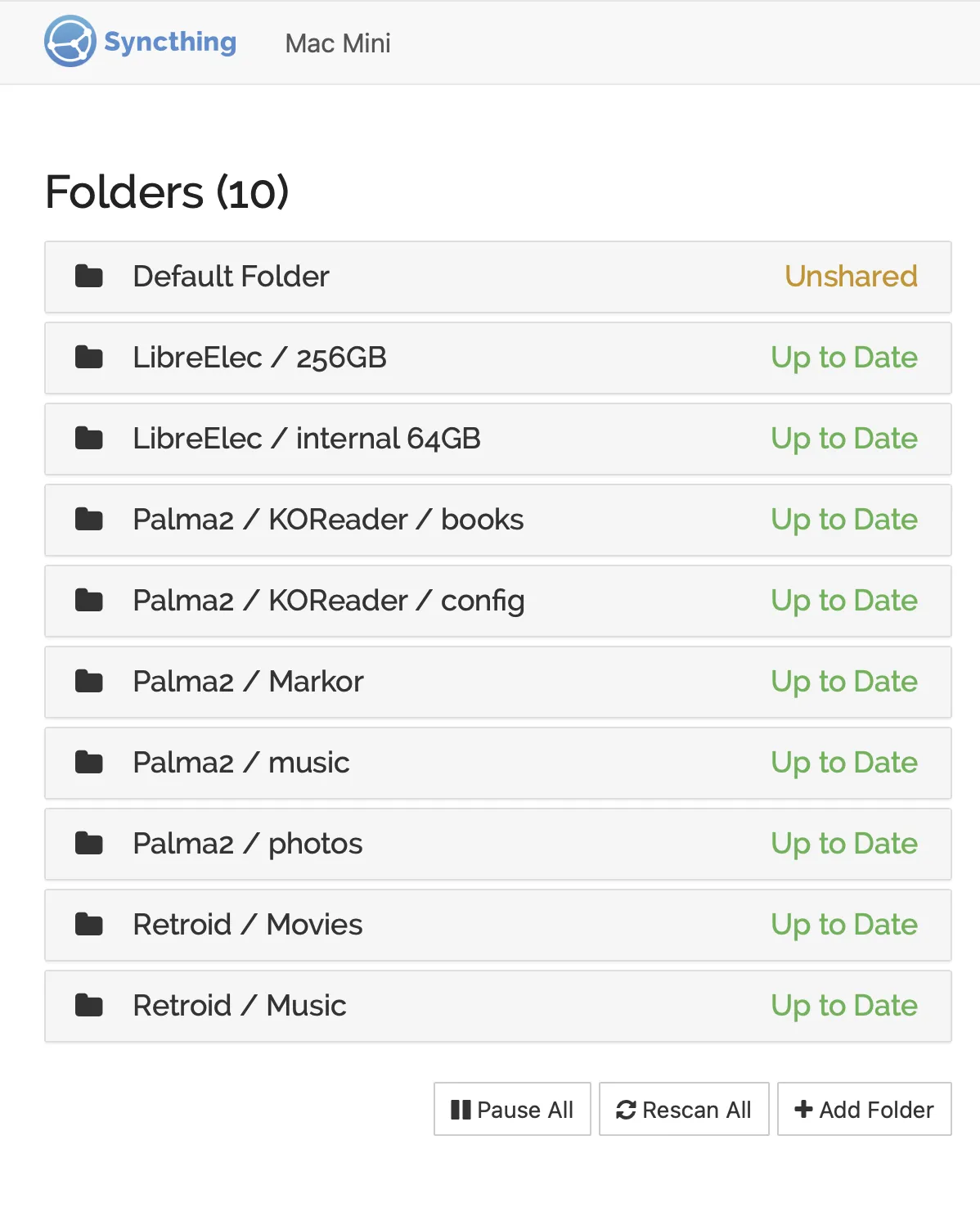
Now, I just drop a file to a local folder on my desktop, and it gets automatically synced to my gadgets. Amazing.
In the future, I shall write about KOReader. But enough for now.