All Your Games.
One Launcher.
Stop switching between Steam, Epic, GOG and more. Kolektor unifies your entire game library.
Steam • Epic Games • GOG • Ubisoft • EA App • Xbox • Battle.net
Kolektor
─ □ ×
Everything You Need
A launcher that makes your life easier
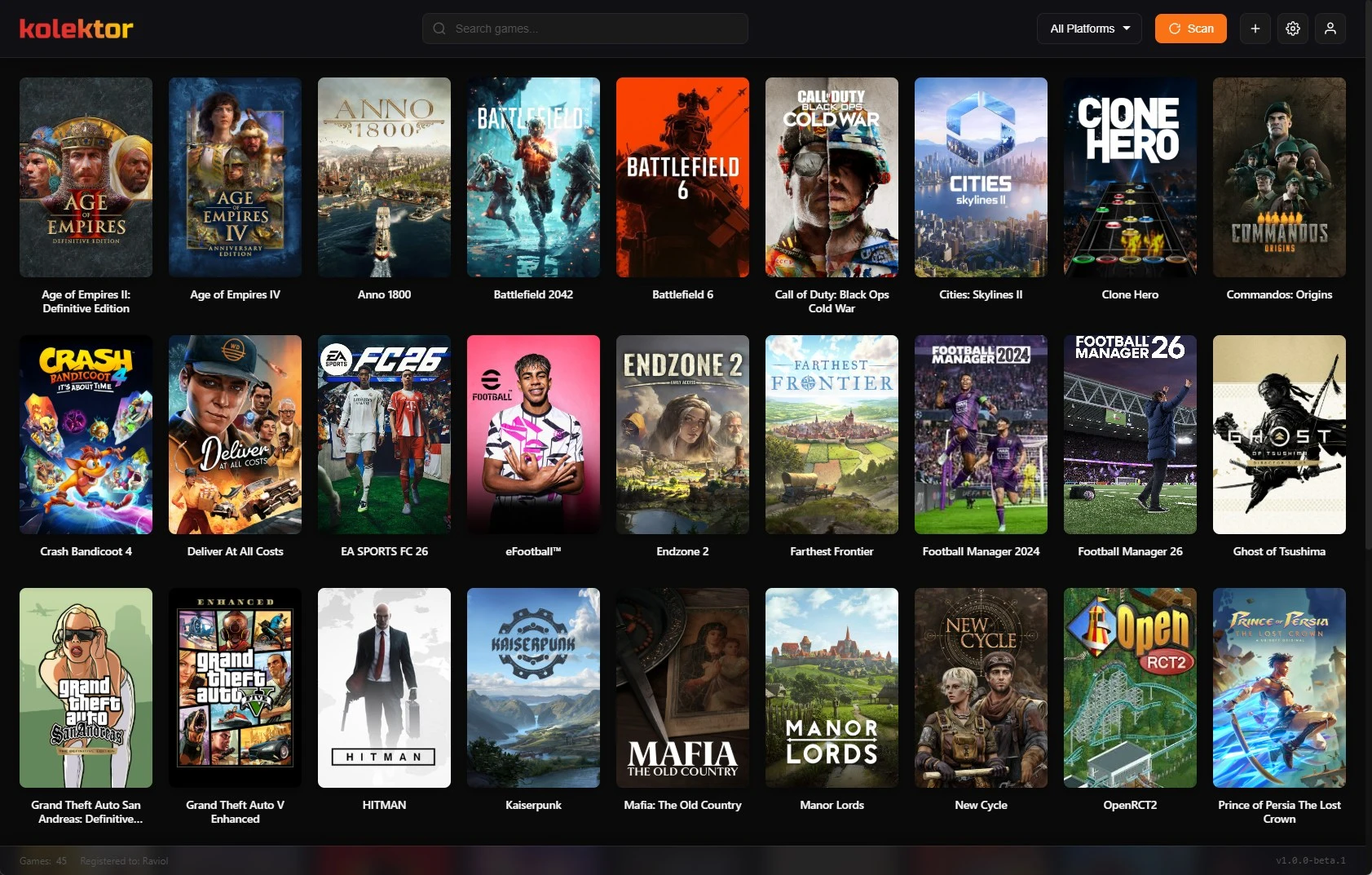
Unified Library
All your games from every store in one place. No more switching between apps.
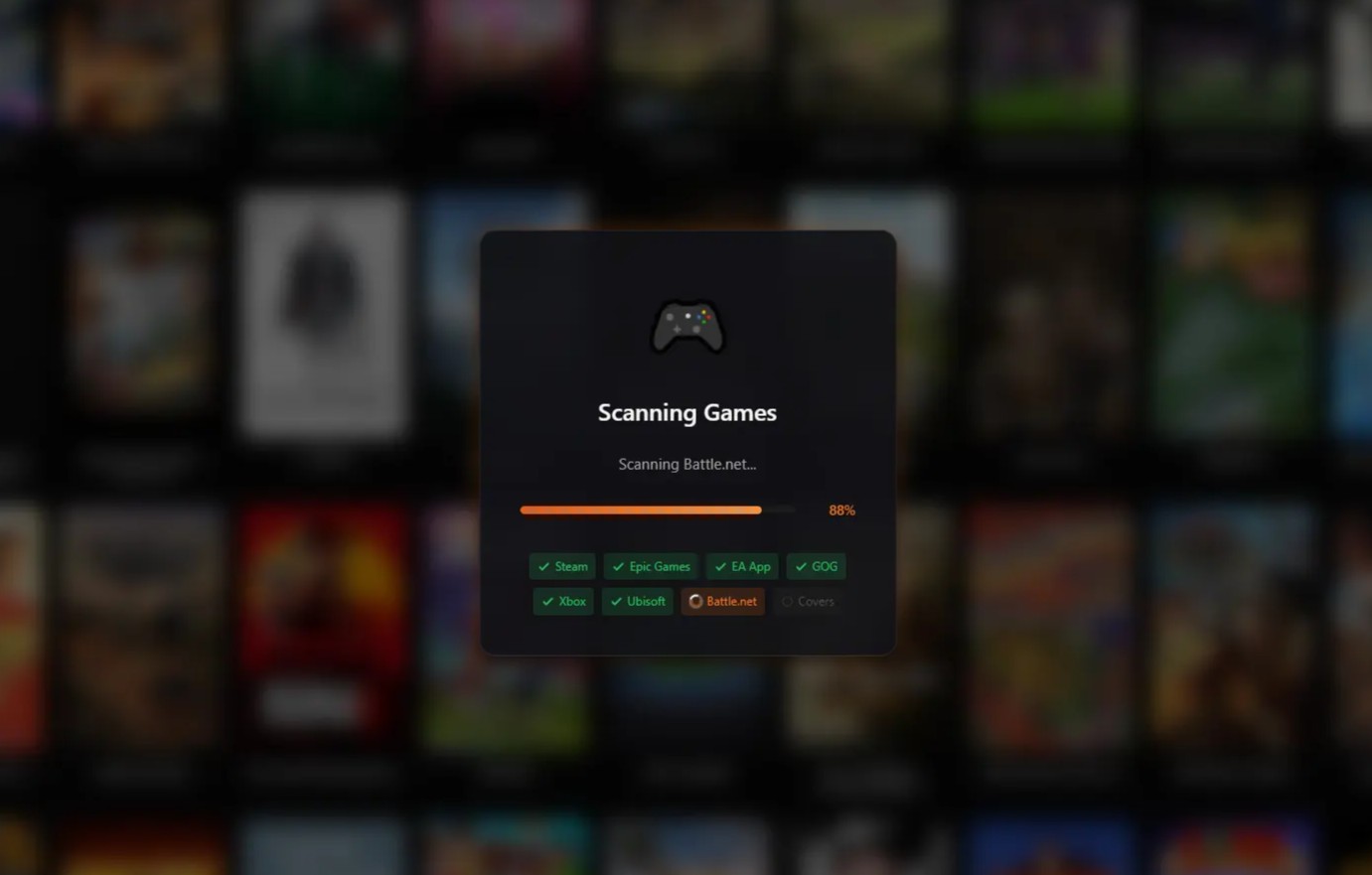
Auto-Detection
Scans your system and finds all installed games automatically.
Instant Search
Find any game in your library instantly with powerful search.

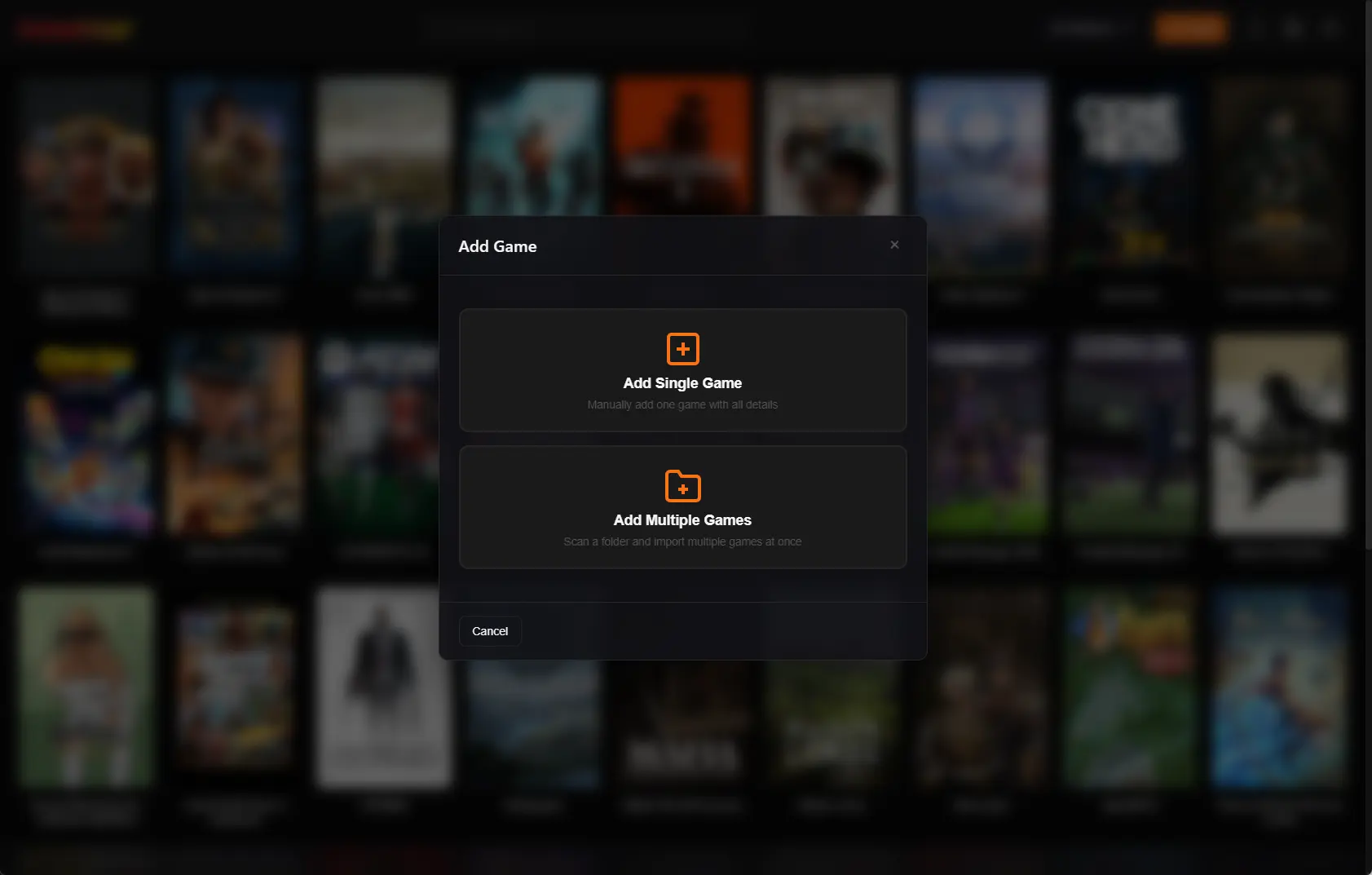
Manual Games
Add games manually, one at a time or in bulk. Full control over your library.
Other Features
- Modern, clean UI
- 1-click launch
- Hide/unhide games
- Automatic install/uninstall detection
- Smart cover art from Steam & GOG CDNs
- Filter by platform
- Auto-updates from the app
Choose Your Experience
Game Launcher is free. Library Manager adds power features.
Game Launcher
Free ($0)
Forever free, no credit card required
- ✓ Sync installed games from all platforms
- ✓ Automatic game scanning
- ✓ 1-click game launch
- ✓ Unified library view
- ✓ Smart cover art download
Coming Soon
Game Library Manager
Premium
Advanced library management tools
- ✓ Everything in Free
- ✓ Full library sync (not just installed)
- ✓ IGDB metadata & cover sync
- ✓ Achievement synchronization
- ✓ Collections, tags & game states
- ✓ Plugins, themes & customizations
Frequently Asked Questions
Everything you need to know about Kolektor
What’s included in Premium?
Premium focuses on library management: rich metadata from IGDB/RAWG, achievement sync, and advanced collections.
How can I support the project now?
You can support development via Buy Me a Coffee. Every contribution helps!
When will Premium launch?
We’re working on it! Join our Discord to stay updated on the release.
Will I lose features when Premium launches?
No. All current features will remain available. Premium adds new capabilities on top.
How does it compare to other launchers?
See how Kolektor stacks up against Playnite, LaunchBox, GOG Galaxy, and more.
Download
Get started in under a minute
Windows
v1.0.0-beta.2 Download
Soon
macOS
Soon
Linux
Your browser or Windows SmartScreen may show a security warning. This is normal for new software that hasn’t yet built reputation. Kolektor is safe to install—in Chrome, click the download arrow and select "Keep", then click "More info" → "Run anyway" if Windows prompts.
System Requirements
Make sure your system meets these requirements
Minimum
- Windows 10 (64-bit)
- 4 GB RAM
- 200 MB disk space
- Internet connection
Recommended
- Windows 11 (64-bit)
- 8 GB RAM
- SSD storage
- Broadband internet
Stay Updated
Follow our progress and learn more