Google has announced some autofill improvements for Chrome. The browser can now fill out your details if you are signed in to your Google account.
Last month, Google introduced an option in Chrome that allows the browser to fill up form fields for your passport and driver license number, vehicle details such as license plate or VIN. These features are available as part of the enhanced autofill experience.
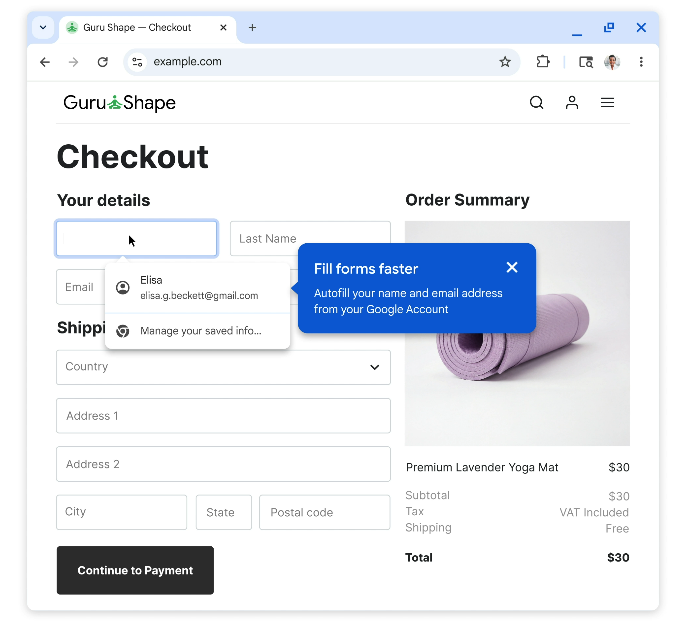
The Mountain View company is expanding this tool set, Chrome can now enter your name and email address on sign up or log in pages, or when you fill up a form on…
Google has announced some autofill improvements for Chrome. The browser can now fill out your details if you are signed in to your Google account.
Last month, Google introduced an option in Chrome that allows the browser to fill up form fields for your passport and driver license number, vehicle details such as license plate or VIN. These features are available as part of the enhanced autofill experience.
The Mountain View company is expanding this tool set, Chrome can now enter your name and email address on sign up or log in pages, or when you fill up a form on a website. Google says this feature requires users to be signed in to their Google account, and the requested data is "pulled securely" as required.
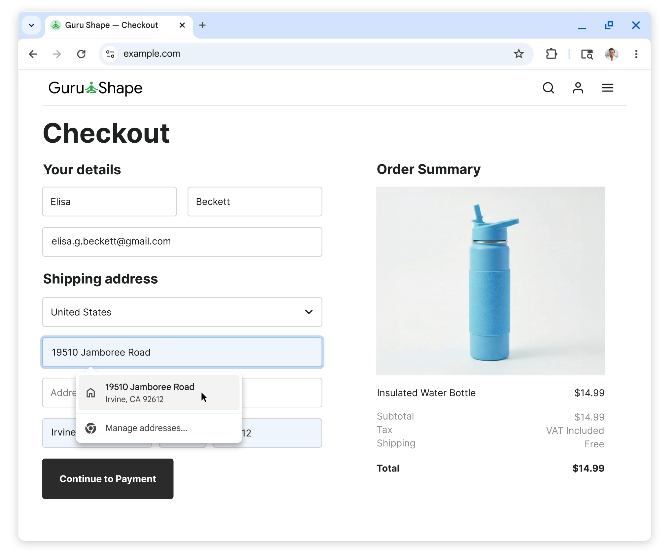
Chrome can also autofill your Home and Work address that you have saved to your Google account. This experience is rolling out to Chrome users on desktop, Android and iOS.
Google Wallet is now integrated in Chrome, and can be used to autofill loyalty card numbers, travel details and vehicle information that you have saved. For example, users who are renting a car at the airport and have to provide flight information such as confirmation number and dates, can use Google Wallet to autofill the data. Google says this also works with insurance quotes, car rentals.
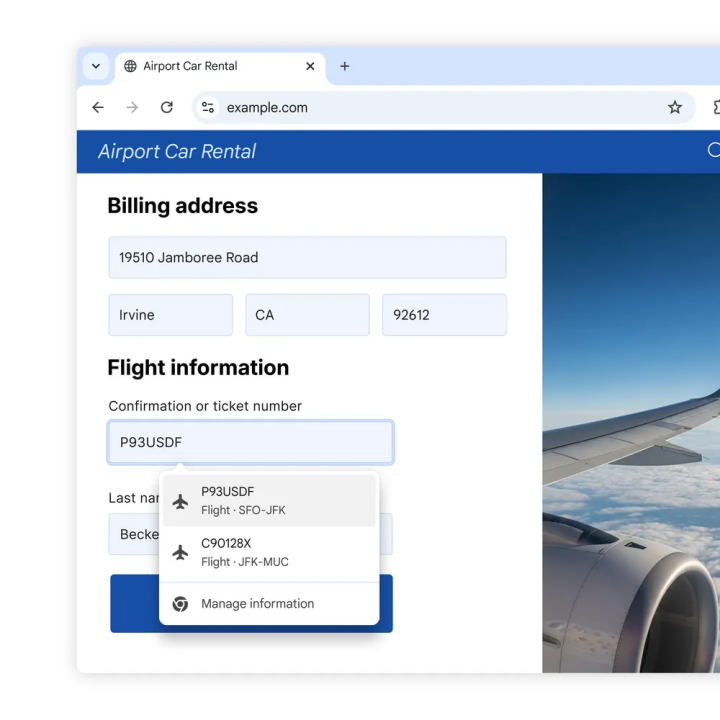
Autofill in Google Wallet is available in Chrome on desktop and Android. Users can save vehicle details to and from Wallet from Chrome on desktop. These features require enhanced autofill to be enabled in the browser.
While we are on the topic of traveling, Google Flights is now available in more Countries.
On Android, Chrome will display two-lines of autofill suggestions instead of just one, to allow users to choose the option they want. Google says Chrome now recognize address fields in different parts of the world, and fill them with accurate data.
To manage your Home, Work Address and other contact information, that is saved to your Google account, head to this page: https://myaccount.google.com/personal-info.
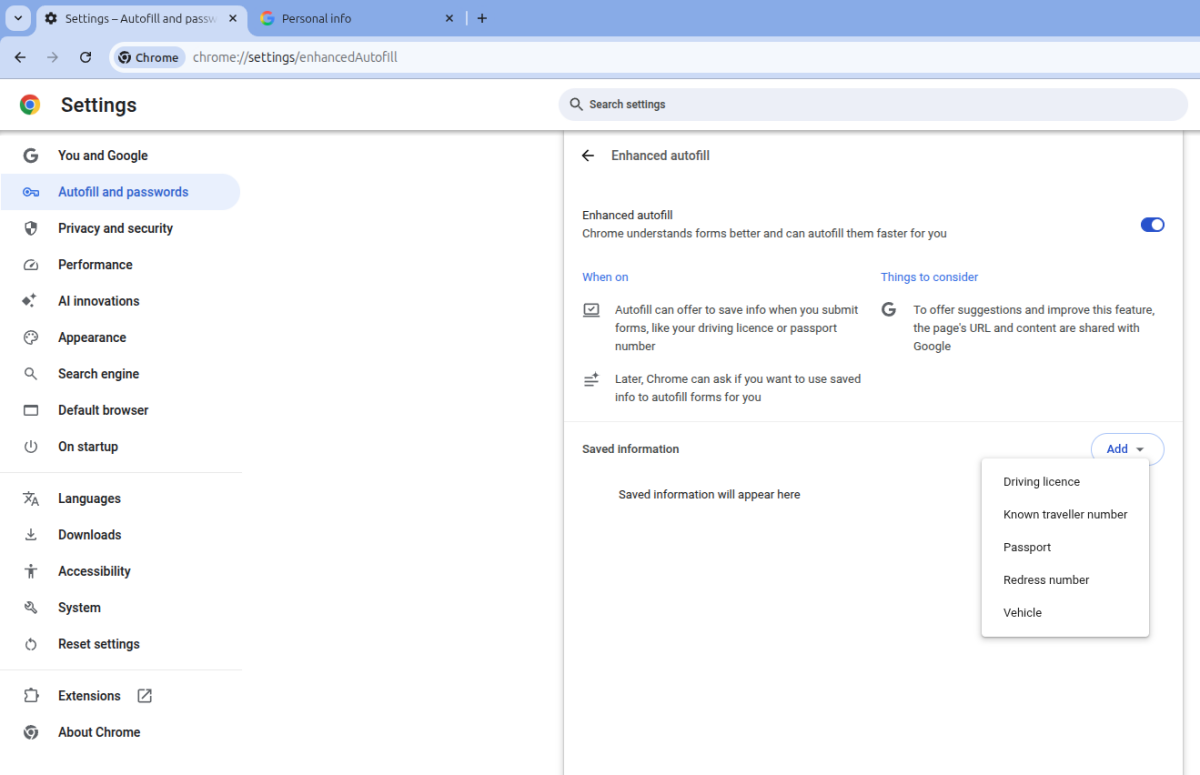
It is worth noting that Enhanced Autofill is disabled by default. Want to enable it? Go to Chrome’s Settings, and click on Autofill or open this in a new tab chrome://settings/autofill, Select Enhanced Autofill and toggle it. Then, click on the add button and select one of the following options: Driving license, known traveler number, Passport, Redress number, Vehicle. You will then be able to save the information, which in turn will be available for autofill when you need it.
A support page on Google’s website says, "When you visit a website with a form, the site’s URL and content may be shared with Google. Google uses this info to provide you with better autofill suggestions and improve enhanced autofill."
Most password managers offer such autofill options, without requesting site data to be shared.
Do you use autofill for entering personal data?
Advertisement