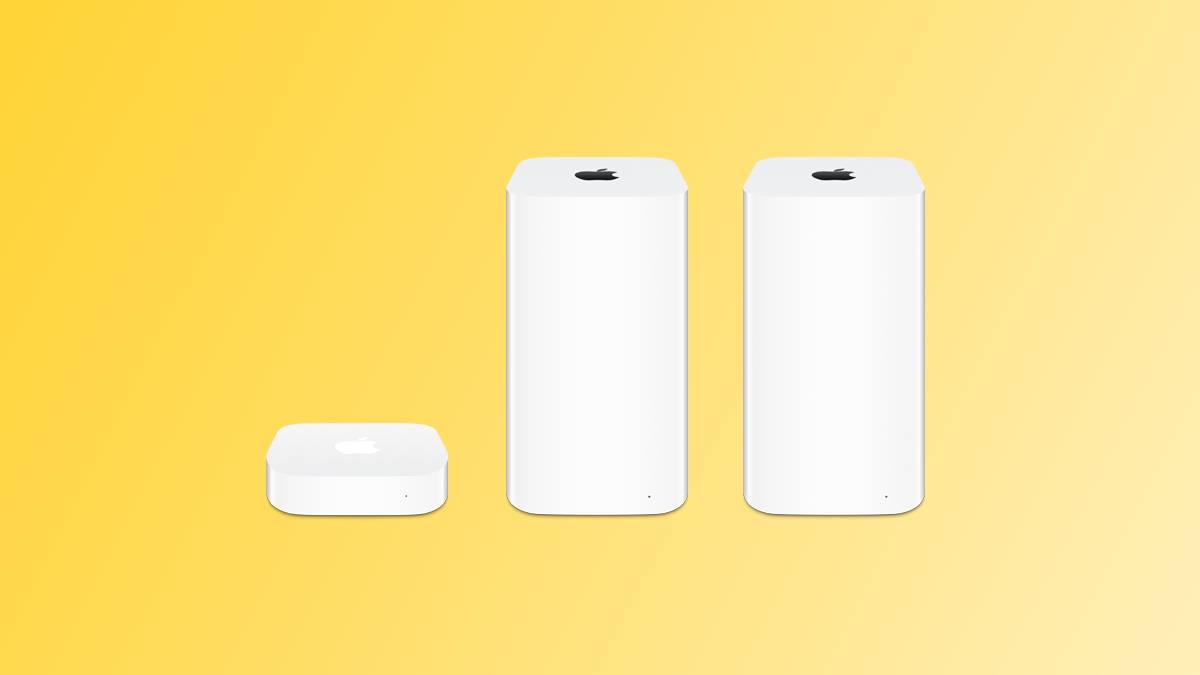
Throughout the 2000s and 2010s, Apple offered a line of Wi-Fi routers that it referred to as AirPort base stations. There was a standard AirPort Express, a higher-end AirPort Extreme with more advanced networking features, and an AirPort Time Capsule that doubled as an external storage drive for backing up a Mac with Time Machine.
Apple discontinued the AirPort line in 2018, and this week it shared more sad news that will impact the AirPort…
Throughout the 2000s and 2010s, Apple offered a line of Wi-Fi routers that it referred to as AirPort base stations. There was a standard AirPort Express, a higher-end AirPort Extreme with more advanced networking features, and an AirPort Time Capsule that doubled as an external storage drive for backing up a Mac with Time Machine.
Apple discontinued the AirPort line in 2018, and this week it shared more sad news that will impact the AirPort Time Capsule specifically.
As noticed by @StellaFudge, and by other users who have installed the first macOS Tahoe beta, the Time Machine page in the System Settings app now indicates that the next major version of macOS — aka macOS 27 — will no longer support the AirPort Time Capsule or any other storage drives that use the Apple Filing Protocol (AFP).
Apple already announced that its AFP client had been deprecated, in its enterprise release notes for macOS Sequoia 15.5 last month.
Starting with macOS 27, Time Capsule backups will require a storage drive that supports more current file-sharing protocols like SMBv2 and SMBv3.
macOS 27 will be released next year.
Article Link: Warning: Apple Says macOS 27 Won’t Support AirPort Time Capsule Backups
Last edited: Jun 10, 2025
I wish Apple would make routers again.
I could use a combo Router+AppleTV in my setup
Slix
macrumors 68000
I had already seen that AFP was being discontinued, but this is sad to hear official confirmation. I guess I’ll have to relegate my Time Machine backup on my Snow Leopard Server to only older Macs in a couple years, and get an external SSD finally. I put it off because backing up wirelessly is just so handy. I also liked the added peace of mind that if I ever had my house broken into, it was likely my backup drive would be left behind because the server is in the basement.
so what we’ll still have Time Machine, but with 3rd party external disks?
...would love a new Apple router.
Will they fix the bug that affects Time Machine over NAS drives?
and it’s not possible anymore to select an AFP share as a new destination:

I had already seen that AFP was being discontinued, but this is sad to hear official confirmation. I guess I’ll have to relegate my Time Machine backup on my Snow Leopard Server to only older Macs in a couple years, and get an external SSD finally. I put it off because backing up wirelessly is just so handy. I also liked the added peace of mind that if I ever had my house broken into, it was likely my backup drive would be left behind because the server is in the basement.
You can still do wireless Time Machine backups without macOS Server - any newer Mac can host a shared SMB drive for the purpose. It’s one of the things I have my mostly retired 2019 16" Intel doing.
They can work as cache servers too - a lot of the later Server functionality was just rolled into the main OS upon retirement of the Server fork.
I had already seen that AFP was being discontinued, but this is sad to hear official confirmation. I guess I’ll have to relegate my Time Machine backup on my Snow Leopard Server to only older Macs in a couple years, and get an external SSD finally. I put it off because backing up wirelessly is just so handy. I also liked the added peace of mind that if I ever had my house broken into, it was likely my backup drive would be left behind because the server is in the basement.
You can still backup wirelessly, just needs to use SMB3 which has the writing on the wall well over 12 years ago.
ifxf
macrumors 65816
I wish Apple would make routers again.
I could use a combo Router+AppleTV in my setup
Given their track record it would take them multiple years to support any new Wifi standard.
Given their track record it would take them multiple years to support any new Wifi standard.
A fair point, but I’d still like to see them offer something.
They were such beautiful products. We used to have Time Capsule, Extreme and Express running simultaneously and that was so easy to run. I can’t imagine a more seamless experience when it comes to networking. Apple could do more in this space but I guess they’re busy with subscription based cloud services.
Scared me half to death that it included SMB based backups too, phew!
Throughout the 2000s and 2010s, Apple offered a line of Wi-Fi routers that it referred to as AirPort base stations. There was a standard AirPort Express, a higher-end AirPort Extreme with more advanced networking features, and an AirPort Time Capsule that doubled as an external storage drive for backing up a Mac with Time Machine.
Apple discontinued the AirPort line in 2018, and this week it shared more sad news that will impact the AirPort Time Capsule specifically.
As noticed by @StellaFudge, and by other users who have installed the first macOS Tahoe beta, the Time Machine page in the System Settings app now indicates that the next major version of macOS — aka macOS 27 — will no longer support the AirPort Time Capsule or any other storage drives that use the Apple Filing Protocol (AFP).
Apple already announced that its AFP client had been deprecated, in its enterprise release notes for macOS Sequoia 15.5 last month.
Starting with macOS 27, Time Capsule backups will require a storage drive that supports more current file-sharing protocols like SMBv2 and SMBv3.
macOS 27 will be released next year.
Article Link: Warning: Apple Says macOS 27 Won’t Support AirPort Time Capsule Backups
Well, that’s freaking stupid.
They’re obviously seeing telemetry that shows that these devices are still being used (Otherwise why bother coding the notification re: dropping support?), that there’s a demand for them, but they won’t continue to support them, never mind introduce a new version...
But, man just look at these custom emojis !!!! /me rolls eyes so far into my head I can see my own birth.
The priorities inside Apple are so backwards and upside down it’s just comical at this point.
What protocol does Synology use?
We still have an Apple Time Machine Capsule but we don’t use the built-in drive for time machine backups. Instead, we connect an external drive to the USB port of the Time Capsule. Will later macOS versions support this kind of backup (i.e., external USB drive connected to USB port of the Time Capsule)? It isn’t clear to me from the article.
Slix
macrumors 68000
You can still do wireless Time Machine backups without macOS Server - any newer Mac can host a shared SMB drive for the purpose. It’s one of the things I have my mostly retired 2019 16" Intel doing.
They can work as cache servers too - a lot of the later Server functionality was just rolled into the main OS upon retirement of the Server fork.
Yeah, I understand that. I should check if the SL Server does Time Machine shares over SMB or AFP actually. But my Snow Leopard Server does everything else for my older Macs already, so I’d need to set up another newer Mac to do this. I guess I could use a 2010 Mac Mini with High Sierra’s cache server + Time Machine server. 
What protocol does Synology use?
SMB3, even Synology has been warning people for like 2 years not to set up AFP for this reason. Apple annouced this ages ago.
Will they fix the bug that affects Time Machine over NAS drives?
Curious what problem you have with Time Machine over NAS. I use that and it has worked well. BTW, I use QNAP NAS
I would love to have an Apple cable modem/router instead my Netgear that never seems to get an update to fix existing issues.
Making perfectly good hardware obsolete, again. Love that commitment to the environment!
Curious what problem you have with Time Machine over NAS. I use that and it has worked well. BTW, I use QNAP NAS
It would do a complete backup every time (and not just the incremental changes). It filled a 2TB drive within a day or two. It started happening about a year ago. I switched to a drive directly plugged into a Thunderbolt hub instead.
Will they fix the bug that affects Time Machine over NAS drives?
No problem using Time Machine with my Synology NAS. What problem are you having?
We still have an Apple Time Machine Capsule but we don’t use the built-in drive for time machine backups. Instead, we connect an external drive to the USB port of the Time Capsule. Will later macOS versions support this kind of backup (i.e., external USB drive connected to USB port of the Time Capsule)? It isn’t clear to me from the article.
No, this won’t work. It’s not the drive, it’s the connection between the Mac being backed up and the Time Capsule / Airport unit itself. They still use AFP which Apple hasn’t supported for years and is now fully depreciated.
Apple exited the wireless space at the right time. They bridged the gap for us to better, mesh technologies when none yet existed.
Eero or if you need fancier, Ubiquiti.