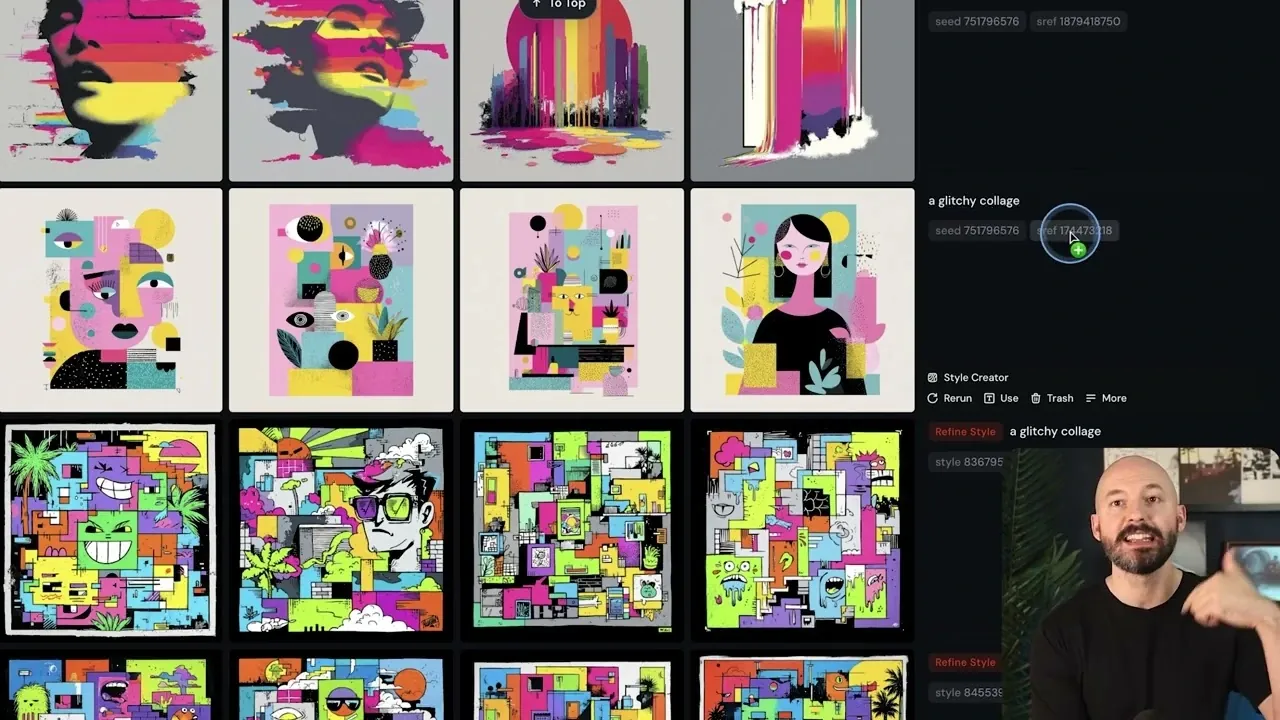
What if the secret to unlocking your most creative self wasn’t about perfecting a single vision, but embracing the unexpected? Below, Future Tech Pilot breaks down the Midjourney Style Creator’s latest updates, and they’re anything but ordinary. This isn’t just another feature release, it’s a reimagining of how we approach artistic discovery. By shifting the focus from rigid goals to open-ended exploration, the platform invites you to let go of control and stumble upon styles you didn’t even know you were searching for. It’s a bold move that challenges the way we think about…
What if the secret to unlocking your most creative self wasn’t about perfecting a single vision, but embracing the unexpected? Below, Future Tech Pilot breaks down the Midjourney Style Creator’s latest updates, and they’re anything but ordinary. This isn’t just another feature release, it’s a reimagining of how we approach artistic discovery. By shifting the focus from rigid goals to open-ended exploration, the platform invites you to let go of control and stumble upon styles you didn’t even know you were searching for. It’s a bold move that challenges the way we think about creativity, and it might just change how you approach your next project.
Discover how the Style Creator’s new features, like adaptive style suggestions and dynamic refinements, can help you uncover designs that surprise and inspire. From bookmarking your favorite styles to organizing them into mood boards, these updates aren’t just about aesthetics; they’re about building a deeper connection to your creative process. Whether you’re a seasoned artist or just starting out, the possibilities here are as limitless as your imagination. Sometimes, the best discoveries happen when you stop searching for them.
Midjourney Style Creator Updates
TL;DR Key Takeaways :
- The Midjourney Style Creator’s updates emphasize open-ended exploration, allowing users to discover and refine unique artistic styles through intuitive and dynamic workflows.
- Key features include bookmarking and mood boards, allowing users to save and organize styles into thematic collections for streamlined inspiration and project planning.
- Enhanced user interface improvements, such as drag-and-drop functionality and style locking, provide a seamless and distraction-free creative experience.
- An adaptive preference learning system personalizes style suggestions based on user interactions, helping artists refine their aesthetic and discover new creative directions.
- The updates, currently in alpha testing, aim to empower artists of all levels by fostering creativity, innovation, and a deeper connection to the artistic process.
Exploring Styles Through Discovery
The updated workflow emphasizes freeform exploration over outcome-driven creation. Instead of beginning with a fixed goal, you can browse through a curated selection of styles, selecting those that resonate with your vision. The platform dynamically refines styles, presenting new iterations at random intervals. This system fosters creativity by allowing you to stumble upon unexpected designs, broadening your artistic horizons and encouraging experimentation.
To begin, start with a general concept, such as a theme, mood, or color palette. Avoid focusing too heavily on individual iterations; instead, prioritize selecting styles that catch your attention. By embracing this exploratory process, you can uncover designs that surprise and inspire you, even if they deviate from your original vision. This method not only enhances your creative journey but also helps you develop a more versatile artistic perspective.
Bookmarking and Mood Boards: Organizing Inspiration
Bookmarking is a central feature that allows you to save styles that stand out during your exploration. As you navigate the Style Creator, you can mark designs that capture your interest, building a personalized library of artistic inspirations. This ensures that your favorite styles remain accessible for future reference, streamlining your creative process.
Mood boards expand on this functionality by allowing you to organize bookmarked styles into thematic collections. Whether you’re gathering ideas for a specific project or creating a visual representation of your preferences, mood boards provide a structured way to revisit and refine your inspirations. You can group styles by themes, colors, or other criteria, making it easier to draw from your curated selections. These tools not only enhance organization but also serve as a valuable resource for brainstorming and planning.
2026 Midjourney Style Creator Guide
Dive deeper into Midjourney Style Creator with other articles and guides we have written below.
- 25 Unique Midjourney 7 Graphic Novel Art Style References
- New Midjourney Niji 6 anime AI art generator
- 100 Midjourney Style References to take your creativity in new
- Discover 25 Midjourney 7 Illustration Styles for Digital Masterpieces
- New SREF Midjourney Feature Lets You Unlock Your Full Creativity
- 50+ Midjourney art styles to expand your AI creativity further
- Midjourney 6 AI art generator launches with new commands
- Midjourney 7 version AI image generator is released
- Midjourney 7 Style Explorer Review : Perfect for Artistic Discovery
- 11 Essential Tips for Mastering Midjourney’s Video Generator
Enhanced User Interface for a Seamless Experience
The alpha platform introduces several user interface (UI) improvements designed to streamline your creative workflow. For users with wider monitors, settings and references are now conveniently displayed on the right side of the screen. This layout minimizes distractions and keeps essential tools within easy reach, allowing you to focus more effectively on your designs.
Another key enhancement is the ability to lock style references. This feature ensures that your preferred styles remain consistent across multiple prompts, giving you greater control over the final output. Additionally, drag-and-drop functionality simplifies the process of adding image references to prompts, making it easier to integrate visual elements into your creations. These updates collectively create a more user-friendly experience, allowing you to focus on the creative aspects of your work without unnecessary interruptions.
Learning Your Preferences: Adaptive Style Suggestions
The updated Style Creator incorporates a preference learning system that adapts to your artistic tastes over time. As you interact with the platform, selecting and bookmarking styles, the system identifies patterns in your preferences. This data is then used to consolidate styles and offer suggestions that align more closely with your evolving aesthetic. By analyzing your choices, the platform becomes a personalized tool for refining and expanding your artistic repertoire.
This adaptive approach not only saves time but also enhances the creative process by presenting styles that reflect your unique vision. The system’s ability to learn from your interactions ensures that the suggestions you receive are increasingly tailored to your preferences, making it easier to discover designs that resonate with your artistic goals. This feature is particularly valuable for artists seeking to refine their style or explore new creative directions.
A New Era of Artistic Exploration
The Midjourney Style Creator’s updates represent a significant advancement in artistic exploration and style refinement. By emphasizing discovery and creativity, the platform offers a more engaging and user-friendly experience. Features like bookmarking, mood boards, and drag-and-drop functionality, combined with UI enhancements and an adaptive preference learning system, provide a comprehensive toolkit for artists of all levels.
Currently in testing on the alpha platform, these updates are expected to roll out to the main platform soon. Whether you’re an experienced artist or just beginning your creative journey, the new Style Creator equips you with the tools and workflows needed to inspire creativity and innovation. By encouraging open-ended exploration and offering intuitive organizational features, the platform serves as an invaluable resource for anyone looking to expand their artistic horizons and refine their unique style.
Media Credit: Future Tech Pilot


Latest Geeky Gadgets Deals
Disclosure: Some of our articles include affiliate links. If you buy something through one of these links, Geeky Gadgets may earn an affiliate commission. Learn about our Disclosure Policy.