A sequel to Linux Music Players.
I’ve been using Linux for the past 15 years and managed to solve almost all my problems with it during that time. But I had to switch to a Mac due to reasons related both to my work and my hobbies, so now I have to solve the same kind of problems, but in macOS.
I like music. No, I love music.
Maybe I’m not the biggest music listener in the world, and my tastes and music knowledge may seem quite limited. For someone who listens to almost everything, I still think that I love music. I enjoy listening to albums in many genres, but with all honesty, I don’t really research anything about people behind the music I’m listening to. This backfired at me a few times when I was interested in …
A sequel to Linux Music Players.
I’ve been using Linux for the past 15 years and managed to solve almost all my problems with it during that time. But I had to switch to a Mac due to reasons related both to my work and my hobbies, so now I have to solve the same kind of problems, but in macOS.
I like music. No, I love music.
Maybe I’m not the biggest music listener in the world, and my tastes and music knowledge may seem quite limited. For someone who listens to almost everything, I still think that I love music. I enjoy listening to albums in many genres, but with all honesty, I don’t really research anything about people behind the music I’m listening to. This backfired at me a few times when I was interested in the artist, and after reading about them made me a lot less into their music. So I try to avoid this.
But that’s beside the point. The main aim of this post is again to compare various music players, but now for macOS. Since I don’t want to use two laptops at once, just to listen to music from the other one, I had to find a suitable alternative to my Linux music player of choice: Strawberry.
Since the previous post, I’ve pretty much settled on Strawberry and have been using it since. After a bit of tuning, the user experience is at least tolerable, and I was able to stop thinking about it much after I got accustomed to the way you’re supposed to interact with your music library.
Strawberry
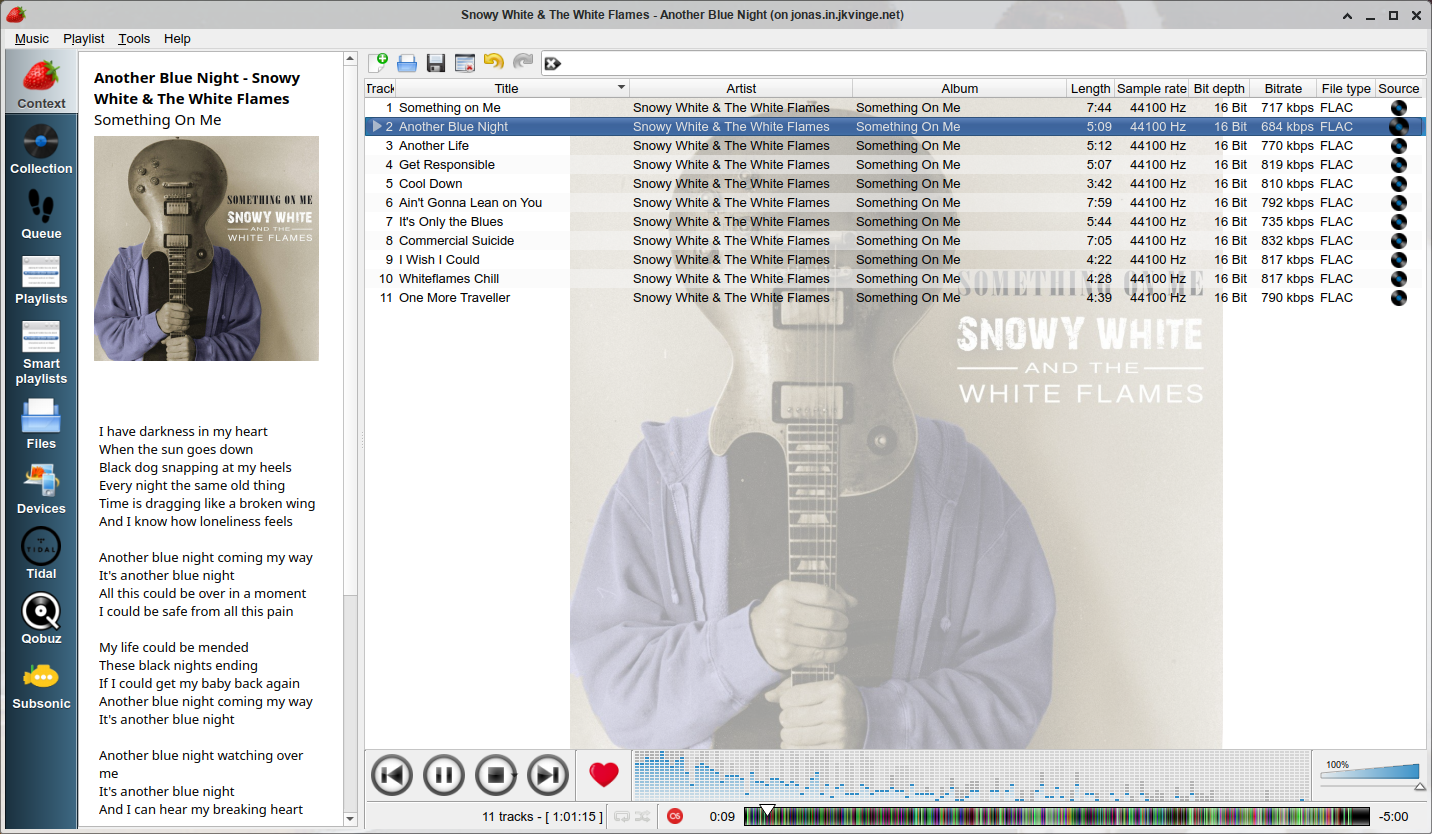
Figure 1: Strawberry screenshot from the project web page
So let’s start with Strawberry. Unfortunately, Strawberry isn’t available on macOS, at least not through brew - the search for “strawberry” on brew points to a browser named “Strawberry”. I was looking into Strawberry’s GitHub page, but there’s no release artifact for macOS. Their official webpage has a link to macOS release, but it is behind a paywall. And I would gladly pay for it, but unfortunately, I can’t.
Clementine, which is what strawberry was forked from, is available through brew, but it is marked as “disabled”.
Audacious
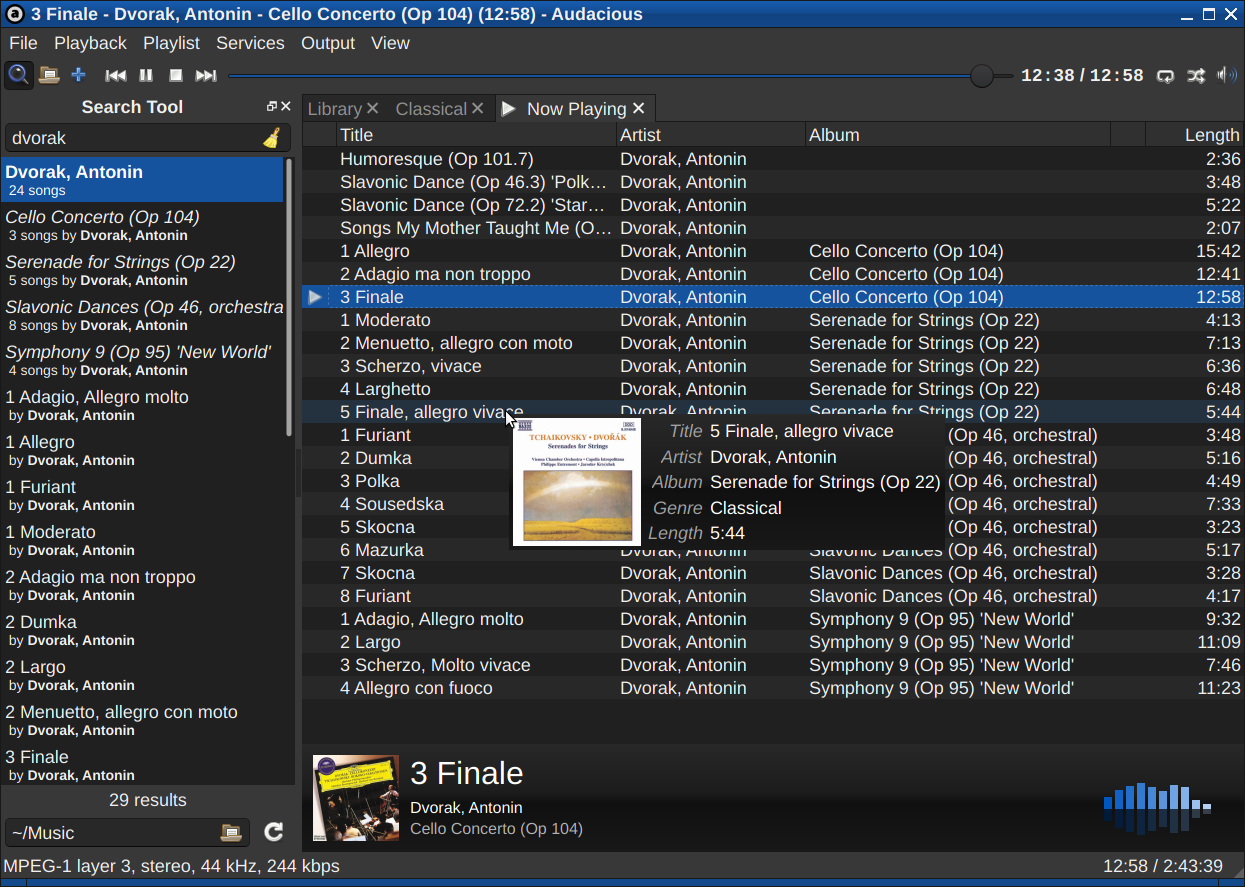
Figure 2: Audacious screenshot from the project web page
I’ve tried Audacious before. It’s a neat little player, but I feel like I’m a bit too dumb to use it.
Again, I don’t really like playlists. I said this before, I say it again. So music players that are designed around playlists are not my cup of tea.
I understand that an album is essentially a playlist, but it’s so clumsy.
But I feel like repeating myself, so let’s look at some music players I didn’t talk about before.
Cog
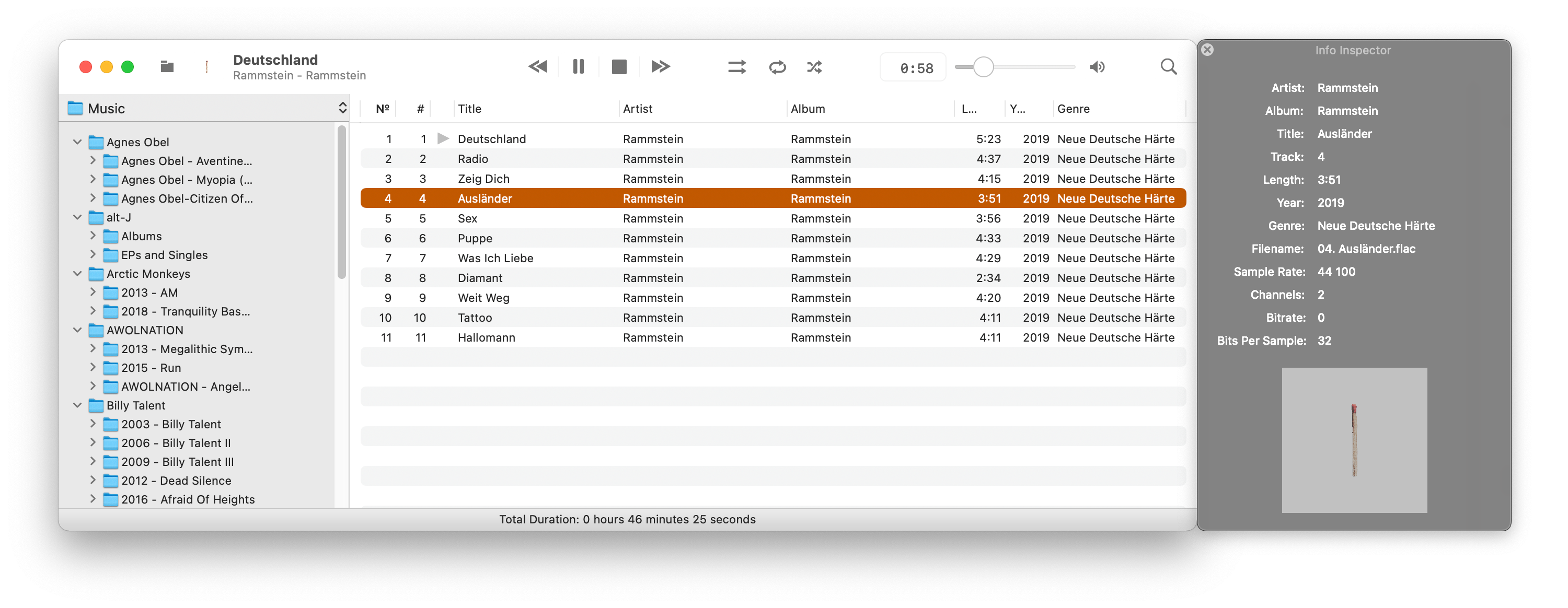
Figure 3: Cog screenshot from the project GitHub repo
OK, so Cog is the first native macOS music player that I’ll talk about today. By native, I mean that this is not a Linux application running on macOS - instead it’s built for macOS specifically. I have my thoughts on this, mainly - if I like some os-specific software, and in some years I’ll have to switch from macOS, it’ll be a shame if I won’t be able to use it. So I tend to avoid stuff that is not cross-platform. Yes, there are benefits for supporting a single platform, don’t get me wrong, that’s just how I lived for the past 15 years.
So, Cog. It’s a nice music player.
Again, playlist-oriented. Not my cup of tea, but I can work with that in the absence of alternatives.
Unlike Audacious, Cog has a library tree, like Strawberry did. This is good, because I can just click on an album in the tree and listen to it. I would prefer if albums were represented as a grid, with beautiful album covers and the ability to group them by artist, but again, that’s for some reason not really popular in most standalone music players. Maybe I’m crazy to want this, but so few music players do that that I wonder if I’m in the wrong. At least, I can organize my library as a tree of directories, and the player doesn’t get in the way.
One thing that bothers me is that there seems to be some problem with detecting track numbers from the metadata. More often than not, tracks are ordered the same way files in the directory are. This is not bad - if anything it’s even better, as with this the file system fully controls the library structure. The problem is, not all of my library is that well organized, although I try to update it if I find these kinds of problems. And the library search could be better.
Another small hiccup is that there’s no integration with Lastfm. I’m not the biggest scrobbler, but I try to do so, and Strawberry was able to do that.
Music
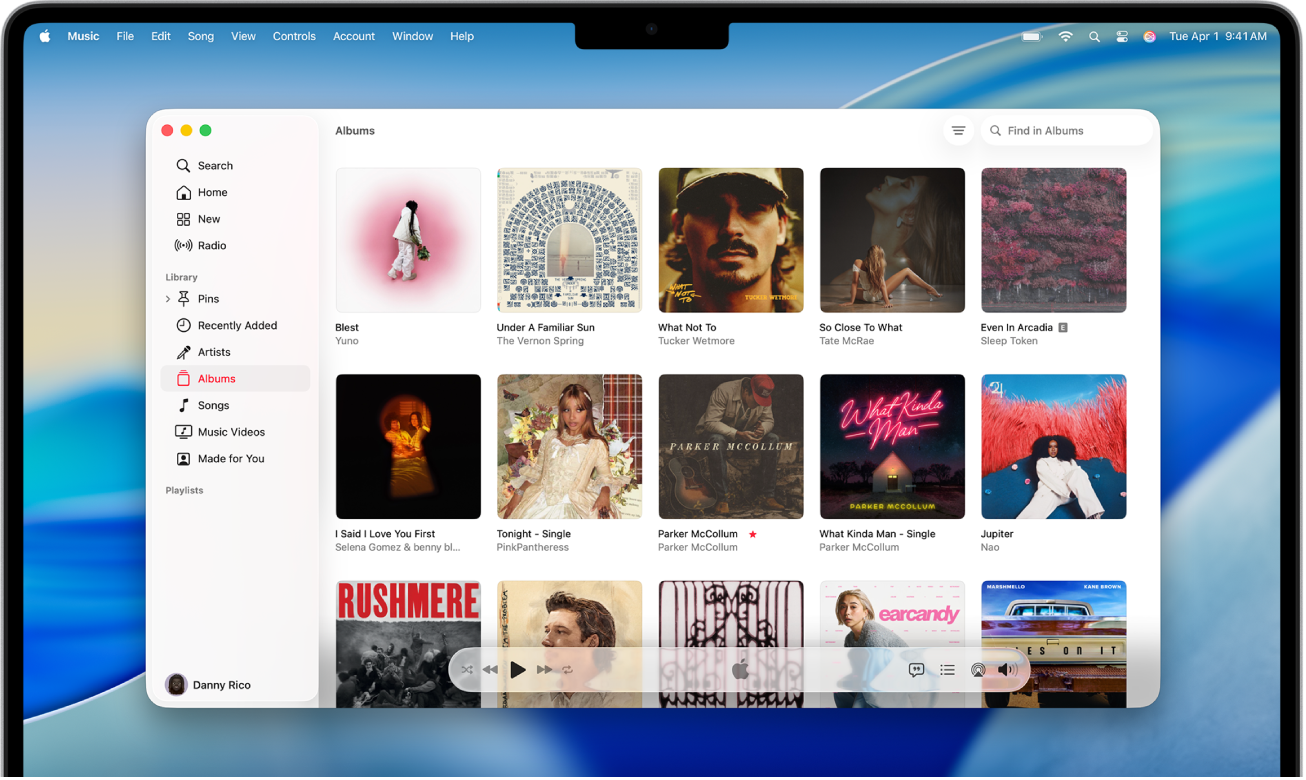
Figure 4: Music screenshot from the guide page
The inbuilt music player.
Looking at the screenshot you can see that it has a grid of albums, I’ve talked about in the previous section on Cog. Good, right? I finally found it!
Well, no. This app sucks.
First of all, it doesn’t play FLAC, even though macOS can play FLAC files with the Preview program. So not having support for it in the default music player is bonkers.
Secondly, it’s really weird in how it treats your music library. I’ve mentioned how Cog, and most other music players for that matter, read your library from a directory and can use the directory structure to organize the library. Music app doesn’t do that. Instead, it organizes your library via file tags.
I’m having my library backed up on an external drive, so I don’t want a music player to touch my directory structure in any way. So using Music is out of the question.
VLC
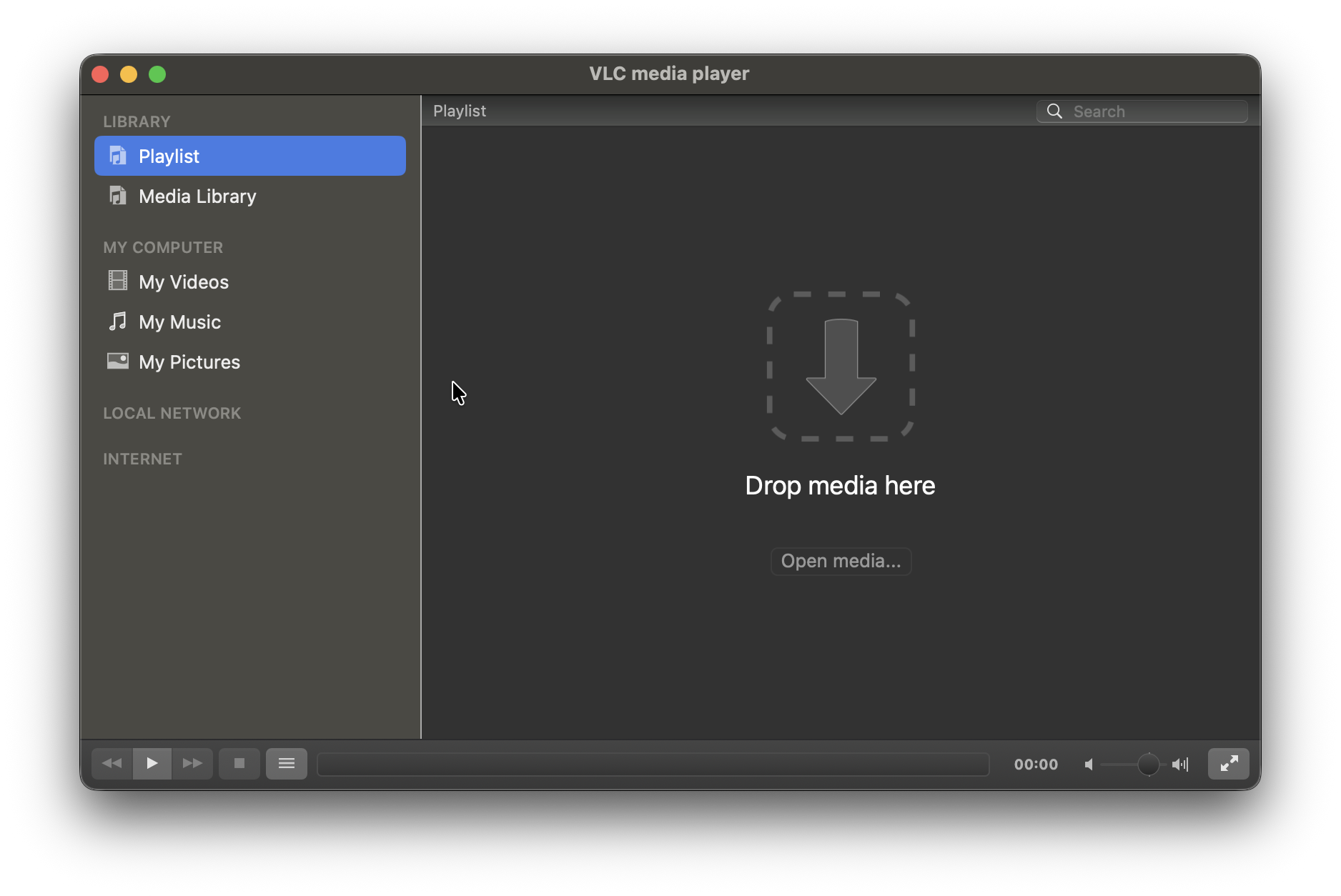
VLC is one of the greatest things that happened in free software. It’s mainly a video player, but it actually plays music just fine too. Can’t say that this is a music player with a good user experience though.
I’ve tried VLC many times, and every time I couldn’t wrap my head around the UX. There were always some weird things.
For example, when I open VLC and navigate to my music library, it is presented as a tree view. However, there’s no way to expand a single node of that tree - you can either expand all, or double-click on it, and start playing. It plays the first album it finds, and it’s not what I usually want. Maybe that’s a bug, but what can I say?
On Android, for example, VLC is quite different - it has a grid view with albums, so I wonder why the desktop version doesn’t have that.
MPV

Figure 5: MPC screenshot from the project web page
Another video player.
I’ve used MPV as a music player for a long time in my Linux days, before finally switching to Strawberry. It does the job - you just drag a folder into its main window, and it plays the thing.
Minimal UI, basic controls, and good sound. What more can I ask for?
Well, less minimal UI would be nice.
I was considering using it, but after using a proper music player for some time, I don’t want to go back. It’s a hassle to open Finder, navigate to the library, then open MPV and drag a folder there.
Museeks
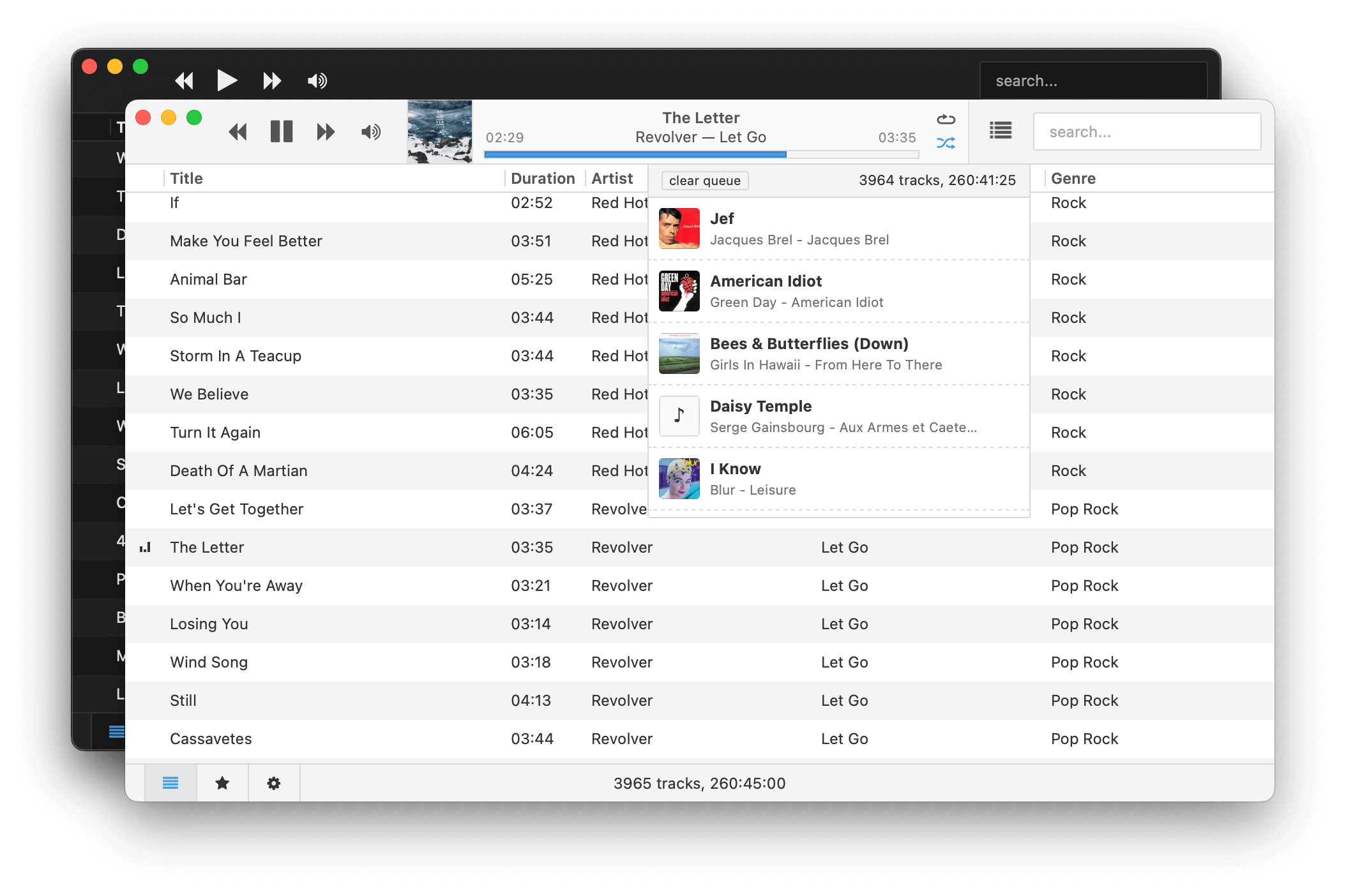
Figure 6: Museeks screenshot from the project GitHub repo
Others
I’ll go over some more music players that I tried, or tried to try but couldn’t.
- 5K Player - initially was scared off by its webpage, but tried it through brew. Didn’t like it.
- Musique - not available through brew, and I can’t install it from the App Store.
- Vox - Paid subscription, playlist-oriented, audiophile-oriented. Not my cup of tea.
- Swinsian 3 - Paid, doesn’t look that much different from Museeks.
- Audirvana - Paid subscription, audiophile-oriented. Looks high-end, but I’m not really into that.
What’s interesting is that there are a lot of articles on the internet (this post will add one more to the pile) that feature various music players for macOS. A lot of them suggest video players, like Elmedia, iina, and the like. I found almost no music players with a grid view of your library and a simple experience, like pick an album, hit play, enjoy - most are playlist-oriented. I guess streaming services won?
I mean, in Linux, people usually tend to use local-first tools, so it’s more expectable to see music players that are either inbuilt, like GNOME Music, or external but in high variety. On macOS, it seems that the target audience is a bit different, so maybe this explains the far fewer macOS-native music players, as I imagine most of the users used iTunes before and then migrated to Apple Music. I can be wrong though, but my experience with macOS so far tells me that there are a lot more things people want your money for, as opposed to how things are on Linux.
I could, of course, try out more cross-platform players, but I covered many of them in my previous post. I didn’t want to go over all of them again, and my thoughts on them didn’t change for the most part, so you can read about them there if you want. This post turned out to be a lot shorter, but there wasn’t that much to talk about, unfortunately.
If you happen to know anything that is similar to GNOME Music UX-wise, but built native for macOS, with FLAC and CUE support - please let me know! That’d be a dream. For now, I settled on Cog - it was the best of the bunch.
Thanks for reading, and see you next year!