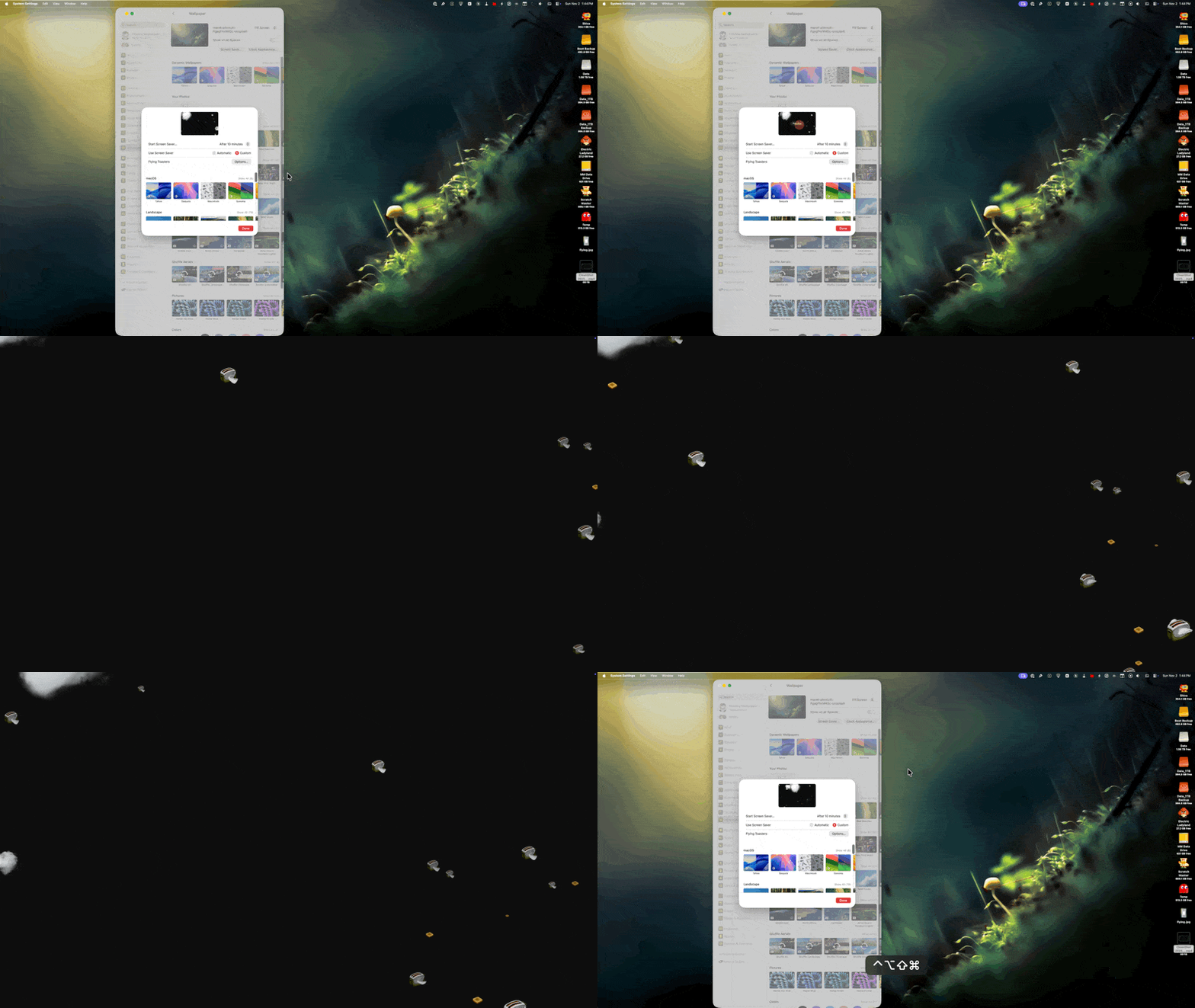
 Flying Toasters on your M-series Mac? Yep! They’re back!
Mac aficionados of a certain age will remember After Dark’s iconic Flying Toasters screensaver.
Screensavers were immensely popular in the 90’s. They would often play a moving image after a period of inactivity to protect CRT (Cathode Ray Tube) monitors from burn-in. (Burn-in would occur when a static image was left on the screen over a long period of time. The continuously illuminated pixels would cause permanent damage.)
With modern displays, screen burn-in is much less of an issue. I use screensavers on my Macs primarily as a security measure, to guard against prying eyes while I’m away from my Mac. I also like screensavers because, …
Flying Toasters on your M-series Mac? Yep! They’re back!
Mac aficionados of a certain age will remember After Dark’s iconic Flying Toasters screensaver.
Screensavers were immensely popular in the 90’s. They would often play a moving image after a period of inactivity to protect CRT (Cathode Ray Tube) monitors from burn-in. (Burn-in would occur when a static image was left on the screen over a long period of time. The continuously illuminated pixels would cause permanent damage.)
With modern displays, screen burn-in is much less of an issue. I use screensavers on my Macs primarily as a security measure, to guard against prying eyes while I’m away from my Mac. I also like screensavers because, well… they’re darn fun to look at!
I’ve had screensavers running on just about every computer I’ve ever used. And my absolute favorite of the bunch was After Dark’s “Flying Toasters”. It was the de facto install on every Mac I owned during that era. When Apple switched to Mac OS X in the early 2000’s, my beloved flying toaster screensaver no longer worked.
While Berkeley Systems, the makers of After Dark, has been defunct for well over twenty five years, a dedicated Mac fan by the name of Greg Gant has seemingly resurrected and recommissioned the toaster fleet for modern Apple Silicon and X86 Macs. And best of all, it’s free!
“Ode to the Flying Toaster” includes options to set the number of toasters, the flapping speed, cloud count, and more.
Dubbed “Ode to the Flying Toaster”, Gant’s labor of love includes the ability to customize the number of toasters, toasts, speed and flapping speed. “Ode” uses the original animated sprites for the toasters, but kicks it up a notch. Additional modes include “3D” and “Cloud”. The first creates more spatial depth for your toaster squadron, while the latter adds some randomly generated atmospheric clouds for your toasters to fly through. There’s even a “enable stunt maneuvers” option, but I have yet to bear witness to my pixelated toasters performing any such feats.
“Ode” works on macOS 11 Big Sur and above. Installation of “Ode” is simple and straight forward, thanks to the provided step-by-step directions. (I recommend rebooting your Mac after installing it, as it was the only way I could see “Ode”’s Options button.)
Gant didn’t forget vintage Mac folks. Users of legacy PowerMacs running 10.4 and 10.5 can finally enjoy Flying Toasters on their vintage Macs. Version 0.2 offers OpenGL 2.0 acceleration for Macs that support it.