Deque - Wednesday, January 28, 2026 at 8:42 AM
How to design great alt text: An introduction
Images need alternative text (alt text). This is often one of the first things designers and developers learn about accessibility. On the surface, it’s a simple concept to learn and is usually straightforward to implement. Automatically detecting whether
an image has alt text or not is also pretty easy. Browser-based tools like
Deque - Wednesday, January 28, 2026 at 8:42 AM Images need alternative text (alt text). This is often one of the first things designers and developers learn about accessibility. On the surface, it’s a simple concept to learn and is usually straightforward to implement. Automatically detecting whether
an image has alt text or not is also pretty easy. Browser-based tools like
Axe DevTools
can find the alt text for most types of images. What’s not as easy to determine is when to use alt text and how to write good alt text that will be effective. In order to write appropriate alt text, you need to understand who you’re writing the alt text for and the purpose of the image. Alt text, is primarily used by people who use screen readers to access websites, apps, and other software. People who use screen readers are usually either completely
blind or are considered low vision that makes it difficult to read the text on a page. People with low vision may not be able to see an image well enough to understand what it is, and people who are fully blind won’t be able to see the image at all. If an
image is conveying important information that isn’t available elsewhere on the page, a person who can’t see the image will not get that information if the image doesn’t have alt text
specified by the HTML alt attribute. People who have very slow internet connections also have a use case for alt text. They can turn off images so that pages load faster, without losing the information that the important images convey. When you turn off images in the settings in most
major browsers, the alt text for the image will display instead. People who have cognitive disabilities may also turn off images on a page in order to reduce the number of distractions. If a person has trouble processing large amounts of information or is easily distracted, turning off images can help.
Alternatively, a person may have a learning disability which prevents them from understanding text easily. In this case, it’s good to include images and other media to help them process the information on the page more easily.
In addition to improving accessibility, alt text is also used by search engines to determine the subject of an image and is considered as a ranking factor for SEO (search image optimization). Always! Every image should include alt text to ensure a positive experience for users who rely on screen readers. Even if an image is decorative and does not require descriptive alt text (more on this below), it’s still important to use an alt=”” tag.
This prevents the screen reader from reading the image file name aloud (bad experience) to the user, which is a poor experience. In short, all images need some sort of alt text—even if it’s just an empty tag (“”). Having answered with an “always!” above, I do want to clarify my comment about “decorative” images. In the accessibility world, we differentiate between images that are
decorative and images that are informative.
Decorative images usually don’t need alt text (beyond the empty tag that I mentioned above). They may exist on the page for purely aesthetic reasons (in other words, to make the page look pretty). Or they may be repeating information that is already
on the page as text. In that case, adding alt text to the image would be redundant. Informative images, on the other hand, convey some kind of information. The rule I use to determine whether an image is informative or not is to imagine if it was removed from the design. If I would be missing information because the image was gone,
then it means the image is informative and needs alt text. The technique of removing the image can also help you understand the
context for the image. In the case of the background image, its context is the text and buttons on top of it. The text and the buttons underneath explain everything you need to know about this banner. Providing an alt text description for the banner
image wouldn’t add anything to the meaning. It’s fairly common to see images in conjunction with text, particularly on news sites, social media, and e-commerce sites. Often, images are accompanied by a headline or other text that describes the image. In the case of this Darth Vader teapot set (from ThinkGeek RIP), the text underneath the image describes the image and is also rendered using HTML, which means screen readers will be able to find it. You could argue that the image should
include alt text that is more descriptive than the text beneath it. For example, the alt text could describe the teapot in the photo as Darth Vader’s iconic helmet, and the teacup as having Darth Vader’s lighted chest panel on it. However, users won’t know
all of the details about the tea set until they go to the product page for it, so you could also argue that the image doesn’t need any alt text because it’s purpose—as with the text beneath it—is to tempt the user to click the link for more information. The moral of the story is that determining whether an image is decorative or not is often dependent on context.
There are some types of images that are always informative, and therefore always need alt text. These include: Even for these, it’s important to look at the image’s context – if there’s HTML-rendered text adjacent to the image that gives you the same information, then providing alt text can be redundant. It’s fairly common to find images, especially on marketing or e-commerce sites, which are also links. For example, on a typical product listing on Amazon, most of the images on the page are pictures of products, which link to more detail about the
product when you click on them. Sometimes these images are accompanied by text, but sometimes they are not, as in the following example: There are three keys to writing alt text for images (or buttons) that are also links: Screen readers will always read out links and buttons. If a link is an image and has no alt text, all that a screen reader user will hear is the word “link.” Following links and clicking, buttons are two of the main ways people interact with websites.
If a user can’t tell what the link or button is for, they likely won’t be able to use that part of the page. In general, it’s a good idea to use HTML to render text as much as possible, rather than embedding text in an image. HTML text doesn’t require any extra work on the part of the developer to make it accessible. However, when geared towards marketing,
text is sometimes used in a way that can’t be replicated easily using HTML and CSS. Take this old screenshot from Victoria’s Secret: This banner ad for a pajama sale uses two styles of text. One is a simple sans serif font in black, which would be easy to replicate using HTML and CSS. The other is a sans serif font which looks like it’s written using glitter. It would be very difficult
to replicate the glitter using CSS. The entire ad is a single image, however, and includes other images of pajamas sets, pairs of slippers, and a woman opening a gift. If designers and developers wanted to convert the basic black text to HTML while preserving the layout, they would have
to use HTML and CSS to create a responsive layout which would accommodate multiple images and pieces of text. The solution that the Victoria’s Secret site used was to replicate all of the text in the image as alt text. Given that these ads are often only up for a week or less, turnaround time is important. Some companies choose to just use alt text on the full image rather than meet the requirement to not use images of text. Technically, this is a failure of WCAG because
while the alt text is helpful to screen reader users, low vision users do not have the ability to adjust font type, font color and background color. It’s very rare that a product or company logo will be used in a way that doesn’t require alt text. Even when the logo has text in it, that text is usually part of the image and can’t be removed from it.
For example, the UserTesting logo is made up almost entirely of text. While the text could be replicated in HTML to remove the need for alt text, there’s no good or easy way of doing that without compromising the design of the logo. It is much simpler
to add alt text to the image. Logos are also often used in the header or banner of a site and are often links which lead to the site’s homepage. These days, many users expect this functionality. At a minimum, the alt text for a company’s logo in the header should be the name of
the company. For a slightly better experience, adding additional alt text which says where the link goes can be helpful. For the UserTesting logo, the alt text could read “User Testing – Home”.
There are many types of images that can be informative or not. It’s your job to determine whether an image is informative before you decide whether to write alt text. One type of image that often comes up in the design phase are icons. They deserve
their own section here because, in my experience, designers often forget that icons and symbols are also images. Icons follow the same principles as other types of images: they’re either informative or they aren’t. Here are a few questions to ask yourself about the icons you’re using: It’s increasingly common to see icons which stand on their own, with no text around them at all. In that case, it’s very important to add alt text to the icons. Otherwise, they will be meaningless to anyone who can’t see them. It’s very rare for icons
to be entirely decorative. Icons without text are not ideal. It’s preferable and less ambiguous to use a text label—rendered using HTML—right next to the icon: If you’re using icons, try to find a place for a text label next to the icon. If that isn’t possible, make sure the icon is very clear and understandable, big enough to see (and click) easily, and has alt text. If you created the image, you should write the alt text. If you didn’t create the image but you are the first to include it in a wireframe or mockup or prototype, you should write the alt text. If you’re a developer and you’re implementing UI with
images based on something created by a content creator or a designer, you should not be responsible for writing the alt text – alt text should have been written by the time it gets to you. The developer’s responsibility is to make sure the alt text is implemented
correctly. When designers write alt text for images (especially icons and logos) as they’re finalizing a set of wireframes or mockups for a feature or a page, they can include alt text as part of the wireframe annotations. If someone is writing a blog post, they
can write alt text or a caption (or sometimes both) for each included image as they’re creating the draft. Alt text that’s written long after the fact (for example, during an “accessibility sprint,” or worse, after the site has launched), is usually less effective. The reasoning and context for including an image may have been lost in the process. As with
all aspects of accessibility, it’s both faster and easier to write alt text up front, rather than to do it after the fact. While symbols, icons, and logos are straightforward to describe because of their simplicity, pictures with more detail require careful consideration to avoid overwhelming the reader. Focus on the key elements of the image, such as how many people are
present, the location, and what activities are taking place. Thoughtful descriptions help people with disabilities better understand images they otherwise wouldn’t be able to see. If you’re describing a house in alt text, simply writing “Photo of a house” is likely not enough. Instead, a more informative description like “Modern one-story home on quiet residential street with brown dog sitting in front” provides helpful context.
However, going into excessive detail, such as “Contemporary large white one-story home with large expanses of glass, gray stone accents, manicured landscaping with four mature trees, and a medium-sized brown and white dog sitting on the front porch looking
happy,” may be overwhelming and unnecessary. One of the most valuable aspects of thinking about alt text is that it forces you to consider the meaning and purpose of any given image. And the practice of writing alt text can help you improve your designs and your content. In writing alt text for an icon, you might discover that the icon itself is too vague. This can then lead you to edit your designs to make the icon more understandable. If you’re writing a blog post and struggling to write a caption for an image you
want to include, you might end up removing the image after all, because you realize that it didn’t illustrate your point as well as you thought it did. By thinking more about the images you’re including in your design or content work—and the impact they have on all types of people—you’re able to make your work that much stronger. Images can be a very powerful form of information. The more thought
you put into them, the more powerful they can become. David Goldfield, Blindness Assistive Technology Specialist If you need help using your assistive technology learn about my training services by visiting Am Yisrael Chai The Nation of Israel Lives! Subscribe to the Tech-VI announcement list to receive news, events and information regarding the blindness assistive technology field. Email: tech-vi+subscribe@groups.io How to design great alt text: An introduction
Who uses alt text, anyway?
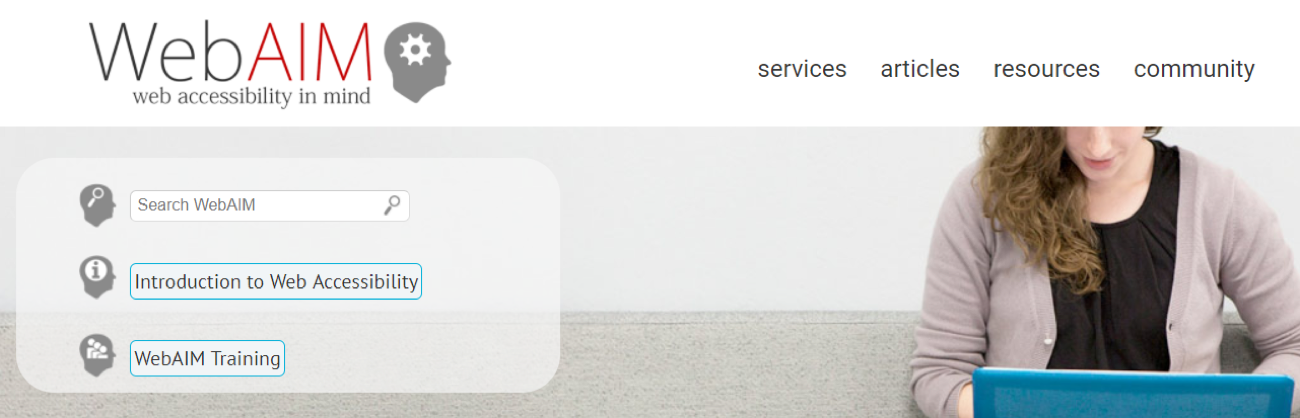
The WebAIM homepage, with a logo image, large background image, and a number of icons.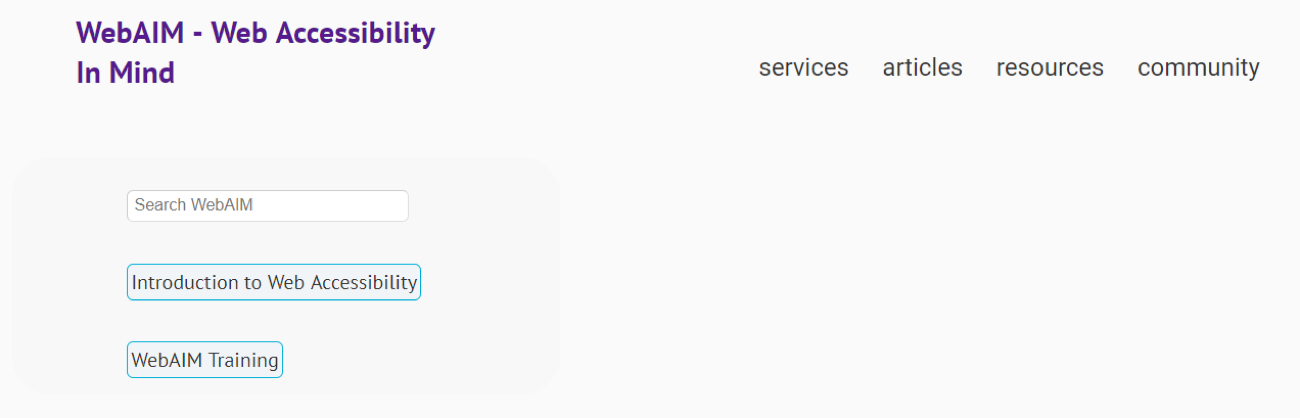
The WebAIM homepage again, but this time without images – Note that only the important images have alt text.When do images need alt text?
 This webpage has two images: A large, colorful background image and a logo image. What happens if they’re removed?
 Here both images have been removed from the page. I can still understand everything without the large banner image, but with the logo missing, I’m not sure which site I’m on.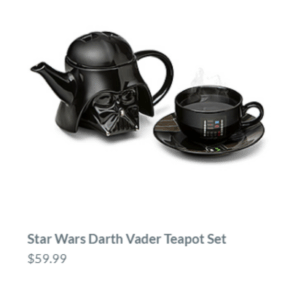
“Star Wars Darth Vader Teapot Set” and the price ($59.99) show in text underneath the image of a teapot, cup, and saucer that are all Darth Vader-themed.Types of images that definitely need alt text
Images that are links or buttons

Amazon’s “Interesting Finds” page contains a grid of images with no text that all link to products. Fortunately, all of these images have decent alt text!
Images of text

Logos

alt: UserTesting logoIcons are images, too
 The Awwwards site uses multiple icons with no labels in the header. Unfortunately, none of them have alt text.
When should alt text be written, and who should write it?
Finding the right balance for image descriptions
In conclusion: writing alt text makes you a better designer (and creates better experiences for your users!)