Hello, self-hosters — I’m the maintainer of FileBrowser Quantum, one of the most ambitious projects to emerge after the still popular filebrowser open source project had been marked as maintenance-only mode earlier this year.
FileBrowser Quantum has been actively developed for years — but until recently, I mostly focused on features and changes that myself and a small group of GitHub users wanted. I had only GitHub wiki docs and would often make releases without anyone else testing features. I was leaning on the technically inclined user who was okay with a few broken features every once in a while. I would fix these issues in a pretty casual way. Recently, I wanted to offer a better ex…
Hello, self-hosters — I’m the maintainer of FileBrowser Quantum, one of the most ambitious projects to emerge after the still popular filebrowser open source project had been marked as maintenance-only mode earlier this year.
FileBrowser Quantum has been actively developed for years — but until recently, I mostly focused on features and changes that myself and a small group of GitHub users wanted. I had only GitHub wiki docs and would often make releases without anyone else testing features. I was leaning on the technically inclined user who was okay with a few broken features every once in a while. I would fix these issues in a pretty casual way. Recently, I wanted to offer a better experience for the average user. The development workflow has changed to offer a smoother and more predictable release process. I have officially started a stable release track to protect the average user from sweeping new changes that cause surprise bugs. This also makes the beta release more meaningful and useful as well.
Introduction to Filebrowser Quantum
If you’re not aware of the project, I would first welcome everyone to check out the newly published official documentation. Getting started is easy and the app supports many platforms, including Windows, Linux, macOS, FreeBSD, and Docker. Installation is as simple as downloading the appropriate release (or Docker image) and running the program with your custom config.yaml.
Stable vs Beta
Choosing your release version is an easy but important step.
The stable version is a great choice for most, and I would encourage anyone who just wants to use the project without contributing or worrying about issues to select it.
If you want to help make the project better while at the same time benefit from many new and exciting features, I highly recommend the beta version! If you use the beta version, I encourage you to be more active on discussions (When you have general questions) and open issues when you have bugs, change requests, or feature requests that you would like.
Who is FileBrowser Quantum exactly for?
It’s a great time to be in the self-hosted community! There’s a vibrant ecosystem with options that suit a variety of users and use cases.
The original filebrowser became so popular for two simple reasons: it’s easy to use and works on all platforms without a worry about system requirements. With FileBrowser Quantum, I want to keep that going while also offering tons of critical features I felt it was lacking.
FileBrowser Quantum is evolving quickly. This year, many users wanted better office support – so I added OnlyOffice support. Many users wanted better authentication, so I added two-factor and OIDC single-signon support. Many users wanted more flexible control over file access, so I added an access control system that’s intuitive and ties in well with OIDC groups. Many wanted better file sharing controls and options, so I added tons of new customization for shares.
Some of these features are more advanced or complicated — the granularity of file share controls might seem overwhelming and onlyoffice integration does take some effort. However, I have always strived to keep the default installation and configuration as simple as possible.
FileBrowser Quantum is perfect if you are looking for a modern file hosting solution with the following:
- Is free and open-source
- Easy to set up and use
- Frequently updated with modern features
- Has a beautiful and responsive interface with many animations
- Includes office editing support
- Highly customizable theming, configuration, and user settings
- Has a friendly API experience with Swagger docs
Is there a reason not to use it?
Absolutely! It’s not for everyone and doesn’t fit all use cases.
I left out some features, like command runners from the original. Also, I don’t plan to offer any companion apps for mobile, and there’s a number of features that may be a long way off — such as WebDAV, Collabra, or FTP support.
Another reason might be because FileBrowser Quantum indexes the filesystem (by default) for blazing fast search and many great features like showing folder sizes. But this does come at a cost; it can use more memory. You can disable indexing for part or all of your source config if you want — and I also plan on optimizing this further.
There’s also personal preference — you might not like some of the opinionated decisions I have made about the project. So, I understand it’s not for everyone.
Screenshots
I don’t have a live demo of the appilication available yet (coming soon), and don’t have any video demonstrations or many screenshots online because it was evolving so rapidly. For now, here some photos to get an idea of what the program looks like today on v1.1.1-beta:
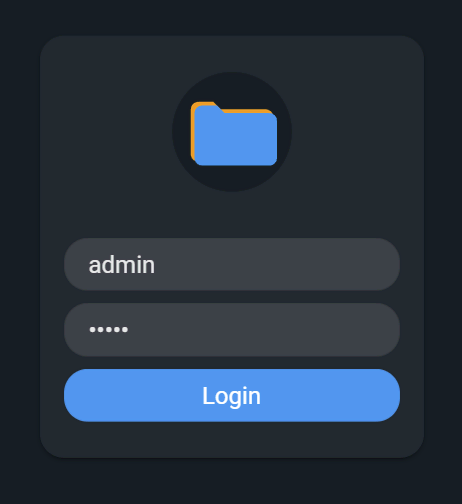 Login Screen
 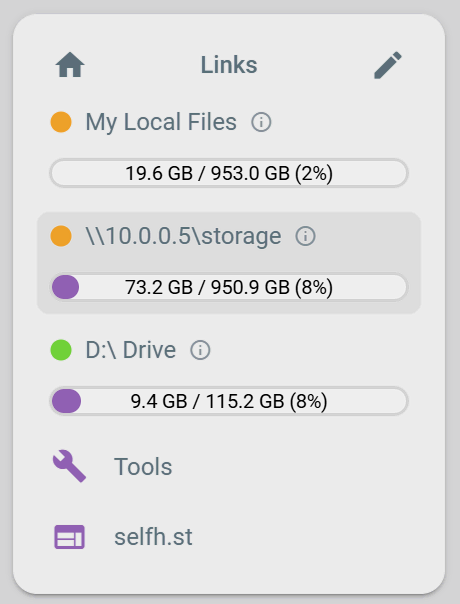 Customizable Sidebar
 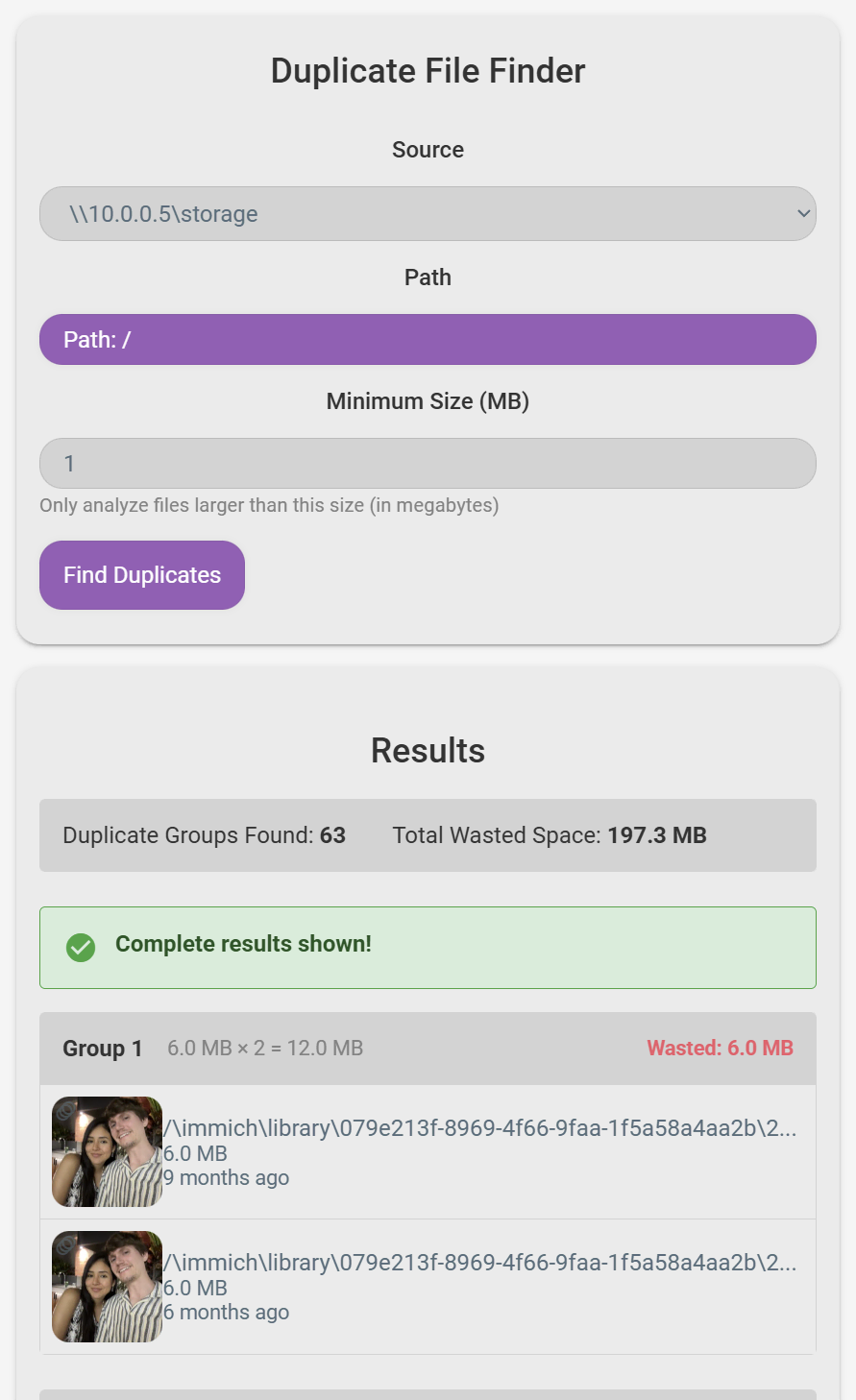 Duplicate File Finder
  Context Menu (Light Mode)
  Gallery View Mode with Folder Previews Enabled
Final Thoughts
I think FileBrowser Quantum fits in nicely with the current self-hosted ecosystem while still differentiating itself. I am active on GitHub, and there’s a lot going on right now. I hope to also get more official contributors working on it, right now it’s just myself and @Kurami32, but there’s always room for more! If you’re interested in becoming an official contributor, the best way is to just start contributing! (This is exactly how Kevin joined — after recently adding a variety of new features.)
It’s a ton of work to keep a project like this active, moving forward, and stable. I think I have set everything up to keep the ball rolling for many years and, of course, have to thank the original Filebrowser maintainers for all their work. I understand why they decided to discontinue the project — maybe 10 years from now the same thing will happen for FileBrowser Quantum...
Until then, come join the community and help me make the project better for everyone!