Add the calendar you already use to any WordPress site
Google Calendar, Microsoft 365, iCloud, Airbnb and more… no API keys or complicated setup required.
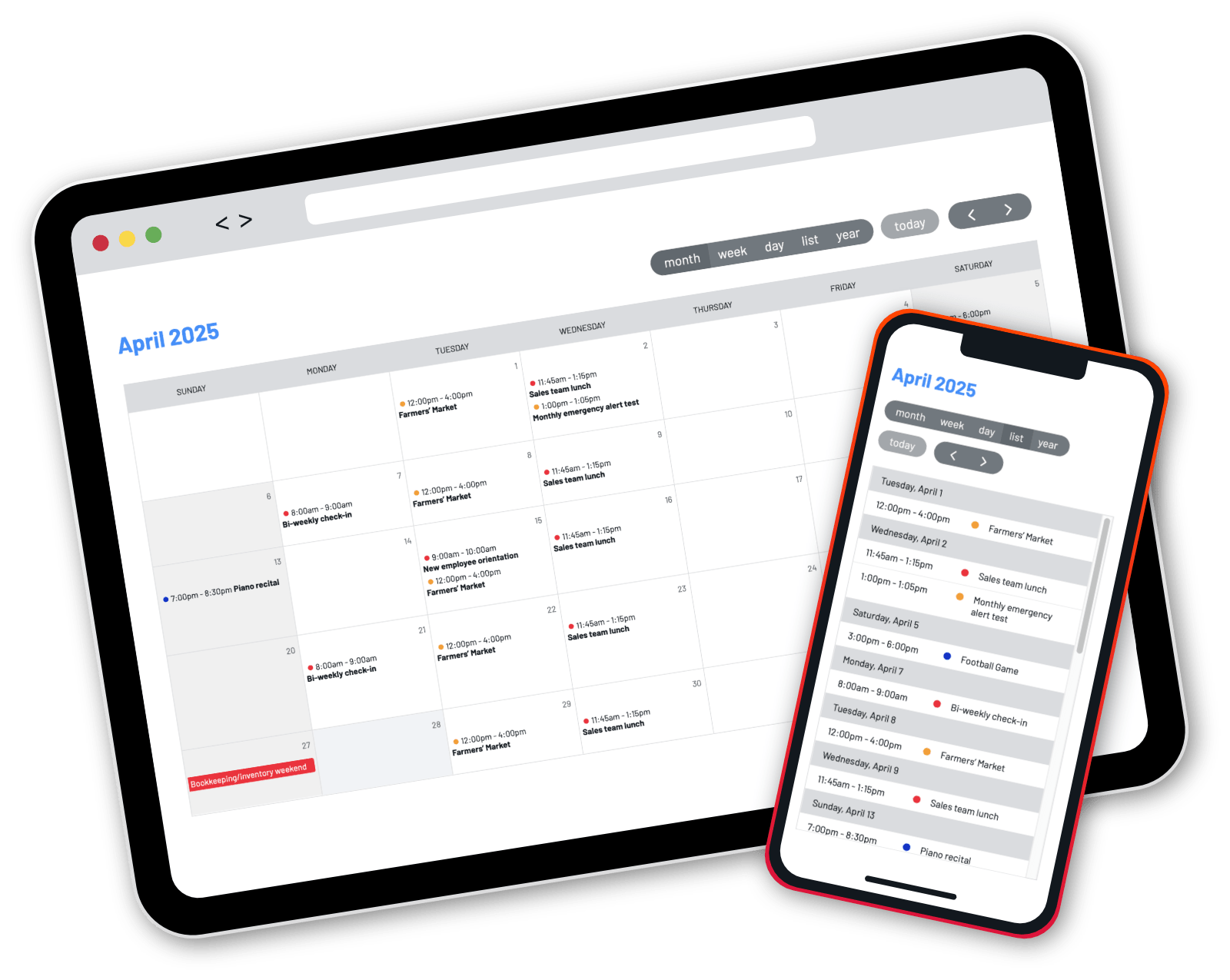
Using a simple shortcode, this WordPress plugin can turn any iCalendar subscription (ICS) feed into a seamlessly integrated, auto-updating, zero-maintenance WordPress calendar experience.
Preview Your Calendar Sample Calendars Buy Now
ICS Calendar and ICS Calendar Pro are also compatible with [ClassicPress](…
Add the calendar you already use to any WordPress site
Google Calendar, Microsoft 365, iCloud, Airbnb and more… no API keys or complicated setup required.
Using a simple shortcode, this WordPress plugin can turn any iCalendar subscription (ICS) feed into a seamlessly integrated, auto-updating, zero-maintenance WordPress calendar experience.
Preview Your Calendar Sample Calendars Buy Now
ICS Calendar and ICS Calendar Pro are also compatible with ClassicPress 2.0 and later. Download the free version from the WordPress Plugin Directory.
ICS Calendar Pro supports all of the features of the free version, plus eight additional views, extra options in the four core views, an intuitive Calendar Builder interface, font and color tools in the Customizer, and more!
ICS Calendar Pro also includes ICS Events, a full-fledged calendar management system. Create and manage events directly in WordPress, and integrate them seamlessly with ICS Calendar. Categorize events with custom colors, and combine internal events with external feeds in the same calendar. Integrate with third-party plugins like Gravity Forms and Ninja Forms to easily create registration forms with dynamically populated event info.
See below for a full comparison of features.
What our users are saying…
“ICS Calendar Pro was a game-changer for my WordPress booking system. I needed a seamless way to display and stylize ICS feeds, and after a few hiccups activating the pro features, their incredibly friendly and responsive support helped me overcome every challenge. Not only is the plug-in loaded with features, but it’s also brilliantly designed to fit any custom display needs. I can’t recommend it enough for anyone in need of a simple and robust ICS Calendar solution for WordPress!”
What our users are saying…
“I have been using the ICS Calendar plugin for about two years now, and it has been an invaluable asset to my membership site. Since implementing the plugin, member retention and engagement have significantly increased, as I can display all upcoming events in one place, keeping members connected and engaged. The plugin is incredibly powerful, flexible, and well-maintained with regular updates. I can’t say enough good things about the developer. As others have mentioned, his support is outstanding, he goes above and beyond to troubleshoot and resolve issues, even when it’s clear the problem is caused by conflicts from other plugins. Highly, highly recommended.”
What our users are saying…
“I use this plugin on three separate websites that have three distinct needs. The flexibility in the setup allows me to accomplish what I need on each site. On the couple of occasions I’ve needed support, it has been extremely prompt and accurate. Highly recommended if you have Google calendars you need to display on your sites.”
What our users are saying…
“What a great and useful plugin, the free version is great but the ability to customize is wild with the paid version. I wish I knew sooner how easy it would be to use the paid version. Scott helped me so much with tech support. Really loving this plugin.”
Feature Comparison
Calendar data sources
External ICS feeds Use an iCalendar subscription URL from most popular calendar platforms… even combine multiple feeds from different sources in the same calendar view ICS Events Updated in 6.0! Create and manage events directly in WordPress, now with customizable templates
Calendar view options
Month The standard calendar table layout Basic A simple list of individual events, suitable for CSS customization List A day-by-day events list Week Single week table view — perfect for public displays Full Switchable month/week/day/list/year view, using the FullCalendar library Masonry Tiled list view using Masonry Month with Sidebar Interactive month table with daily events list in sidebar Up Next Show what’s happening right now, or the next upcoming event Widget Mini month table with daily events list below Widget Availability Mini month optimized for rental bookings Year with Sidebar Year-at-a-glance with daily events list in sidebar Year Availability Year view optimized for rental bookings
Easy setup
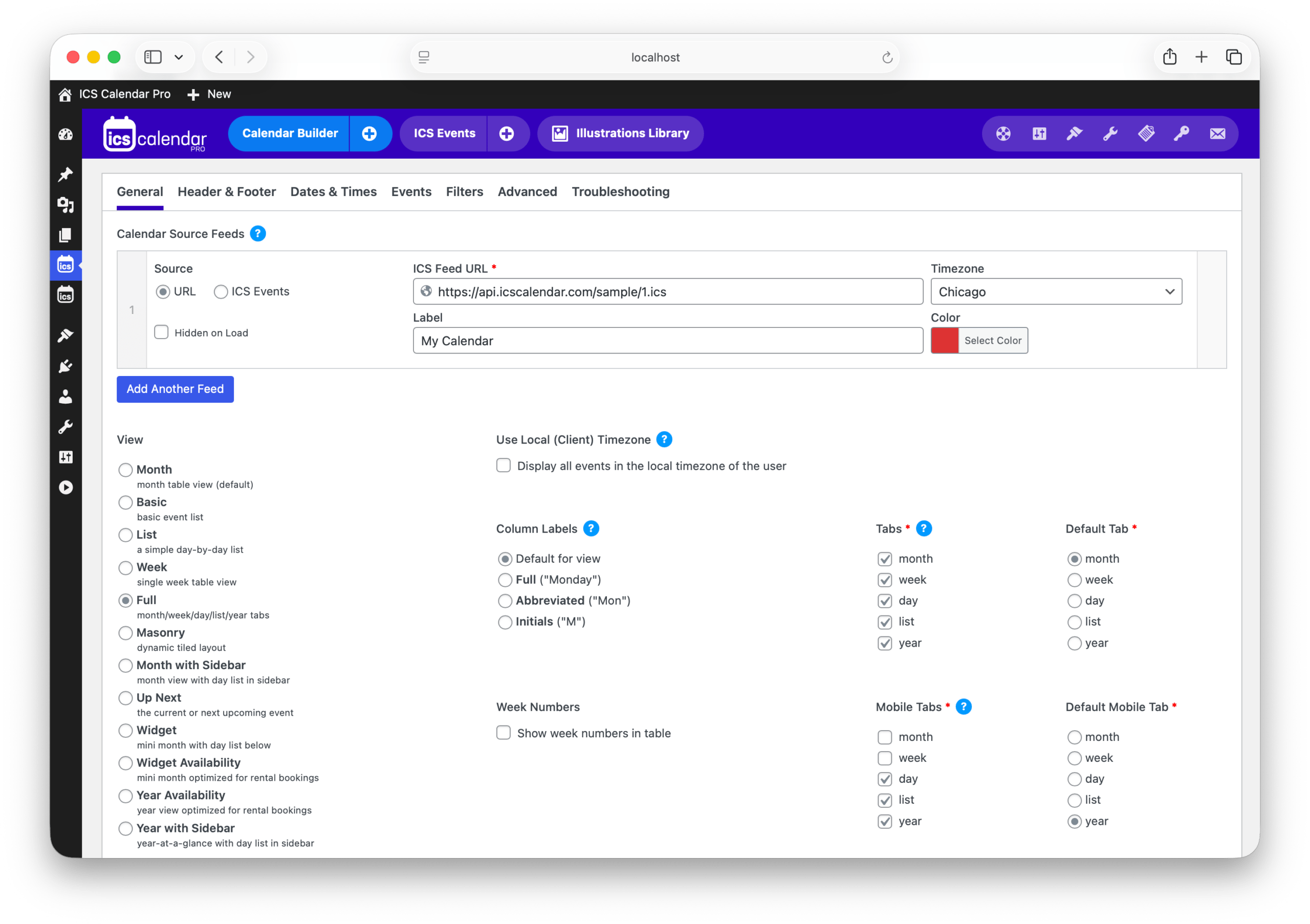
Shortcode Works with either Classic Editor or Block Editor (Gutenberg); use our online Shortcode Builder to easily generate your code Classic Editor “Add ICS Calendar” button Makes it easy to generate your shortcode in Classic Editor Calendar Builder Use a visual configuration tool instead of typing your shortcode Block Editor New in 6.0! ICS Calendar Pro block lets you pick a saved calendar from a dropdown within the Block Editor, no need for a shortcode Widget Insert a calendar in your sidebar using widgets
Language and localization
Feed content All event data is displayed in the feed’s original language WordPress date and time settings Uses the language and date/time formats configured in your general settings Translated admin pages Admin pages automatically display in the language configured in general settings, for over 40 locales. Client timezone support Automatically display events in the user’s local timezone
Customization
Multiple feeds Combine multiple source feeds into one displayed calendar Color-coded events Give each feed its own custom color Event details Descriptions, locations, organizers & links display on hover or tap Customizable date ranges Display any range of future (or past!) dates that are contained in your feed Design modifications using CSS Use our CSS classes to customize your look Color palettes and fonts New in 6.0! Fully customize calendar colors and typography in an easy visual interface Event illustrations Keyword-based images from Google Calendar or your own designs
Enhanced functionality
Custom WordPress actions and filters Further modify calendar output with PHP Additional actions and filters PHP developers can fully manipulate feed data Event filter/search tool Matching events are filtered as you type Month/list view toggle Users can switch easily between month and list views Subscribe links Give users an easy way to subscribe to your source feed in their own calendar software Regular expressions Customize your calendar output with powerful pattern matching
Dynamic performance
AJAX loading Calendars load via AJAX for faster page rendering Automatic feed syncing & caching Feeds are automatically updated hourly, with local caching (for performance); cache duration is customizable
Flexible pricing options
- Annual
Get Started
$39 updates & support for 1 year up to 2 installs
- Lifetime
Better Value
$119 updates & support forever* up to 2 installs
- Developer
Agency/Freelancer
$289 updates & support forever* up to 50 installs
Or download the free version from the WordPress Plugin Directory.
(Prices are in US dollars.)
*Sadly nothing is truly “forever,” but in this case, it means you’ll get updates and support for as long as we are actively maintaining ICS Calendar Pro.
This plugin includes the PHP ICS Parser library by Jonathan Goode, John Grogg and Martin Thoma (MIT license). ICS Calendar Pro also includes the FullCalendar.io and Masonry libraries (MIT license), and a licensed, non-transferrable, embedded version of Advanced Custom Fields Pro, configured to function solely on the ICS Calendar Pro admin screens. If ACF Pro is already installed on your site, your installed version is used, to avoid any conflict.