Practical Agentic Coding with Google Jules Image by Editor
Introducing Google Jules
If you have an interest in agentic coding, there’s a pretty good chance you’ve heard of Google Jules by now. But if not, now’s the time to learn all about it. Jules is an autonomous, asynchronous agentic coding assistant developed by Google DeepMind, which harnesses the Gemini family of models and is designed to integrate directly with existing code repositories and autonomously perform development tasks.
You can think of Jules as your highly specialized, off-site dev contractor. Jules isn’t meant to be u…
Practical Agentic Coding with Google Jules Image by Editor
Introducing Google Jules
If you have an interest in agentic coding, there’s a pretty good chance you’ve heard of Google Jules by now. But if not, now’s the time to learn all about it. Jules is an autonomous, asynchronous agentic coding assistant developed by Google DeepMind, which harnesses the Gemini family of models and is designed to integrate directly with existing code repositories and autonomously perform development tasks.
You can think of Jules as your highly specialized, off-site dev contractor. Jules isn’t meant to be used by you or your team directly from within your local IDE. Instead, you hand over your entire GitHub repo to this contractor — I know, I know… unnerving. Jules then takes and securely duplicates the repo in an isolated cloud virtual machine (VM), where it studies the entire project under the guidance of its expert programming knowledge — gained from Gemini 3 (for paying customers; Gemini 2.5 — with usage limits — otherwise). It then drafts a detailed plan, executes on the modification requests, test those changes, and finally submits a pull request for your inspection and approval. It also uses files like README.md or AGENTS.md for project context and environment hints.
This pipeline allows you to delegate complex coding and development tasks without having Jules interfere with your daily work, ensuring safety and quality control.
Let’s summarize the important points of how Jules operates:
- Autonomous, agentic operation: Jules is genuinely an autonomous agent that reads code and understands intent, moving beyond the role of a co-pilot or code-completion sidekick. It is truly an agentic service designed for work delegation, allowing users to outsource explicit instructions for tasks like improving test coverage or performing surgical code modernizations.
- Asynchronous workflow: Jules operates asynchronously in the background inside a cloud VM. This allows developers to focus on other tasks while it toils away. This non-blocking approach lets you assign a task and move on to other work inside the codebase yourself, avoiding interruptions to your immediate flow.
- Comprehensive codebase context: Jules isn’t about code snippets. It analyzes complex, multi-file projects and aims to understand the full context of your existing codebase to intelligently reason about changes. This ability is necessary for handling complex, multi-step operations within full repositories.
- Audio changelogs and summaries: Jules is able to provide audio summaries of recent commits (an audio changelog), transforming the project history into a contextual changelog that users can listen to. Do you like NotebookLM’s audio overviews? Jules brings that sensibility to your codebase.
When it comes to interacting with Jules, you have a few options. First, the Jules tools CLI is a command-line interface (featuring the jules command) that allows developers to interact with the agent from their terminal. This enables scripting and automation, and facilitates piping output from other CLI tools, such as sending your repos issue list directly to Jules (gh issue list) or extract a list of tasks from jq and pipe it directly to the CLI to create new tasks for the agent.
There is also the Jules API, which allows for deeper customization via programmatic access. With the API, you can integrate more tools and services such as Slack or Jira, which allows you to message tasks to Jules or assigning tickets to it, respectively, automating bug fixing, feature implementation, and CI/CD pipelines. Add the triggering capabilties from Github issues directly and you have a robust set of approaches for engaging with your agentic development workflow.
Using Google Jules with an Existing GitHub Repository
The process for using Google Jules generally involves initial setup, task prompting, and subsequent human review and approval. Let’s do a quick walkthrough using a toy repo of mine.
Step 1: Initial Access and Authentication
Visit the official Google Jules website and click “Try Jules”. Authenticate using your Google account and accept the privacy notice.
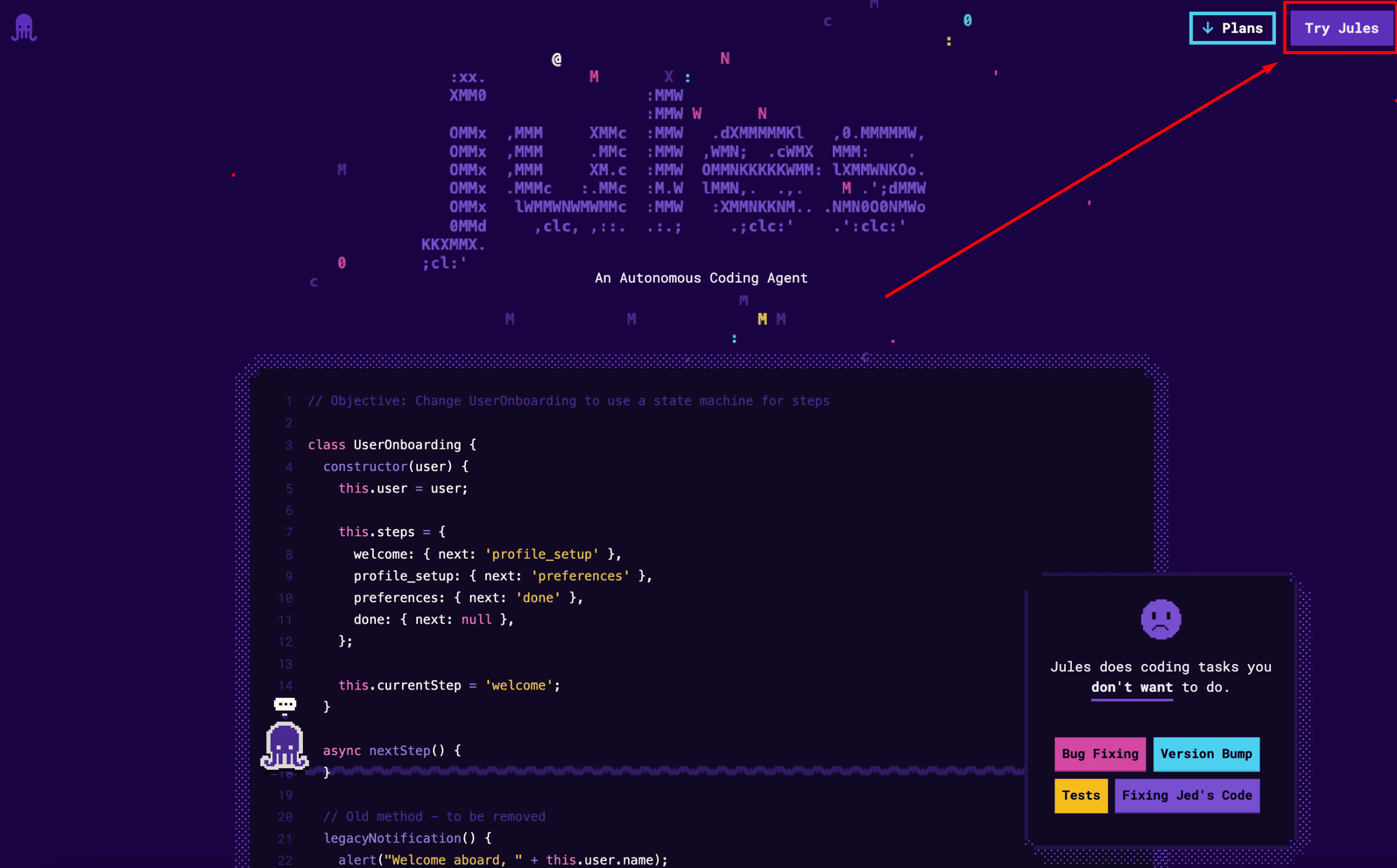
Authenticate to “Try Jules”
Once authenticated, your screen should look like this:
Step 2: Connect to GitHub
Click “Connect to GitHub Account” and select the specific repositories where you want to allow Jules to access.
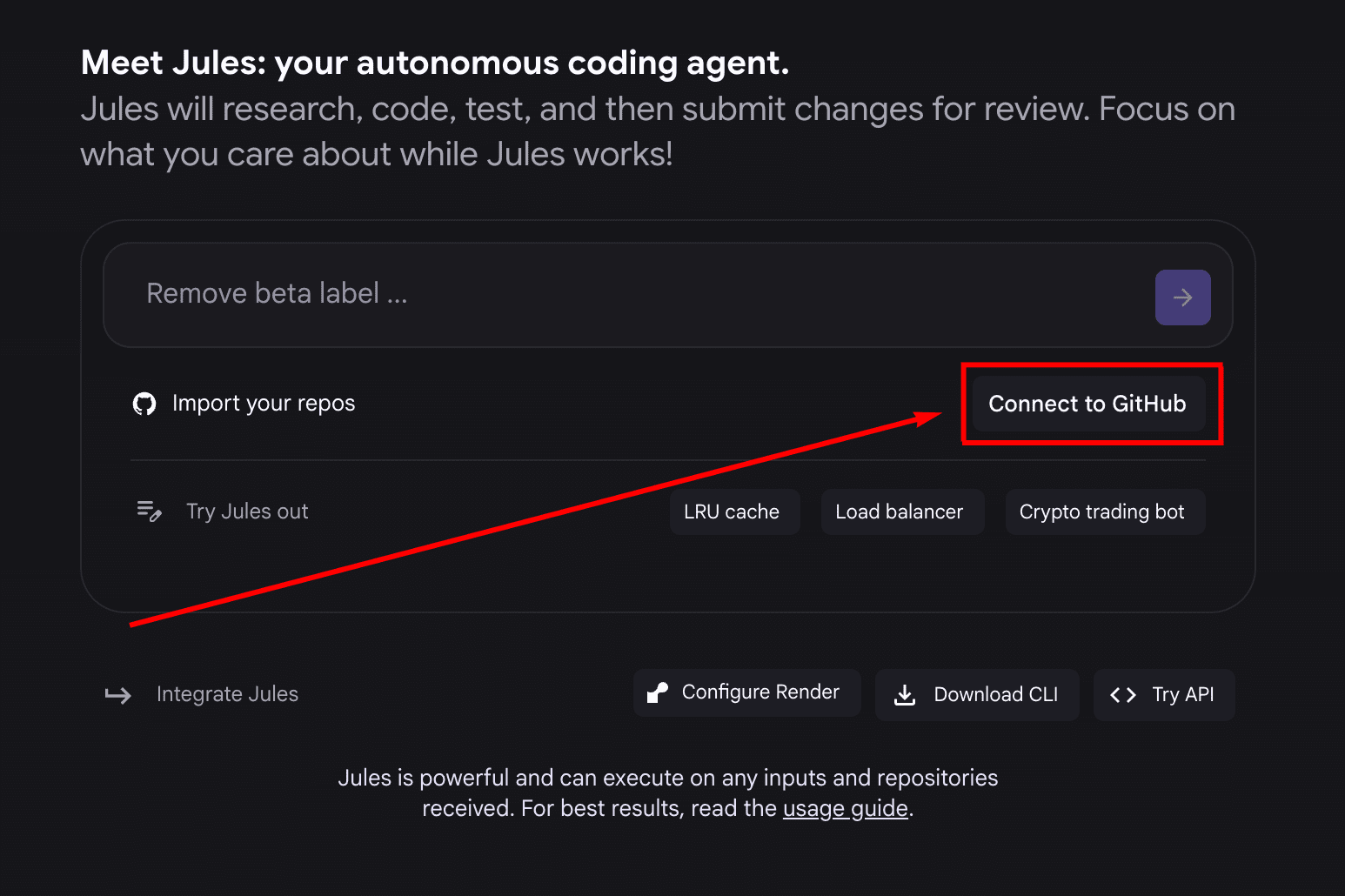
Connect to GitHub to reap the rewards
Step 3: Select Repository and Branch
Once set up, select the target repository and branch from the Jules dashboard or selector.
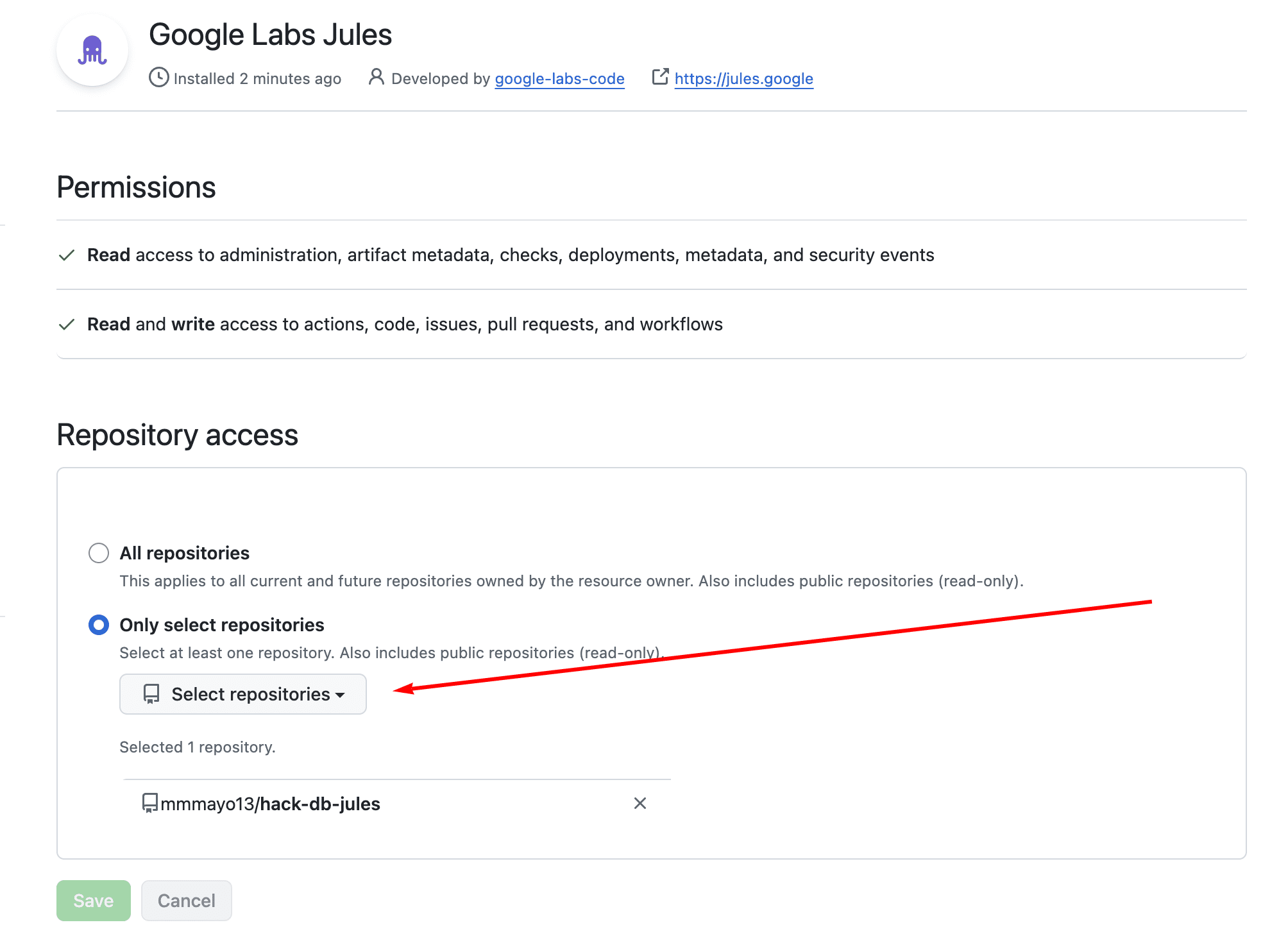
Select the target repository and branch
I have selected a simple key/value database implemented in Java that only leverages the language’s built-in data structures.
Step 4: Prompt the Task
Write your prompt detailing the required task (e.g. code refactoring, bug fixing, generating unit tests). Tasks can also be triggered via a GitHub issue or label. Jules is recommended for explicit instructions that can drive unattended batch work against source code in GitHub.com.
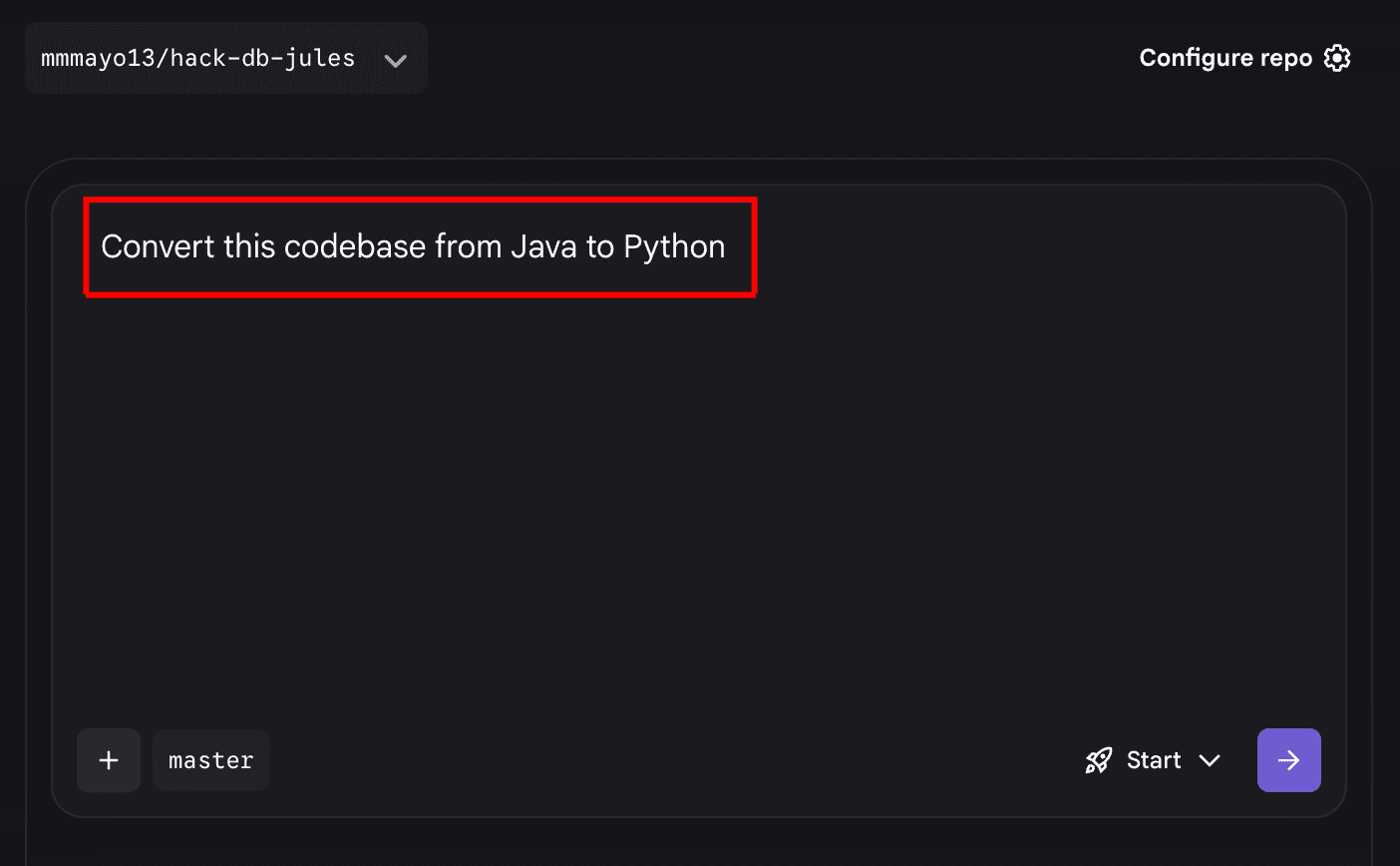
Prompt the required task in detail
Here we will see how Jules does at converting the codebase from Java to Python.
Step 5: Generate, Review and Approve the Plan
Click Give me a plan. Jules will analyze the codebase and query, derive a detailed plan, and list the affected files. You can modify the presented plan before, during, and after execution. After reviewing the proposed plan and reasoning, approve it by clicking Approve plan to begin implementation.
I selected the option to submit and run the task without a formal approval process, given the light work I am asking of Jules.
Step 6: Execution and Verification
Jules clones the repository into its secure cloud VM environment, applies all the changes, runs relevant test cases, and captures the differences.
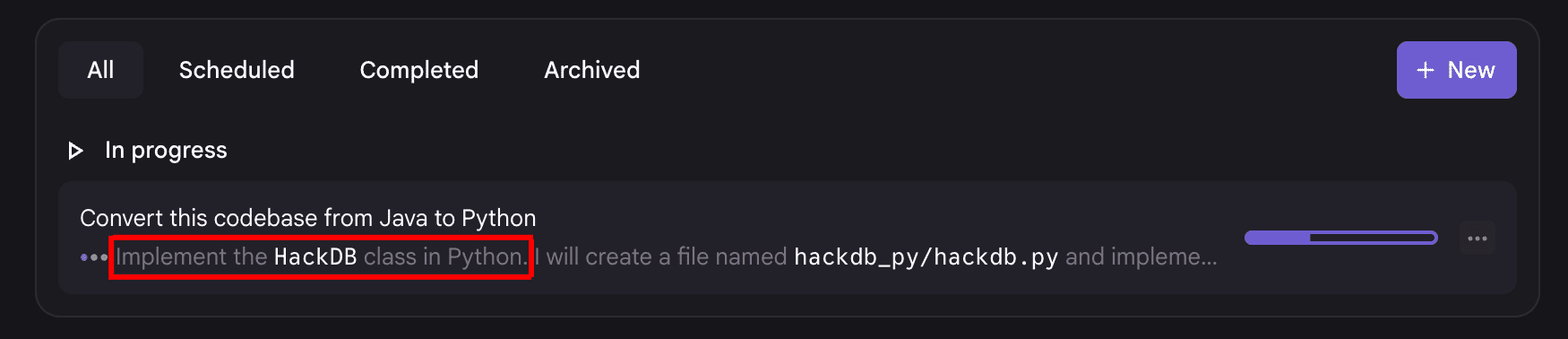
Google Jules toils away while I do something else
Step 7: Review Changes and Publish
Finally, it’s time to review the implemented changes (the diff).
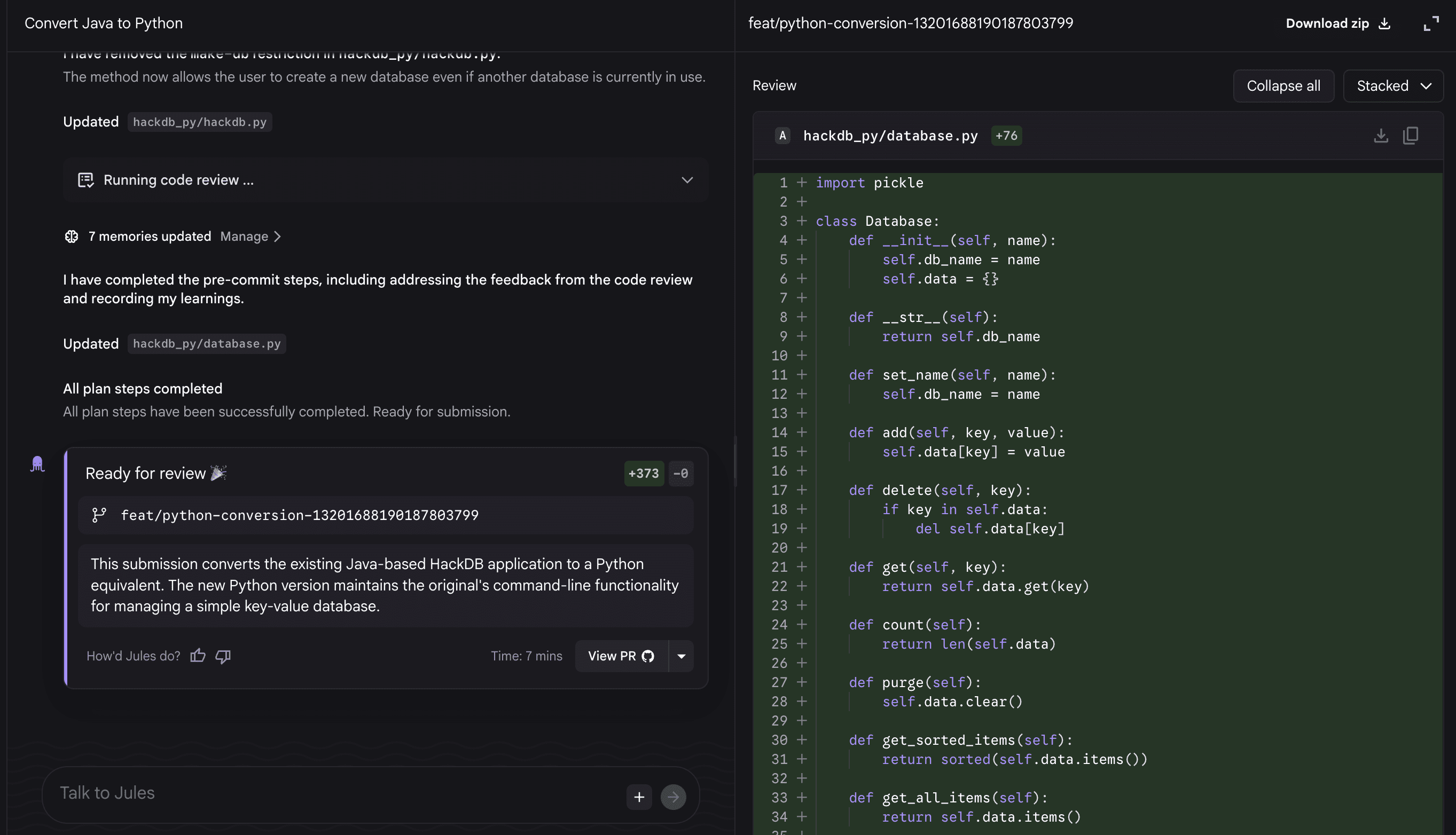
Reviewing the changes that Google Jules implemented
Upon approval, click Publish branch. Jules publishes the feature branch in the original repository and automatically opens a pull request targeting the main branch for final merging.
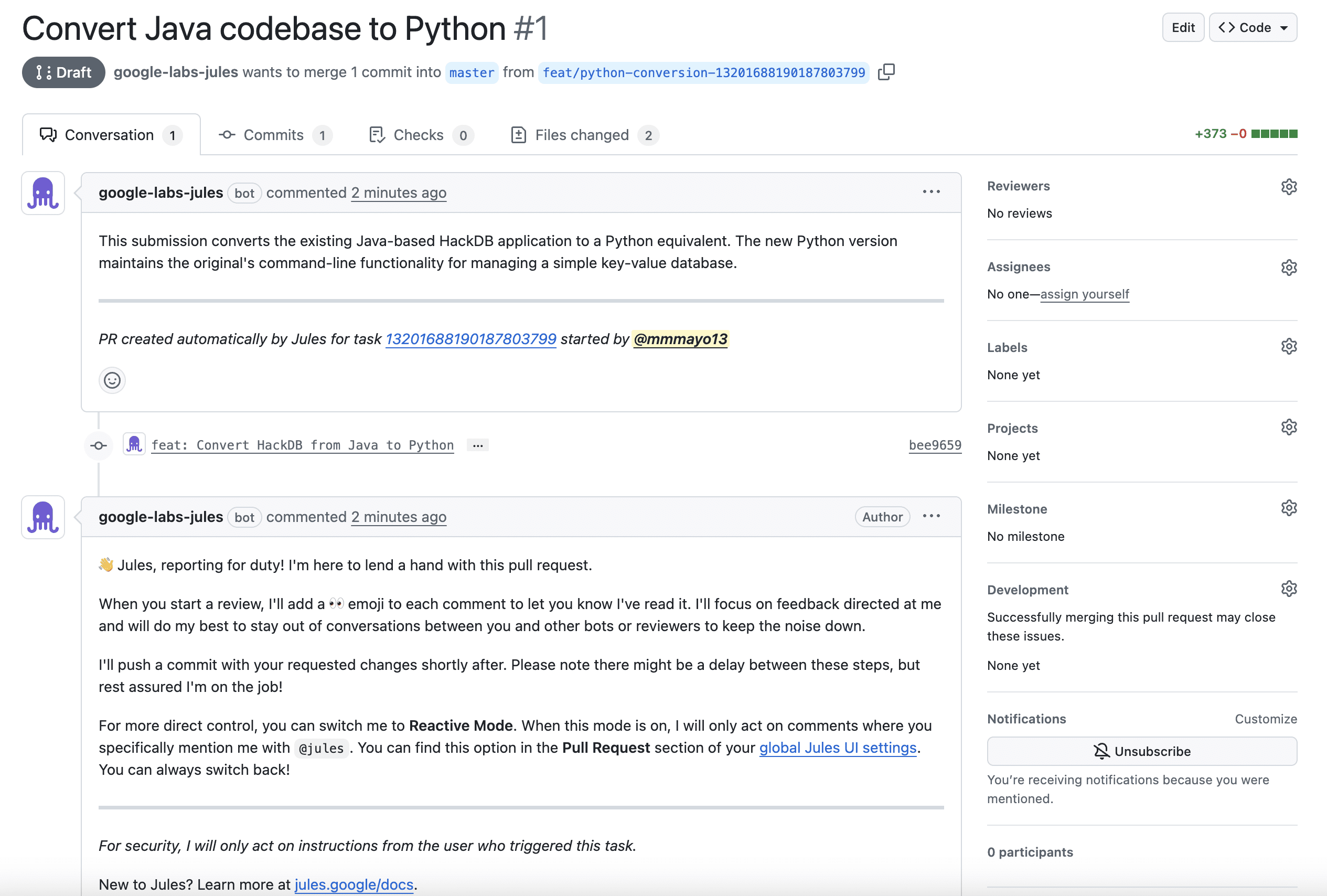
Inspecting the pull request that Jules creates
Of course, it’s great that Jules does all of this, but does it work? I downloaded the generated code and ran it to test. Looks good to me.
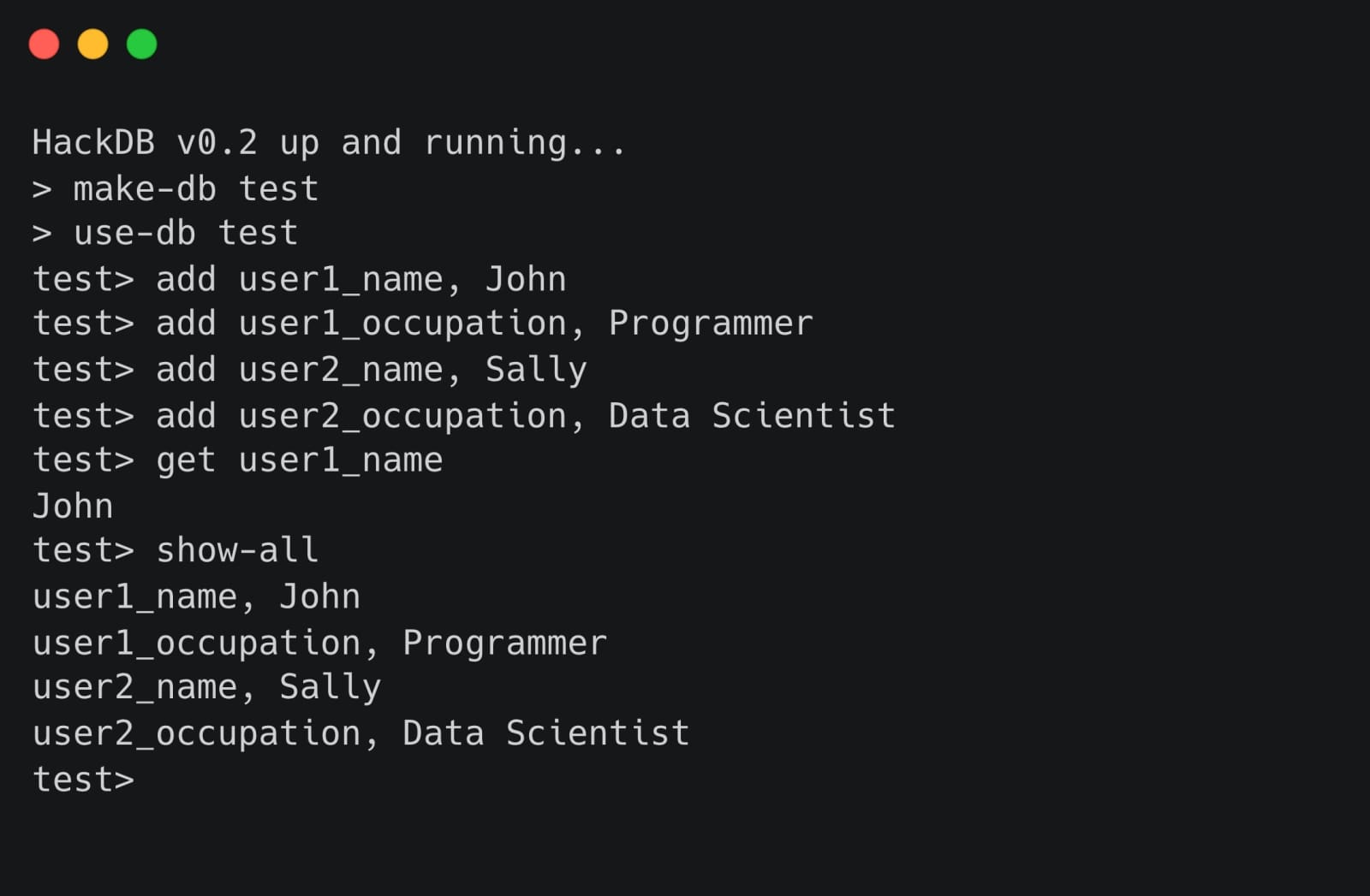
The results in action
Practical Tips and Concerns for Agentic Dev
When using agentic programming tools, there are some things you need to be aware of in order to maximize utility and safety.
Ideal Use Cases
First, there are certain tasks at which Jules will excel, including, for example, documentation improvement, code refactoring, bug fixing, generating unit tests, and surgical code modernizations. Take, for instance, the scenario where an API your project uses has been updated. This is a great candidate for putting Jules on the case.
Iterative Prompting for Large Tasks
For complex challenges like large-scale application modernization or refactoring, you are best served by the advice to take very small steps and continuously confirm that the modernized components are in a runnable state before proceeding. This is good advice for any task using AI, and even more so in an agentic scenario. This approach also counteracts Jules’ limitation with complex architectural overhauls.
Review and Control
The importance of the visible workflow and user steerability can’t be stressed enough. Developers must always review the plan before execution and review the final pull request (the diff) for alignment with project standards, as Jules does not modify the repository directly.
Context Window Limits in Practice
While theoretically capable of large contexts, language models in general are known to struggle with prompting and context that exceeds specific token limits, which can be a barrier for large enterprise codebases.
These are just a few specific concerns to keep in mind while exploring Google Jules and agentic coding.
Wrapping Up
This has been an introduction to using Google Jules for agentic coding. We covered what Jules is, how it is used, and what to keep in mind when you do use it.
While Google Jules and agentic coding are really still in their infancy, there are all sorts of reasons to believe that their usefulness will only grow as time goes on. Any machine learning practitioner, data scientist, engineer or dev out there that is not seriously keeping an eye on this space — whether or not they have yet to adopt these tools and practices themselves — is likely setting themselves up for marketplace failure in the long term.
If you have concerns about the efficacy or abilities of agentic coding, start small and measure results. This isn’t a panacea, but it also isn’t nothing. Give Google Jules a try to either dip your toe in the world of agentic AI or to superpower your existing coding workflow. Either way, it’s hard to see how you would come to regret it.