Tips to Avoid Bad Tracking
Good tracking is often subtle, almost invisible. Bad tracking, on the other hand, can make your text difficult to read and visually jarring. Here are some tips to keep your tracking on point:
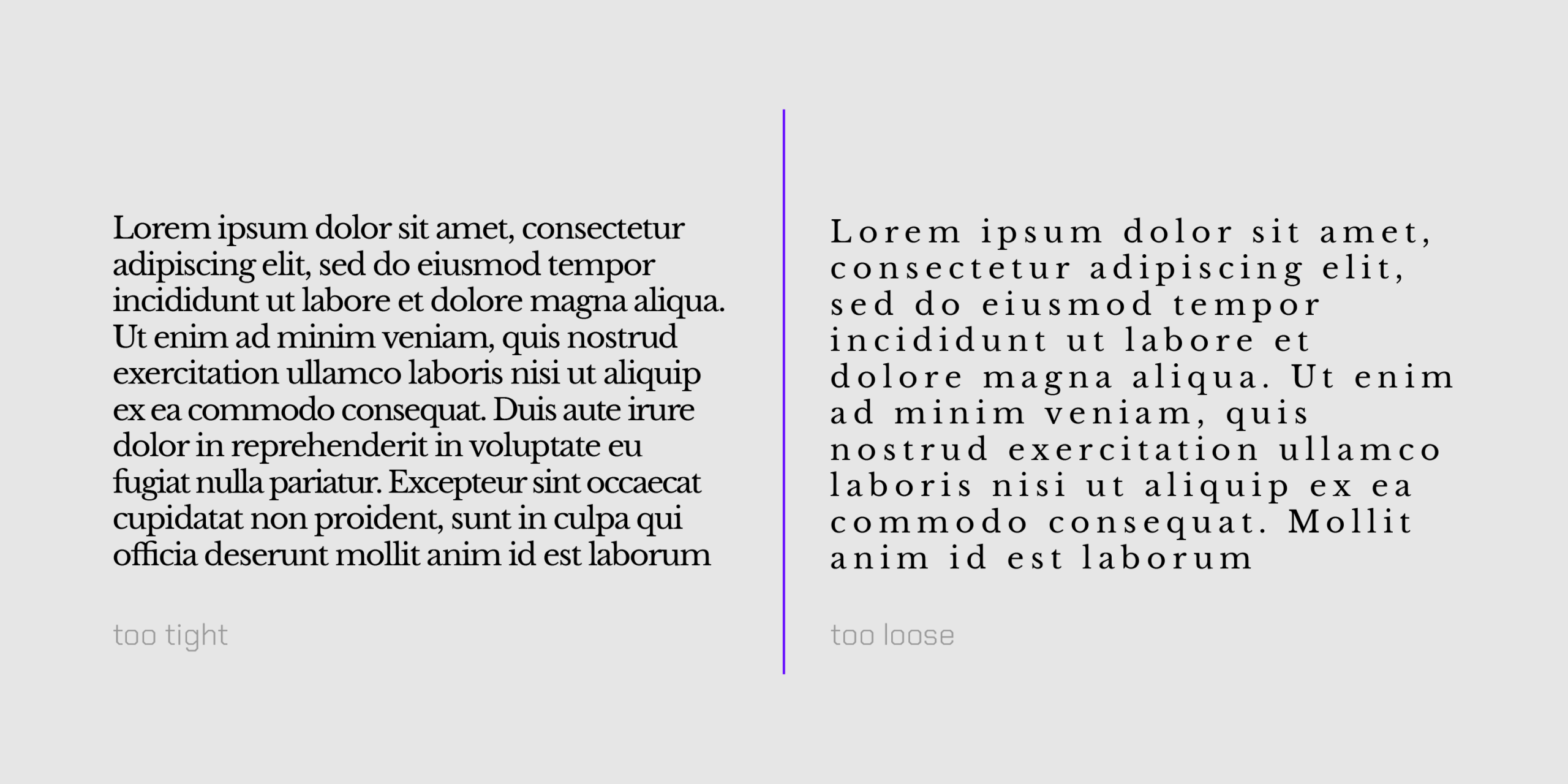
**Prioritize Readability: **Although it’s often overlooked, accessibility is one of the most importants aspects of design. If your tracking is too tight or too spaced out, words might become uncomfortable or straight up impossible to read. Always test your tracking choices by reading the text aloud. If it feels difficult, adjust it.
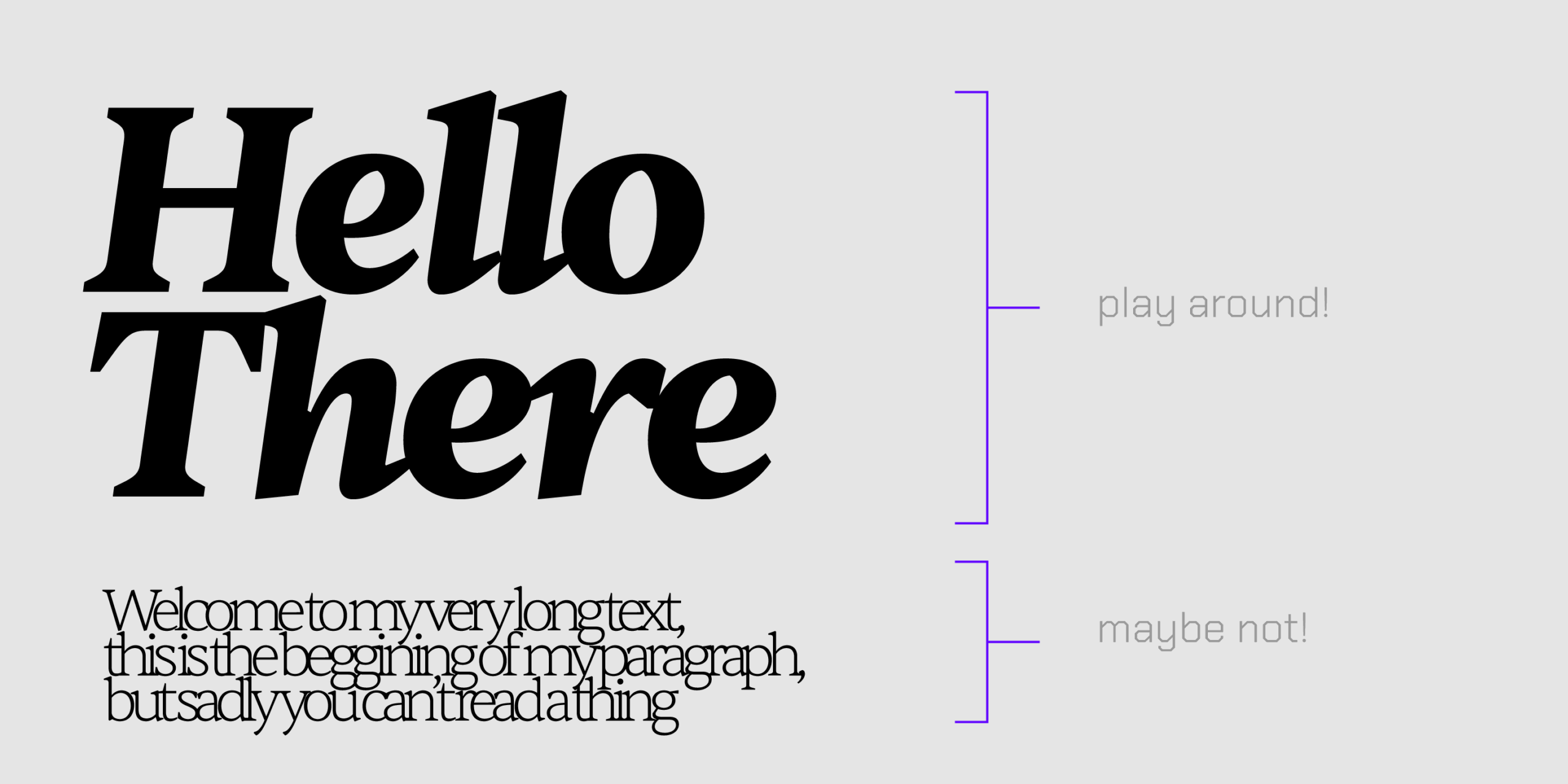
**Context is Key: **Consider the typeface, font size, and th…
Tips to Avoid Bad Tracking
Good tracking is often subtle, almost invisible. Bad tracking, on the other hand, can make your text difficult to read and visually jarring. Here are some tips to keep your tracking on point:
**Prioritize Readability: **Although it’s often overlooked, accessibility is one of the most importants aspects of design. If your tracking is too tight or too spaced out, words might become uncomfortable or straight up impossible to read. Always test your tracking choices by reading the text aloud. If it feels difficult, adjust it.
**Context is Key: **Consider the typeface, font size, and the medium where the text will appear. Larger display type often benefits from tighter tracking, while smaller body text usually needs more generous spacing for legibility. You can put it this way, if you need to adjust tracking in a very noticeable way, try to apply it to titles or subtitles, avoid using heavy tracking adjustments on paragraph texts.
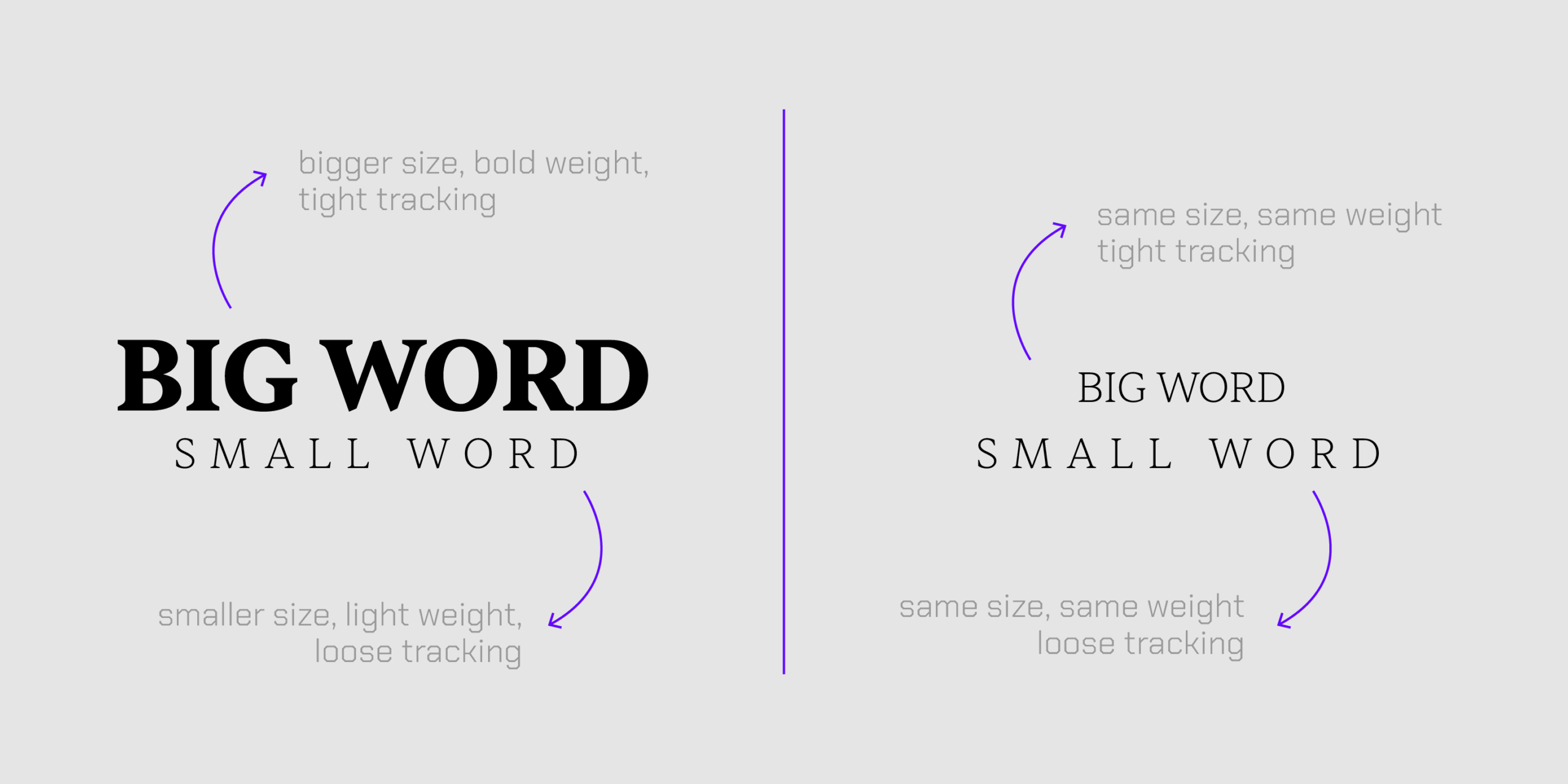
Go for contrast or consistency: If you’re using different tracking adjustments for elements on your design, make sure the elements have enough contrast, preferably by size or shape. If two elements are too similar and their tracking is different, it just creates an unbalaced design. When working with similar elements, it’s best to strive to consistency and mantain the same tracking adjustments across them.