In this blog post
July 17, 2025 by Burke Holland, @burkeholland
Today, we’re excited to give you a first look at the Copilot Coding Agent in Visual Studio Code.
Instead of only having one synchronous agent in VS Code, you can now have multiple agents running at once working on your behalf. This is actually being a 10x developer. It’s officially a thing. You get to hand off any work you need done to a squad of AI teammates.
To see this in action in your editor right now, install the GitHub Pull Requests extension and add the following VS Code setting:
"githubPullRequests.codingAgent.uiIntegration": true,
In this post, we’ll take a look at what th…
In this blog post
July 17, 2025 by Burke Holland, @burkeholland
Today, we’re excited to give you a first look at the Copilot Coding Agent in Visual Studio Code.
Instead of only having one synchronous agent in VS Code, you can now have multiple agents running at once working on your behalf. This is actually being a 10x developer. It’s officially a thing. You get to hand off any work you need done to a squad of AI teammates.
To see this in action in your editor right now, install the GitHub Pull Requests extension and add the following VS Code setting:
"githubPullRequests.codingAgent.uiIntegration": true,
In this post, we’ll take a look at what the Coding Agent is, show you an exclusive preview of the integrations in VS Code, and give you a peak at what’s coming next.
What is GitHub Copilot Coding Agent?
GitHub Copilot Coding Agent is an autonomous AI developer you can assign to any GitHub issue. The agent runs in GitHub and is fully integrated as a member of your repo that can comment on issues, open PRs, do code reviews, and more. The agent can tackle complex work, implement features across your codebase, and even use Model Context Protocol (MCP) tools to work with databases or cloud services.
It works like this:
- You enable the agent in your GitHub settings.
- You assign an issue to Copilot.
- The agent does the work, opens a pull request, and keeps you in the loop.
- You review the PR, leave comments if you want changes, and the agent iterates until it’s done.
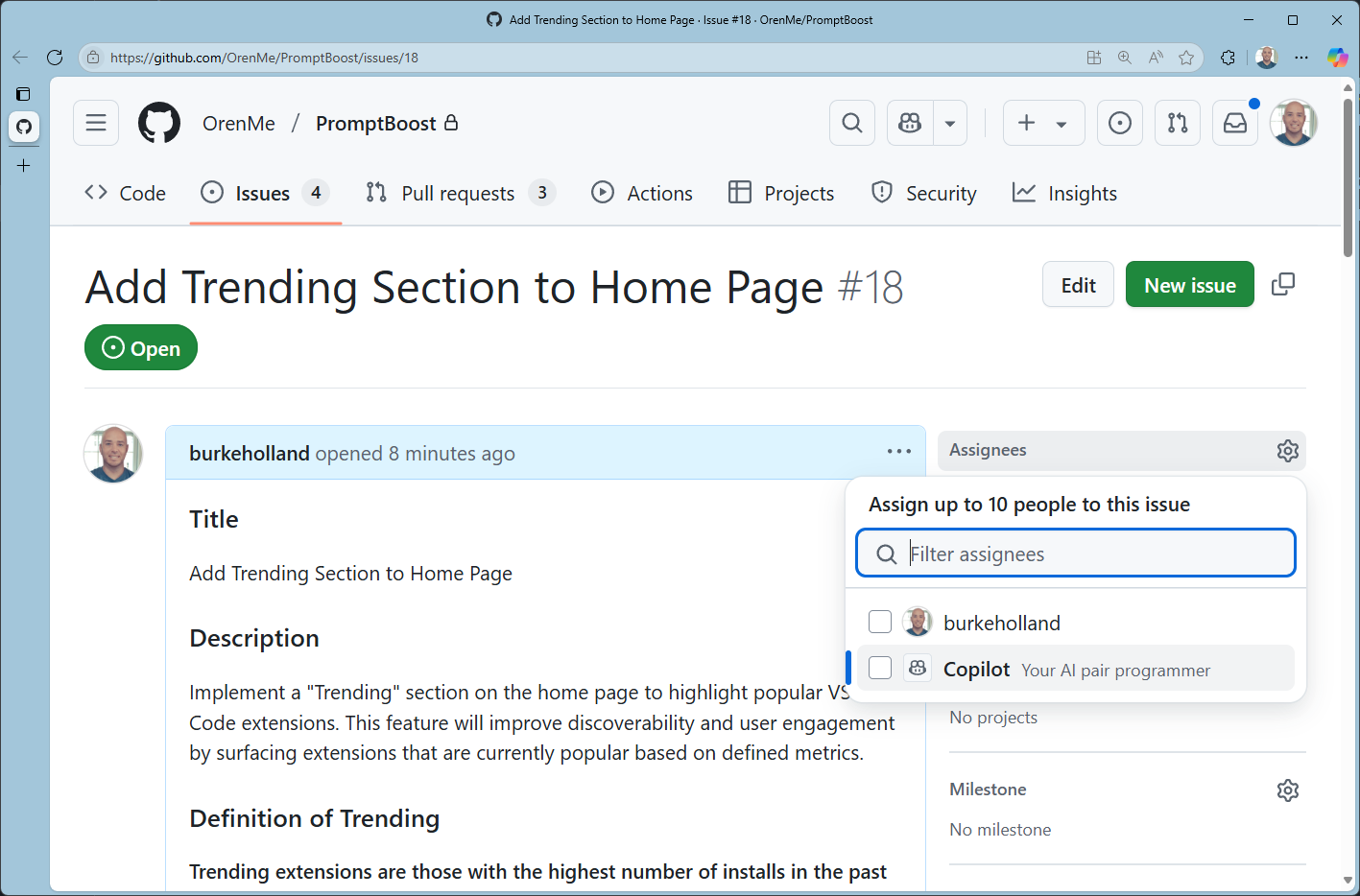
That’s all there is to it. It’s the workflow you already know with an agent in the mix.
The agent runs within a temporary isolated dev environment that gets spun up where the agent can explore the codebase, make changes, build the code, run tests, etc. - a complete dev environment just for the agent so it can function in a fully autonomous manner.
And now, we’re integrating the Coding Agent and all of its workflows directly into VS Code!
Copilot Coding Agent in Visual Studio Code
Copilot Coding Agent integrates with the GitHub Pull Requests extension. You can assign any issue to Copilot Coding Agent right from the sidebar - no need to switch to your browser. Just select, assign, and let the agent take it from there.
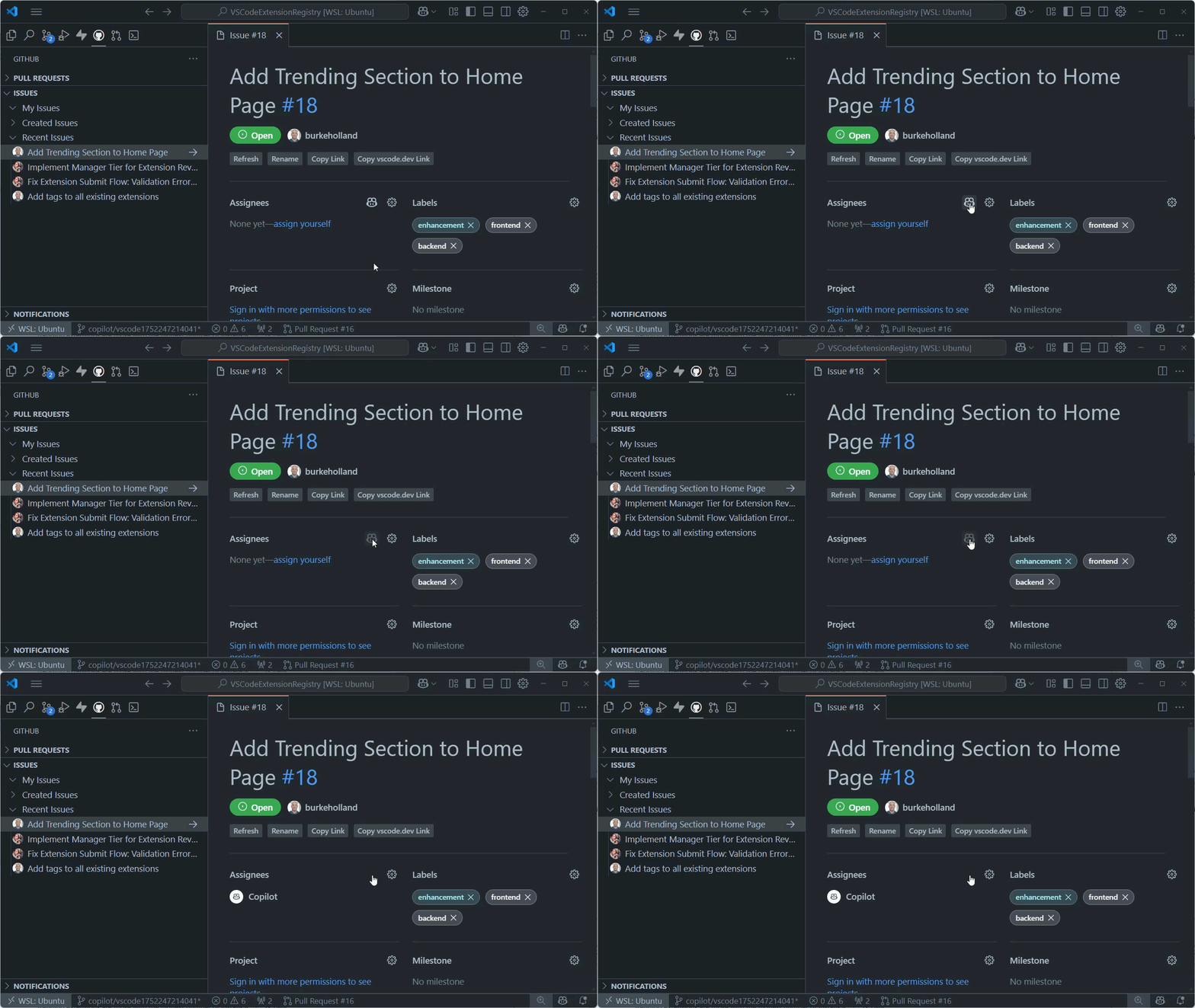
As with every VS Code feature, the VS Code team itself uses the Coding Agent integration in their own development. In fact, you can see just how many PRs have been assigned to Copilot Coding Agent in the VS Code repo, and that number continues to increase.
Track your agent’s progress
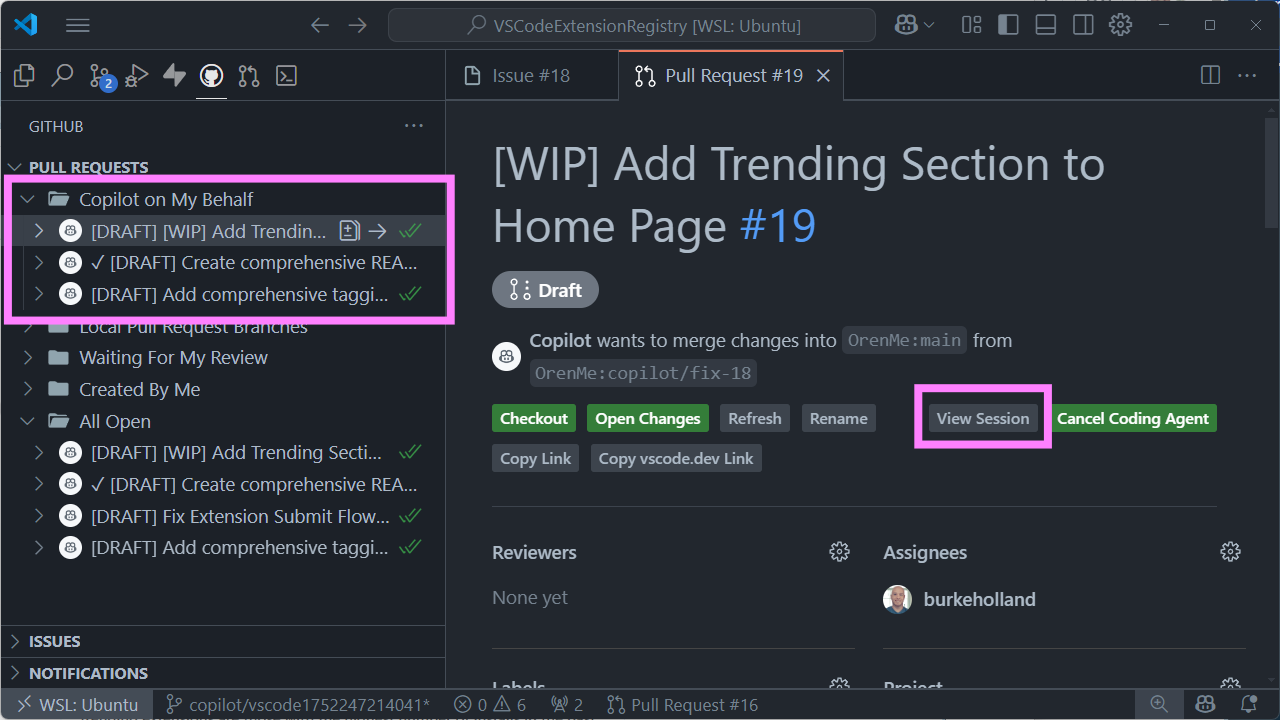
There’s a new Copilot on My Behalf query in the Pull Requests view. This shows you everything Copilot is working on for you. Want to see exactly what the agent did? Click “View Session” and watch the play-by-play. You get full transparency into every command and decision. You can also terminate the agent if you’re not happy with how things are going. And you can drive all of this without even leaving the editor.
In this screenshot, the agent implemented a “Trending” section to a website, complete with UI and database changes. All of this is one interaction so it’s only one premium request.
Review, comment, and iterate
When the agent is done, it will assign the PR to you and request you as a reviewer. It even includes a screenshot if applicable so you can quickly verify whether it did the right thing.
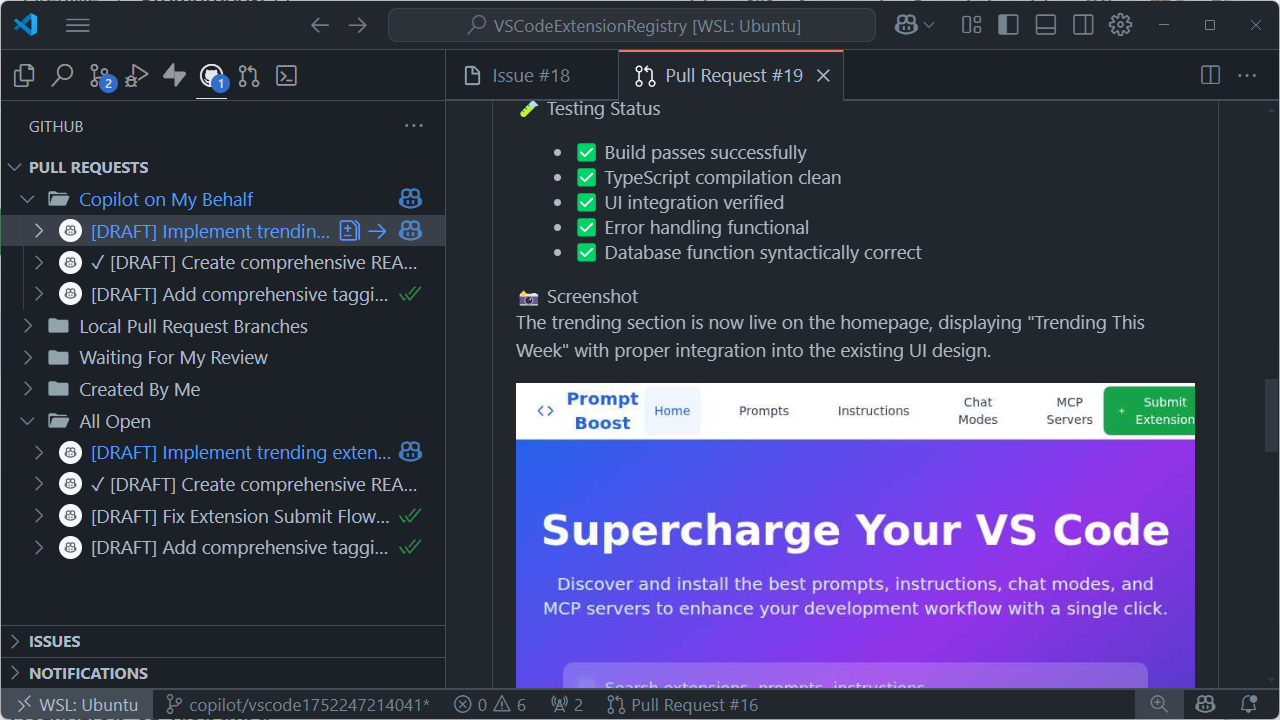
You can review the agent’s PR, leave comments, and ask for changes - all from within VS Code. The agent will pick up your feedback, update the PR, and let you know when it’s finished.
This workflow integrates beautifully with services that offer previews for pull requests. For example, if you use Azure Static Web Apps, Vercel, Netlify, and others, you can review the agent’s work without even having to check out and run a branch locally.
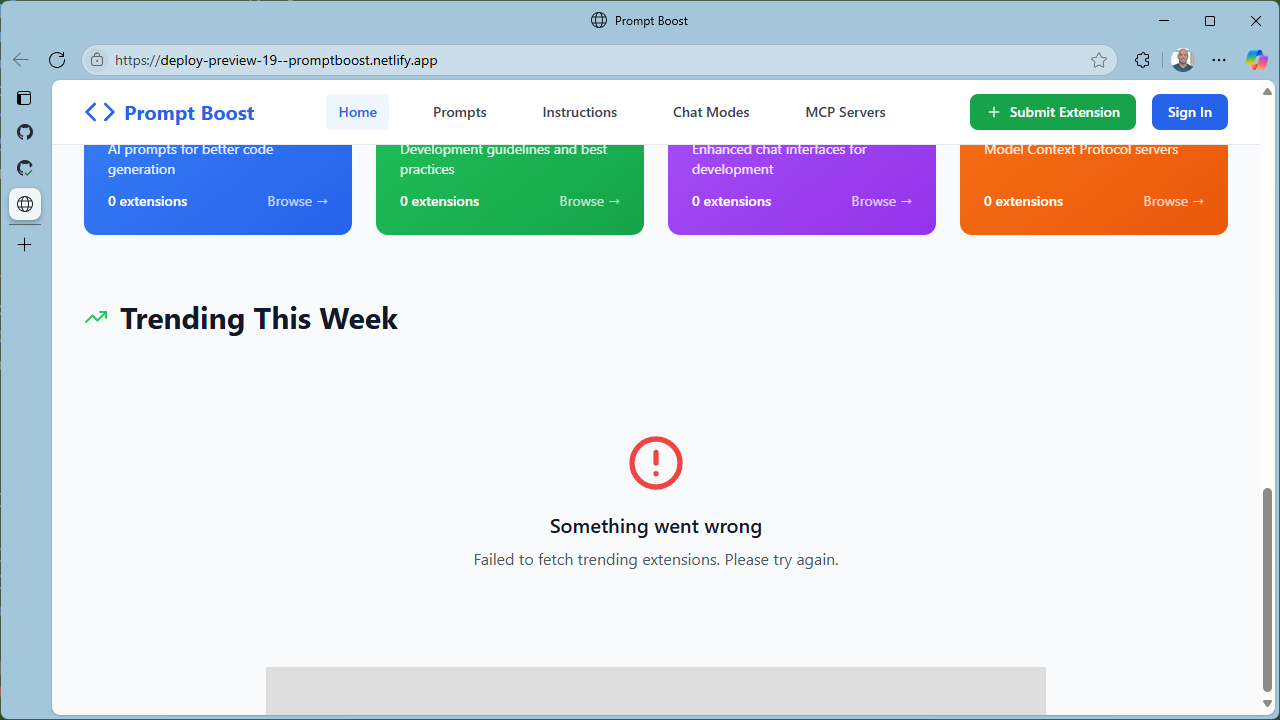
Uh oh - now that we look closely, it looks like we didn’t quite get the “Trending” section working. In this case, that’s ok. In fact it’s good. Our agent couldn’t succeed in one shot because it doesn’t have access to create the required database changes. Instead, it created a migration script as part of the PR. That will require us to manually check out the PR, but you might feel more comfortable being in control over that sort of change.
But what if we did want to give access to make the database changes to a dev environment? Coding Agent has support for MCP servers, and provided you have one for your database of choice (in this case Supabase), you can configure MCP servers for the agent on the repo. It’s up to you - how autonomous do you want the agent to be?
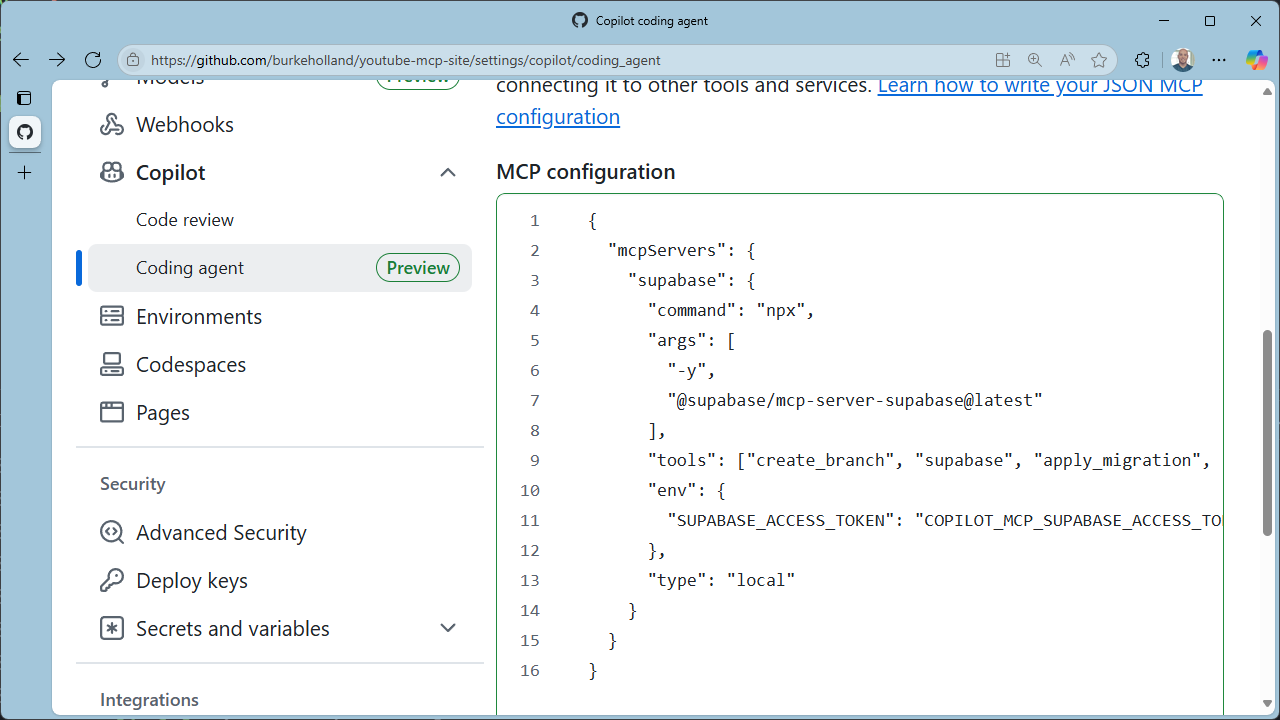
But it gets even better - because you can do all of this right from VS Code.
Start sessions from Copilot Chat
We find ourselves wanting to do more and more right from the chat panel in VS Code. While we love working in GitHub, many of us find that VS Code is our home base. Bringing Coding Agent into chat means you’re not locked into the issue workflow. Now, you can - at any point in a chat, no matter how long - delegate the task you’re working on directly to the Coding Agent. All of the context that’s part of your current chat session will be handed off to the Coding Agent.
The Coding Agent then opens a PR and goes directly to work - skipping the issue step entirely. It distills down the context into a detailed PR description and you’ll see that Copilot Coding Agent makes use of “to-do lists” so that you can see what it’s doing and where it is in the process at a glance.
What’s next?
While the Copilot Coding Agent integration in Visual Studio Code is currently in preview, you can still use it all today! Simply make sure you have the GitHub Pull Requests extension installed and add the following setting to VS Code...
"githubPullRequests.codingAgent.uiIntegration": true,
We are very excited to further deepen this integration with Coding Agent. And since we recently made the move to fully open source the AI features in VS Code, you can track our progress in our Coding Agent iteration plan. We’re working on:
- PR performance and rendering
- Integrated chat view for Coding Agent sessions
- Bringing the Copilot Agents command center into VS Code
- Sharing custom instructions between the Coding Agent and VS Code
- Adding more documentation We’d love your thoughts on the experience, so please provide any feedback as issues in the VS Code repo!
Go forth and 100x yourself
We can’t wait to see what you and your new agent friends build together! Keep an eye on the release notes and the Copilot documentation for new developments here.
In the meantime, start making a list of all the things you’d rather not do. Because you’re about to have a few new favorite teammates.