From GitHub repositories to technical documentation, Markdown is an extremely popular lightweight markup language.
Basically, markdown files are plain text, but they follow certain syntax and when they are rendered, you see a beautiful document with headings, bullet points, code boxes and more.
There are many Markdown editors available for Linux users but mostly they are two paned editors where you write in Markdown syntax in left and it gets rendered on the other side.
Though lightweight and easy to begin with, you still have to get yourself familiar with Markdown syntax. That might be out of the comfort zone for many.
This is why I have compiled a list of markdown editors with WYSIWYG feature.
WYSIWYG sounds like one of those 2000s terms …
From GitHub repositories to technical documentation, Markdown is an extremely popular lightweight markup language.
Basically, markdown files are plain text, but they follow certain syntax and when they are rendered, you see a beautiful document with headings, bullet points, code boxes and more.
There are many Markdown editors available for Linux users but mostly they are two paned editors where you write in Markdown syntax in left and it gets rendered on the other side.
Though lightweight and easy to begin with, you still have to get yourself familiar with Markdown syntax. That might be out of the comfort zone for many.
This is why I have compiled a list of markdown editors with WYSIWYG feature.
WYSIWYG sounds like one of those 2000s terms that didn’t succeed, but actually is an acronym for an extremely convenient category of editing software. WYSIWYG stands for “What You See is What You Get” and these editors render the Markdown code in real time and shows the output immediately as the code is typed in. Best of all, you get a toolbar that you can use to easily create formatted text.
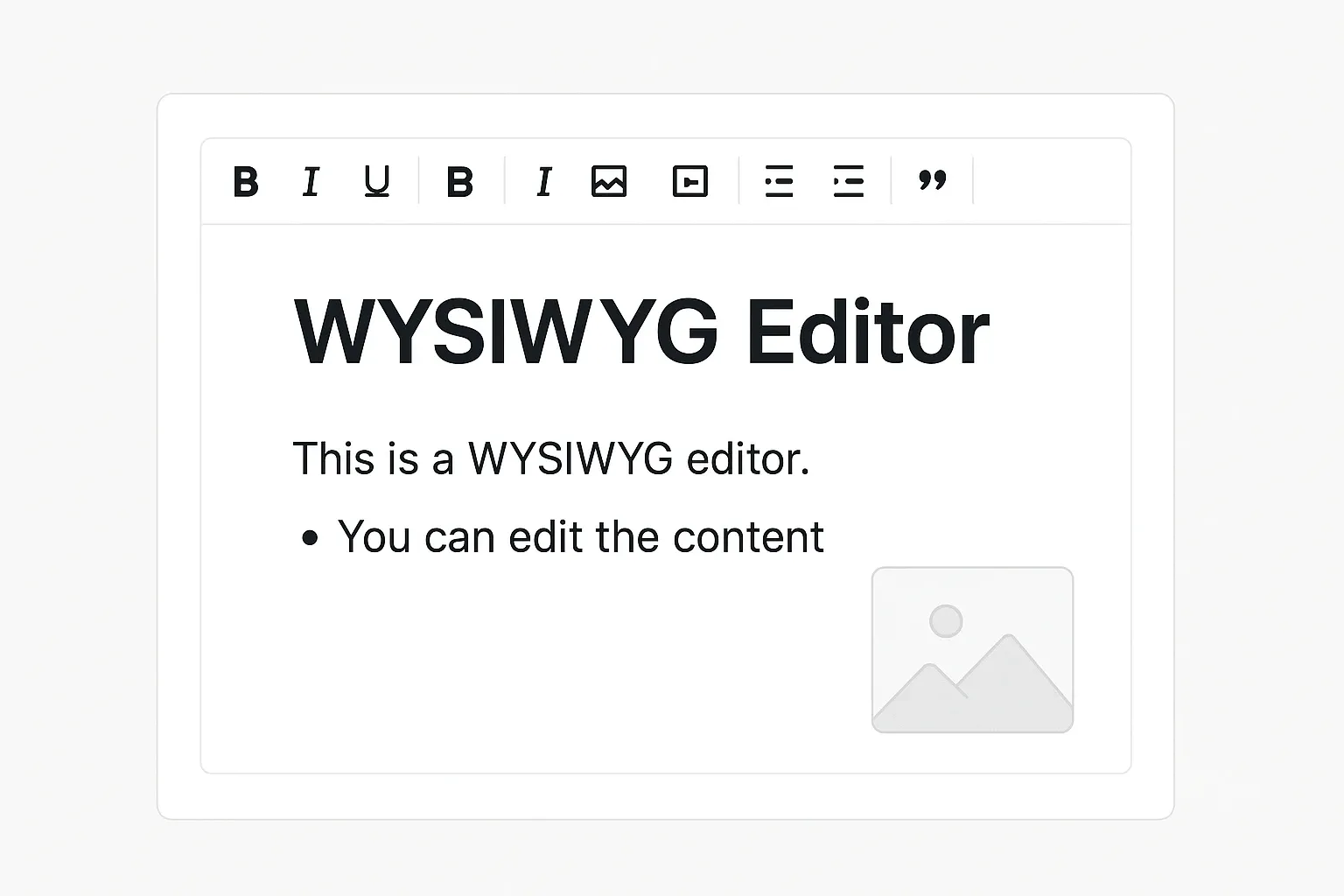 WYSIWYG editors come with toolbar and you don’t need to remember syntax, although you can still use them
This makes things a lot easier, especially for people who have to work with Markdown once in a while. Let’s see what WYSIWYG Markdown editors you can use on Linux.
WYSIWYG editors come with toolbar and you don’t need to remember syntax, although you can still use them
This makes things a lot easier, especially for people who have to work with Markdown once in a while. Let’s see what WYSIWYG Markdown editors you can use on Linux.
✋
Non-FOSS Warning! Some of the applications mentioned here are not open source. They have been included in the context of Linux usage.
1. MarkText
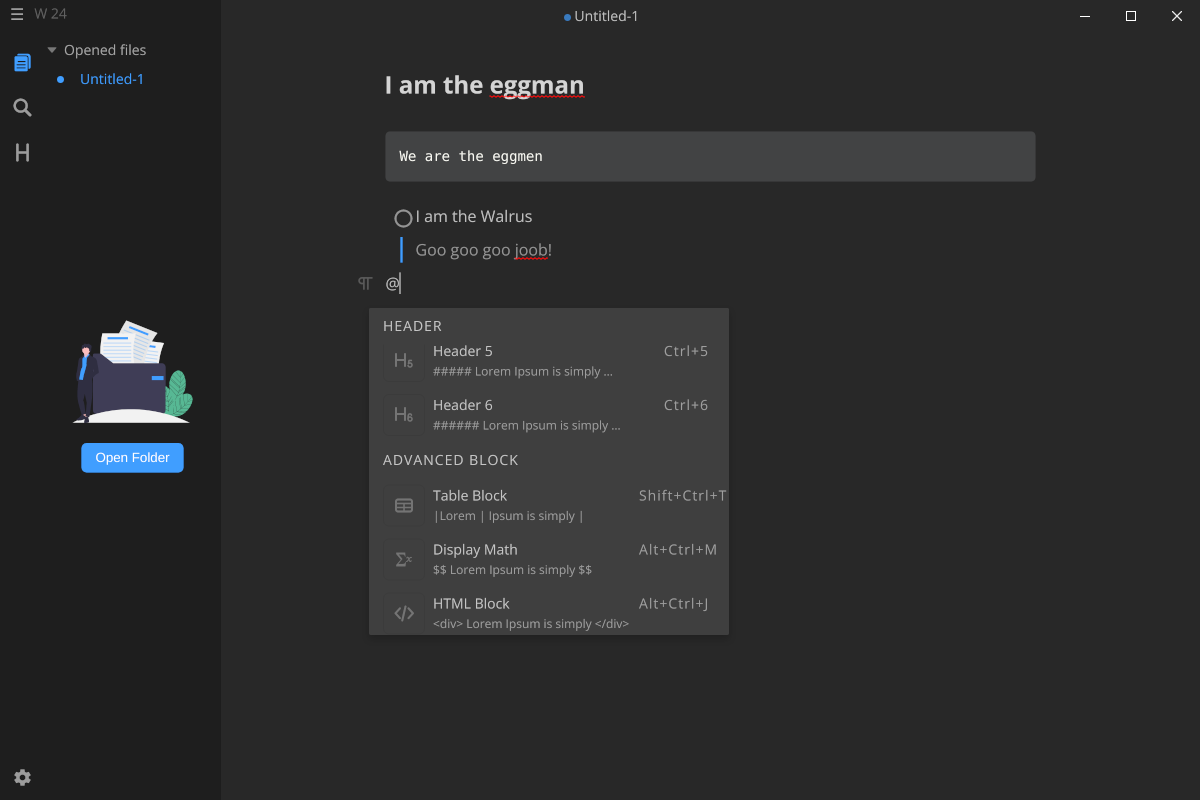 MarkText is an Electron based modern-looking editor that offers a simple and clean working environment. The features are:
- Interface: Custom, minimal, desktop-environment-independent single-pane interface.
- Highlight features: Several writing modes (such as Focus mode, Typewriter mode, Source Code mode, each with a different emphasis), options for formatting and block options on the menu.
- Navigation: Sidebar for file tree and table of contents, tab bar for open files; all optional.
- Exports to: HTML, PDF
- Customizability: 6 inbuilt themes
- Misc.: A searchable Command Palette for easy access to keyboard shortcuts for all possible commands that can be given to the editor and the text blocks. MarkText is your ideal choice if what you need is a no-fuss editor that gets the job done. Another advantage is that the DE-independent Electron interface works consistently in any OS, leaving you not to worry about visual inconsistencies.
Install MarkText on Linux
MarkText is easy to install because it comes in both AppImage and Flatpak formats, which makes it available straight from the software store in certain distributions. AUR contains the package for direct installation, too. If none of these option are suitable, the binary file is available on the GitHub page as well.
2. Marknote
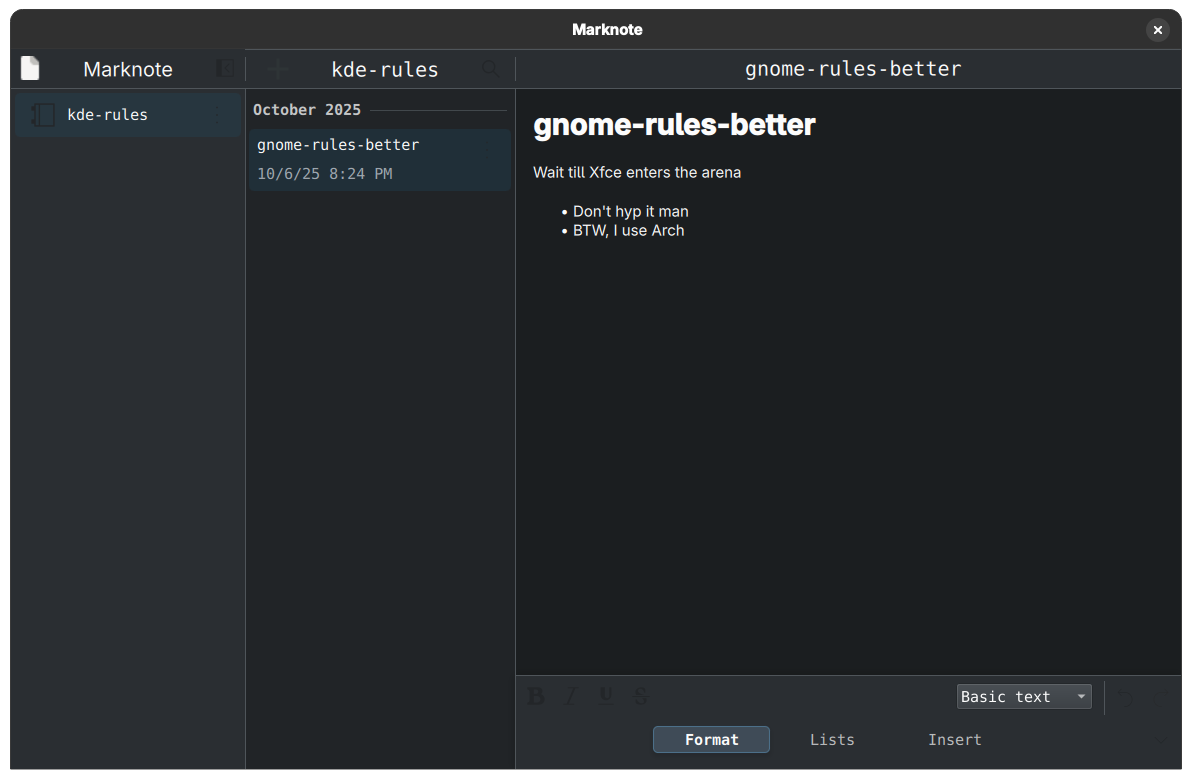 A part of the KDE software ensemble, Marknote is a great option if you’re on a KDE distribution. It comes with a structure where you can create multiple notebooks and notes within them for better organization.
- Interface: Qt graphic kit, KDE style.
- Highlight features: Easily accessible bottom panel for quickly formatting text and adding blocks.
- Navigation: The notes are organized in notebooks, which shows on a sidebar. Focus Mode that hides all navigation options except for the note being edited, for a cleaner view.
- Exports to: HTML, ODT, PDF
- Customizability: Inbuilt Qt Breeze themes
- Misc.: A Command Bar that gives easy access to some general operations such as making/deleting notes, etc. 🚧
Marknote seems to support a limited set of Markdown code, such as headings, italics, bold, lists etc. There is a lack of support for code-blocks and quotations and so on. Some inspection is required to check if it might fit your needs or not.
Marknote should be your go-to option if you want to get straight to work with all options within very easy grasp. It is worth noting that it is not as customizable as KDE software usually is. Another important reminder is that it might not look great or very native on a DE like GNOME or Cinnamon.
Install Marknote on Linux
Installing Marknote is easier through either Flatpak or the Snapstore. There are binaries available, too, which can be found on the product page under releases.
3. MarkFlowy
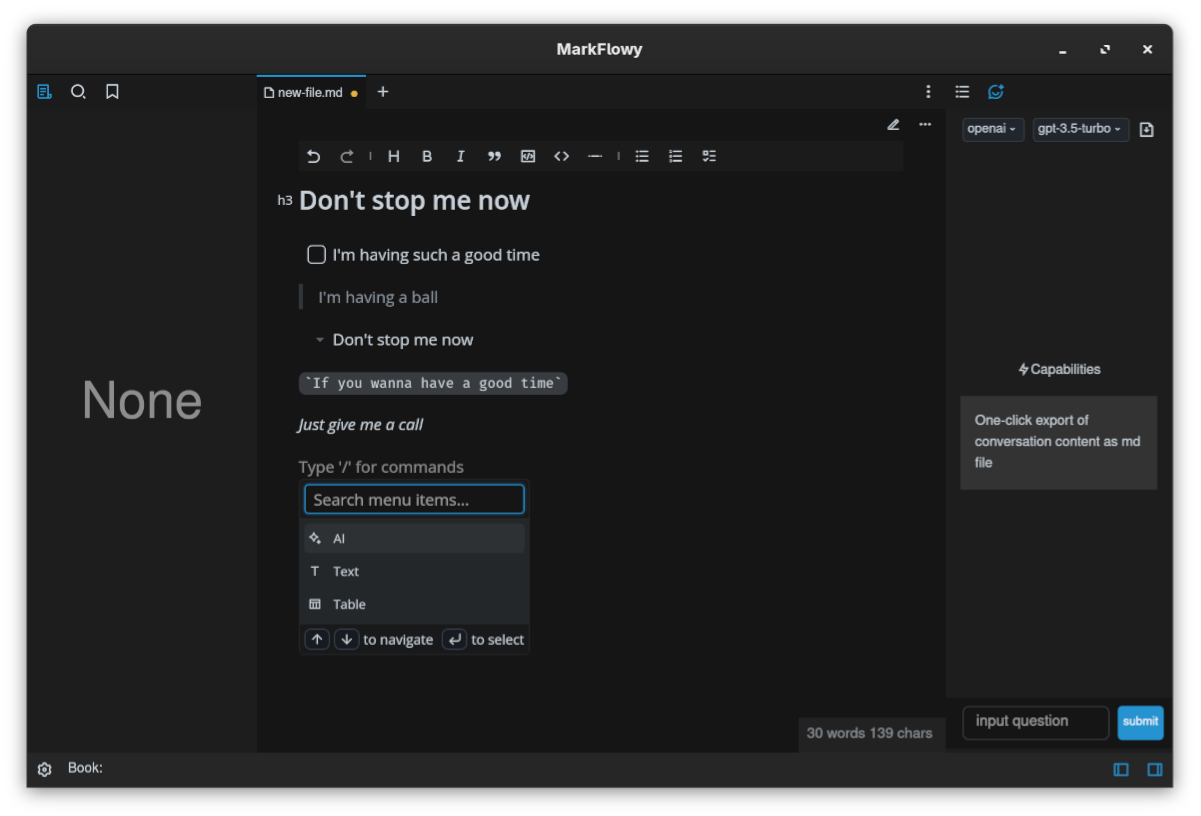 MarkFlowy is a modern, rising Markdown editor that flaunts a slick interface and AI capabilities.
- Interface: Custom independent design with a very clean look.
- Highlight features: There is an easy access toolbar on top for various formatting and code-block options. There are Source Code and WYSIWYG modes both available, and an AI input feature in the side panel.
- Navigation: Optional, toggle-able file tree on the left and table of contents on the right.
- Exports to: HTML, JPG
- Customizability: A bright and a dark inbuilt theme with the option for custom CSS themes.
- Misc.: There are customizable keybindings, and the AI interface settings can be configured as well. There is an optional autosave feature, that might come in handy for a lot of users. While MarkFlowy is still in the beta stage at the time of writing this, the application shows a lot of promise and is quite stable and lightweight as it is.
Install MarkFlowy on Linux
MarkFlowy is available in DEB, RPM and AppImage formats, available on the release page. I had some issues with AppImage but the RPM package worked flawlessly on Fedora.
4. Notesnook
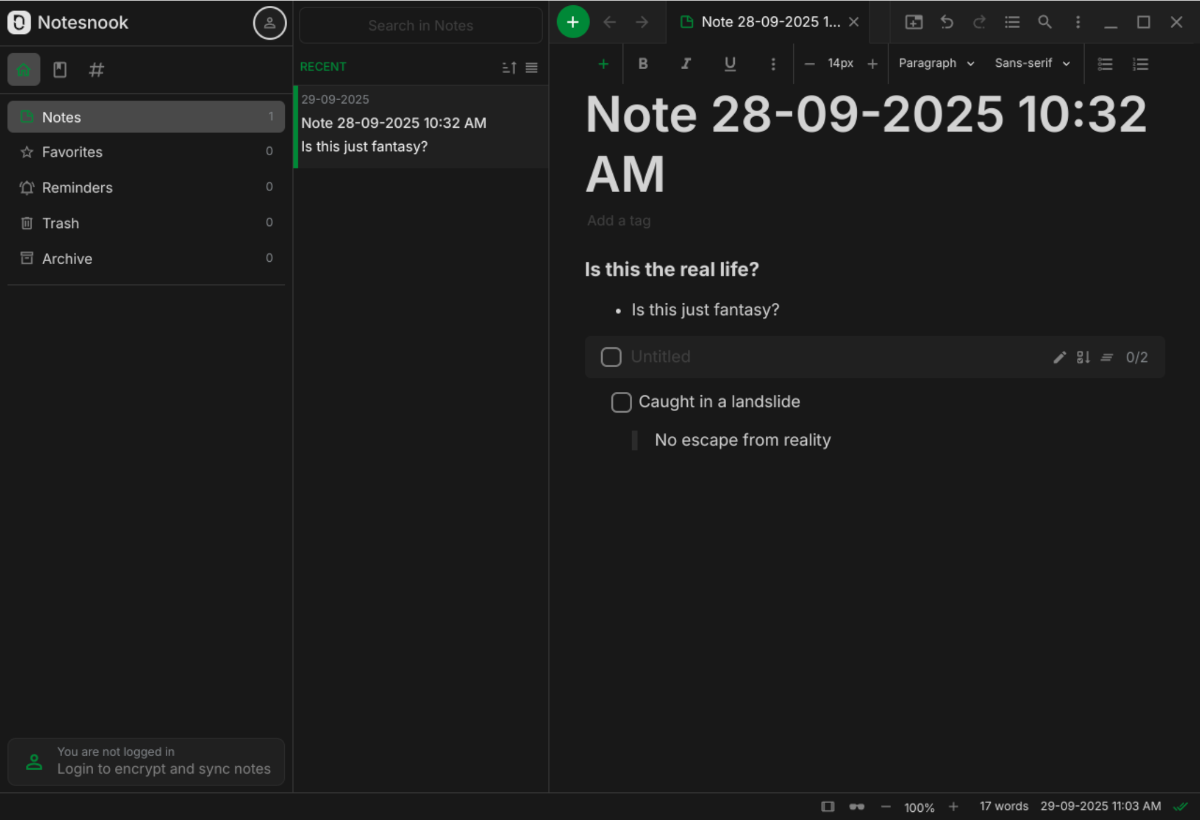 Notesnook is foremost a note-taking app that looks more like a document editor than a note-making app, which might be more comfortable for certain users. It is great in terms of organization of ideas.
- Interface: The interface is designed like a notebook with all formatting and code-block options on the menu on top.
- Highlight features: Multiple notebooks can be made, with the possibility to make an account and syncing them across devices. There is a Focus mode that hides the everything apart from the active note.
- Navigation: There is a categorical notebook panel on the left, with notes within it in the panel in the middle. The notes can be opened in multiple tabs like a browser.
- Exports to: HTML, Text, but only all notes at once.
- Customizability: There are light and dark modes built in for multiple theme styles by default, and more can be added over that.
- Misc.: End-to-end encryption of notes is available for synced notes, with bidirectional note linking, and an app lock is available as well. There are paid tiers available as well for the app which provide more features and storage for the online storage, such as an unlimited amount of notebooks as opposed to the free tier’s 20 limit.
Install Notesnook on Linux
Notesnook is available as Flatpak, AppImage as well as on the Snapstore on the official website.
✋
Non-FOSS Warning! Some of the applications mentioned here are not open source. They have been included in the context of Linux usage.
5. Znote (not FOSS)
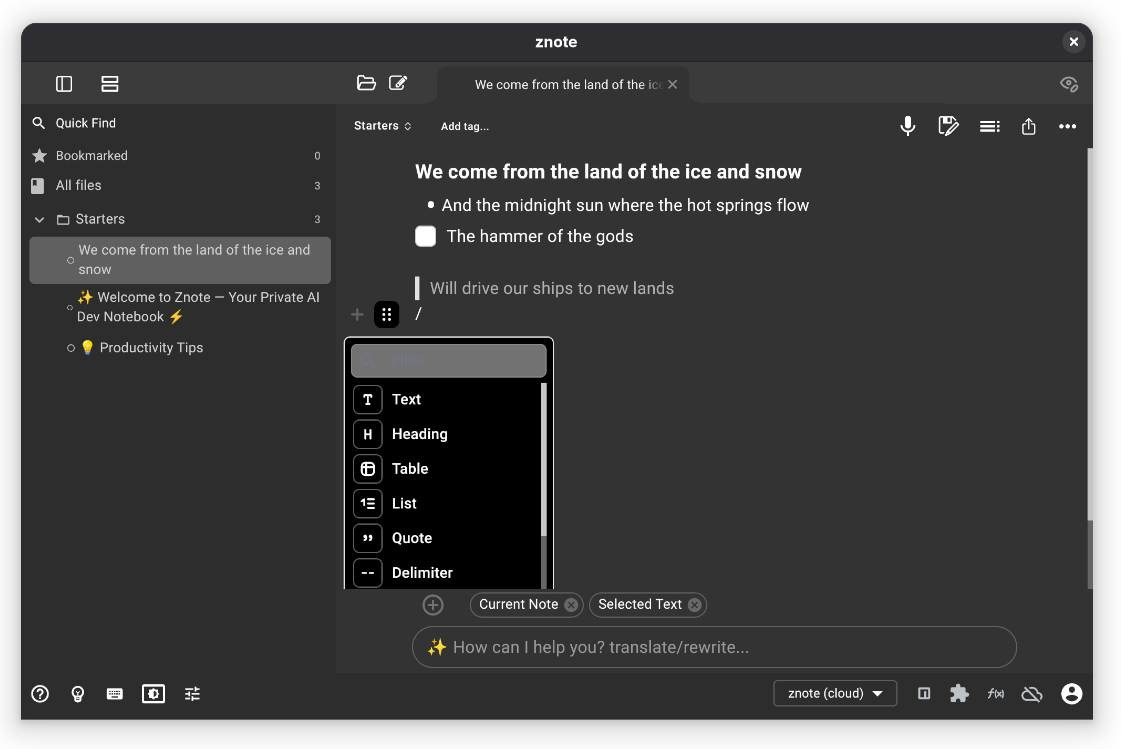 Znote is another up-and-coming freemium-type model Markdown note making app that puts emphasis on AI and organization. WYSIWYG is one of the available options with a Source Code Mode, or a panned view as well. I liked it for the fact that is the effort of a lone developer.
- Interface: The interface is modern and peppy with important options well within the view of the note itself. It is easily accessible and editable, with the AI asking option on the bottom of the window.
- Highlight features: Apart from the usual note-making, there is a unique option of audio recording. The notes can be synced with an internal Znote account across devices. Keybinding menu can be accessed very easily using a button on the bottom.
- Navigation: A collapsible menu on the left shows a file tree as well as bookmarks. The notes appear in a tabbed view.
- Exports to: HTML, PDF, TXT
- Customizability: There are several options for the light and dark themes separately within the application.
- Misc.: AI features like copying responses and summarizing notes is available. You can even run code for certain languages within the app itself. Many of these features come with the paid version, though. While there are paid versions that provide more features, the free plan gets the job done as well, and that too, quite smoothly.
Install Znote on Linux
The app is only available as an AppImage on Linux, right on the official website.
6. Typora (not FOSS)
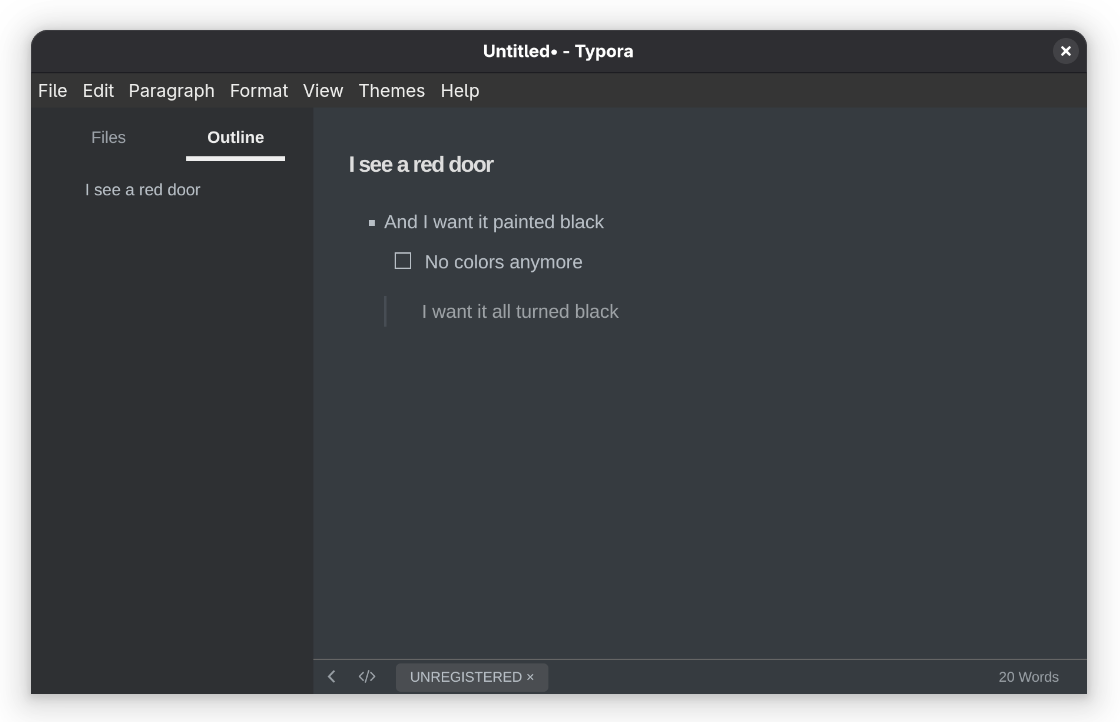 Typora, albeit not FOSS, is one of the most popular Markdown editors that has been around for a while. It is designed to be very simple, elegant and feature-rich. That’s one of the reasons why I included in this list.
- Interface: Fairly streamlined interface with a top menu and a status bar.
- Highlight features: There are Focus and Typewriter modes for more efficient workflow.
- Navigation: Optional, toggle-able side bar with a file tree and outline menu.
- Exports to: HTML, ODT, PDF, DOCX, LaTeX, ePub, etc.
- Customizability: 5 inbuilt themes, all with very different looks, fonts and feel. Other than that, a plethora of themes are available on the website.
- Misc.: Typora has a free trial of 15 days, after which a license needs to be bought, which is a major drawback.
Install Typora on Linux
There is a Flatpak available, which is the simplest option. Other than that, the install page provides an option to add a repository on Debain based distributions, a DEB file for direct installation, as well as binary files.
7. Octarine (not FOSS)
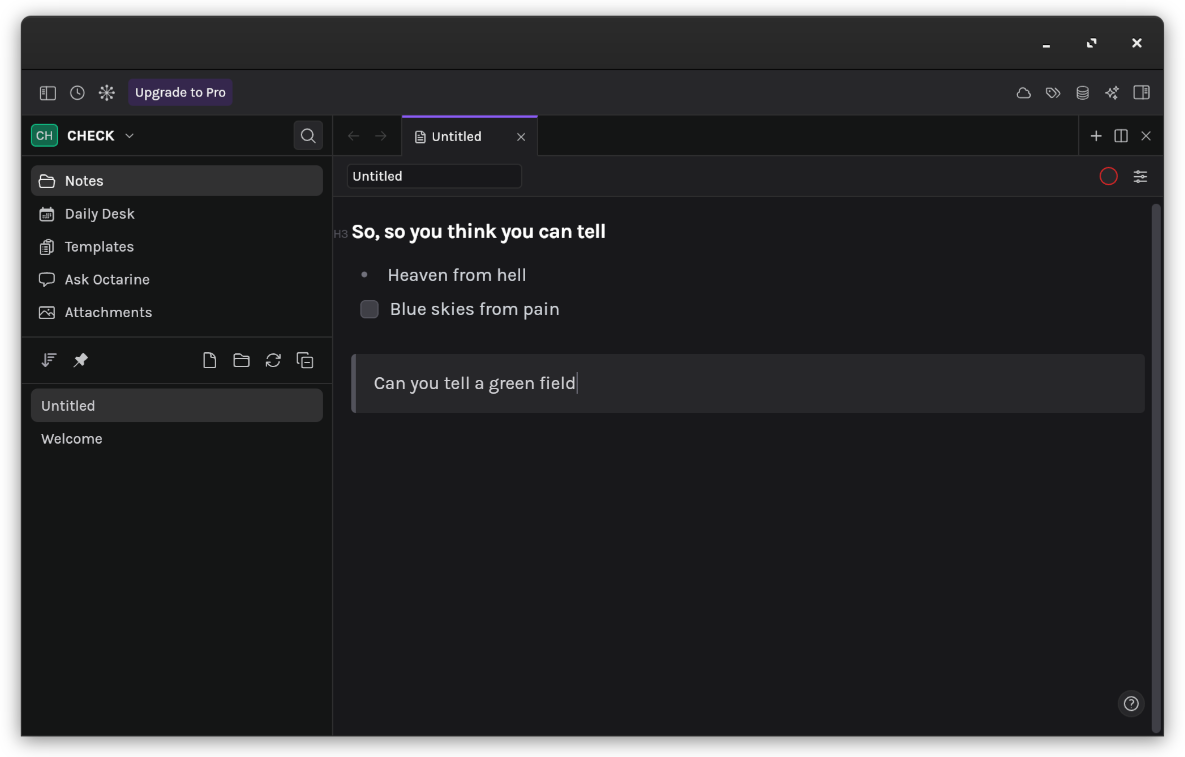 Another non-FOSS entry but Octarine is a really loaded Markdown editor with interesting features left and right. It has a free tier plan that has most of the necessary features.
- Interface: Clean interface but with all the extra options within easy reach for the users.
- Highlight features: Multiple workspaces, easily searchable keyboard shortcuts.
- Navigation: The file is opened in a tabbed view, with a file tree on a panel on the left, with collapsible code blocks in the file itself.
- Exports to: No export options, the text remains within the app.
- Customizability: 3 inbuilt themes for the free version, with 4 more with the paid one.
- Misc.: There are a lot of extra features, such as syncing with a Git repository, a Graph View (similar to Obsidian), Writing Assistant, Calendar Planner, Command Bar as well as tagging to stitch notes together, but many of these features are for paid versions only. The free tier of Octarine is enough to get a lot of work done but not being able to export them is a big drawback, except when you only have to make personal notes in which case, you can sync them across with Git. There are many more features available with the app that can be explored on the website.
Install Octarine on Linux
Octarine provides an AppImage and also DEB, RPM as well as binary files to install on Linux on their [official website](Download Octarine).
Embeddable WYSIWYG Markdown Editors for Web Developers
In place of a desktop application to write Markdown documents, if you’re looking for something you can embed within a web-based project to easily upload and manage formatted text, or even demonstrate the usage of Markdown, you can utilize one of these applications:
- Toast UI Editor: Toast UI Editor is a ready-to-use JavaScript Markdown editor that can be embedded as a React/Vue wrapper. It boasts a simple workflow with both source code and WYSIWYG options. TUI focuses on an extensible approach with a lot of plugins to access different kinds of features such as UML rendering, colored syntax highlighting etc.
- Milkdown: Milkdown is an editor engine built on ProseMirror which lets you build your own Markdown editor, with bindings for React and Vue. It is inspired by Typora, and is also very plugin-driven, for things like modifying the syntax, UI, themes, embedding math, etc.
- MDXEditor: MDXEditor is a React component that works on simplicity and consistent output across all use cases and devices. The code blocks have syntax highlighting and autocomplete among other practical features listed on the website.
Conclusion
The ease of usage of Markdown has brought about several options in the market, each offering something that it does better than the others. While I hope that this post has helped you narrow down the choices, I would still encourage trying the applications out yourself.
Which one do you think is the best contender on the list? Did we miss the one that you favor? Let us know in the comments below. Cheers!
I also feel a little guilty for including some non-open source apps here but those are popular and good and I could not find more open source WYSIWYG Markdown editors. Perhaps you can help me out by suggesting a few? Please mind the WYSIWYG feature. That’s what we are looking for here.
Article submitted by community member Pulkit Chandak.