- 22 Jan, 2026 *
If there’s one thing that I used cross platform, either in Windows, Linux, or Android, it is Syncthing. It’s a file synchronization program between two or more devices. Most importantly, it synchronize using local LAN (or protected connection on internet), instead of the cloud storage kind of thing. Of course, it is open-source, and the protocol used is also open.
Now, there are lots of ways to configure them to run. But the whole process is beginner-friendly, and it’s designed in a way that it won’t just remove your files if configured incorrectly. I say this as a guy that have lost his data trying to configure sync between devices (yea, looking at you, Dropbox).
Basic Configuration
First thing you’re gonna do is to install Syncthing. Pretty straightforward, because they build their executable for all kinds of system. Once you got it installed, it will automatically assigned an address (the default is localhost:8384) to be the dashboard address.
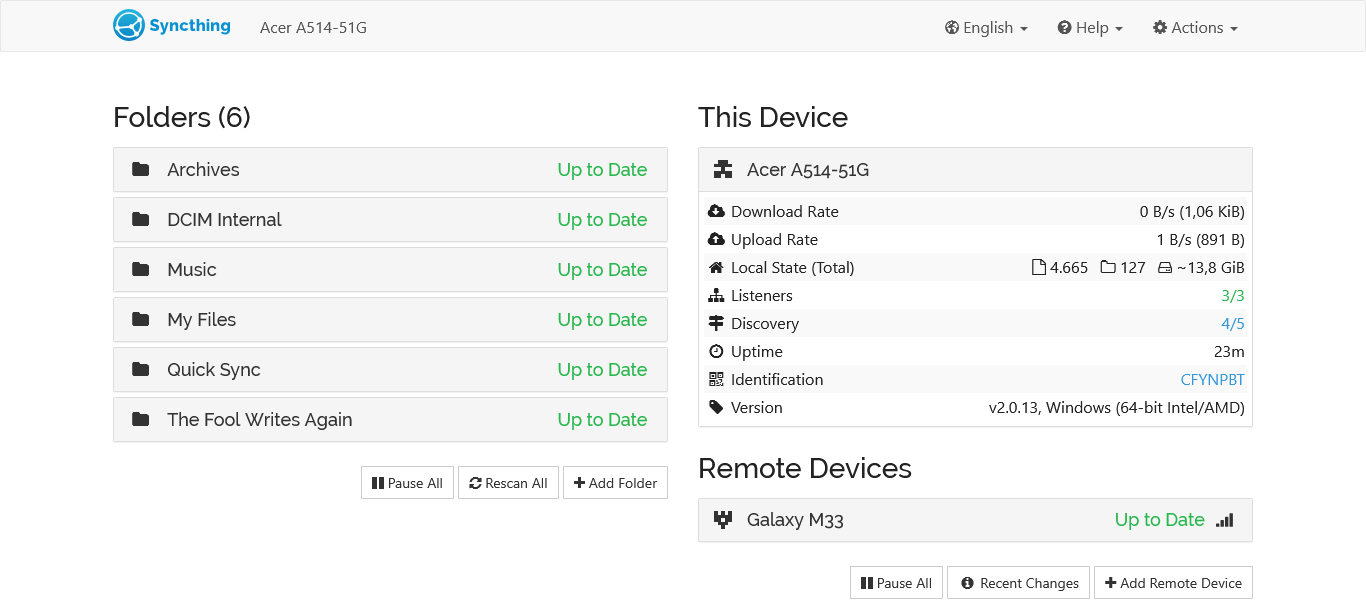
Now, it’s best to get the devices you want to sync on the same network. And press that "Add remote device" button. Usually, the other devices ID would show up. If it’s not, then you could always manually type in the other device’s ID.
After the devices know and connected to each other, it’s pretty much a smooth ride. You can add a folder, then choose how often to sync it, and if you want to sync it vice versa or just one way. Overall, it’s customizable.
Voila, immediately after you add a folder, it will start to sync. That’s it. I’ve been using this for about 6 months now, and mostly it’s been an uneventful ride. Files almost never corrupted, and when there’s file conflict, it’ll let you know about it.
Tips
As a guy who use this method for more than a year, I’ve got some tricks to improve sync performance. Now, I should tell you that I mainly use Syncthing to sync my personal files between my Windows laptop, the Linux laptop, and my Android phone.
1. Ignore Permissions on Folder
If you synced the file nonexistent or custom permissions (e.g. FAT, exFAT, Synology, or Android) you could check this box on folder settings. It will make the sync around 50-60% times faster, because, well, they do not need to mirror the file permissions too.