What if you could actually use all those pedantic lint warnings without drowning ?
I’m taking the example of cargo clippy -- -W clippy::pedantic but the workflow and tool I describe here can be applied to other settings (eg "nursery"), other tools, or other programming languages.
Such tool typically finds a lot of potential problems. You don’t want to "fix" them all, or not immediately, but it’s still a good idea to review them from time to time, in order to improve the quality of your code and your practices.
Goal
The goal is:
- to see the list of items the tool detects, and have this list updated while you code
- to go to the next item, with just a shortcut in your IDE
- to be able to dismiss the current item, still without leaving the IDE
- to be able to dismiss all items of the current type
- to have errors still raised while you change the code to fix the items you deem worthy
Here’s how it goes, sticking to the example of clippy pedantic:
Workflow
Having my IDE running in a terminal, I launch bacon pedantic in another one, side to the first one:
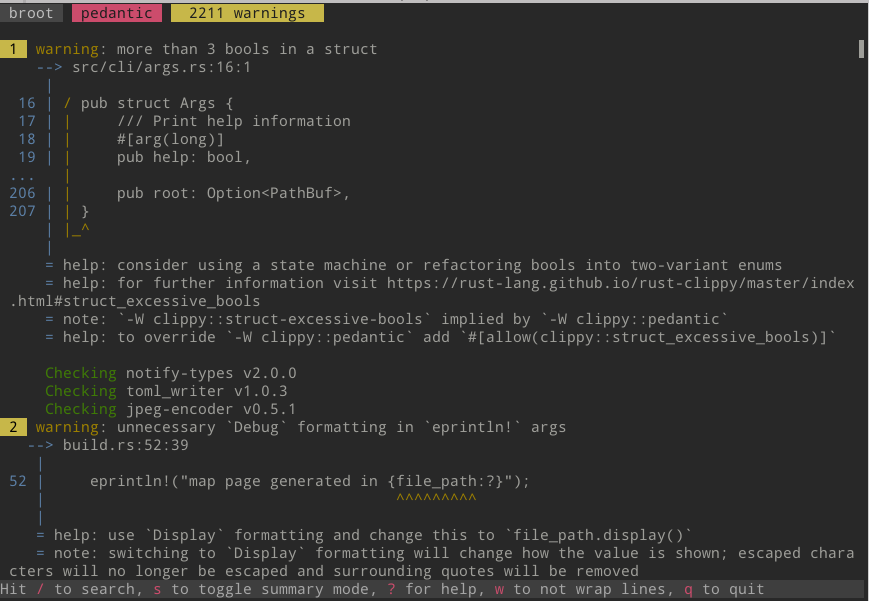
Yuk. 2211 warnings
In neovim, I hit , to jump to the line of the "problem".
I immediately decide this is not a problem I’m interested into, so I hit spacedi, which tells bacon to dismiss-top, that is to forget about the problem currently on top of bacon, and if possible its whole category.
bacon updates to this new state:
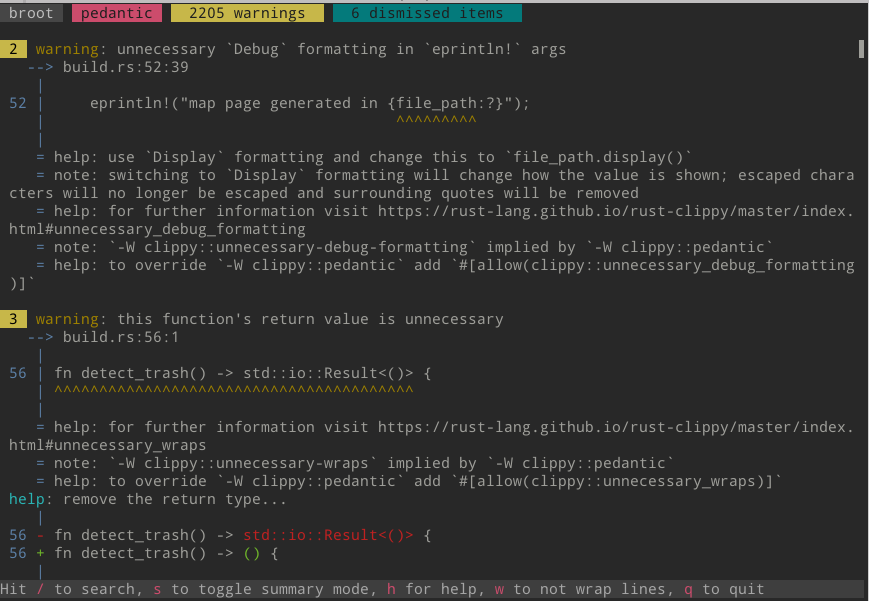
When editing the code, each time I save a file (that is when I switch buffer), bacon checks the code in background and updates the list.
If a some point I want to review the list of what I dismissed, or undismiss some, I hit (in bacon) the altu shortcut which triggers the open-undismiss-menu action:
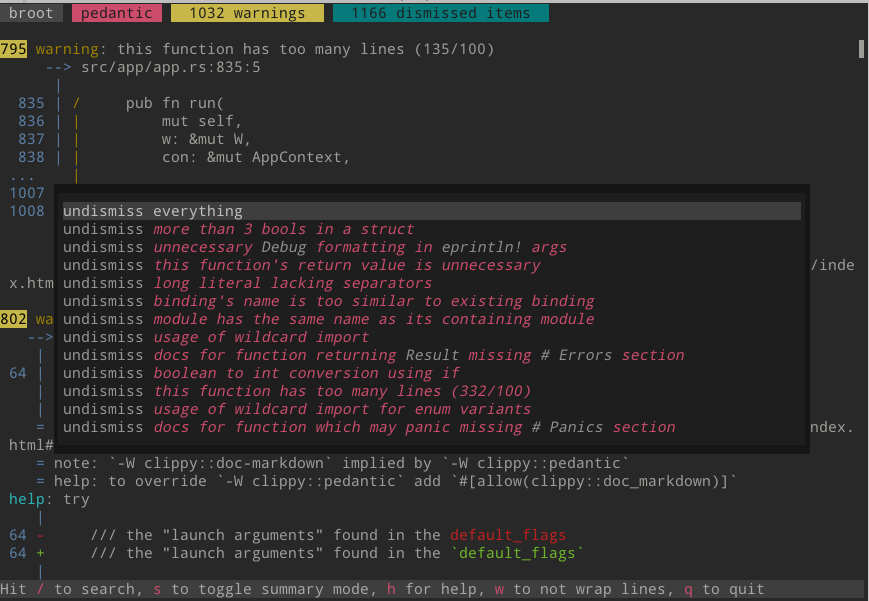
And I may go on, jumping to problems, fixing some, dismissing other ones, until the list is empty, or I did enough for the day.
If I want to be sure I won’t again see a type of problems, I may edit the bacon.toml file of the project, adding one or more -A allowing line:
[jobs.pedantic]
command = [
"cargo", "clippy",
"--",
"-W", "clippy::pedantic",
"-A", "clippy::struct_excessive_bools",
]
need_stdout = false
I don’t even have to quit bacon: as soon as I save the bacon.toml file, bacon updates the list of issues.
But most often, I won’t permanently hide a category, I’ll just dismiss it for the current session.
Setup
First, you need bacon which is best installed with cargo install bacon
For bacon to listen for commands sent by bacon --send in the project’s directory, add this to your bacon prefs.toml:
listen = true