A few months ago, our team investigated a suspected memory leak in vLLM. At first, we thought the issue would be easy to spot, something confined to the upper layers of the codebase. But the deeper we looked, the more complex it became. This article kicks off our new Engineering Deep Dive series, where we’ll share how we tackle technical investigations and build solutions at Mistral AI.
The issue first appeared during pre-production testing of disaggregated serving with one of our frontier models. Memory usage was climbing steadily, but only under specific conditions: with vLLM, with our model Mistral Medium 3.1, and graph compilation enabled. There were no crashes or errors, just a slow linear increase in system memory of 400 MB per minute on production-like traffic. After a few hours, that would lead to an "out of memory" state.
What followed was a methodical hunt, starting from high-level Python tools and descending into kernel-level tracing, until we finally uncovered the true source. Here’s how we tracked it down, and what it revealed about the hidden risks of dependencies layers in today’s software.
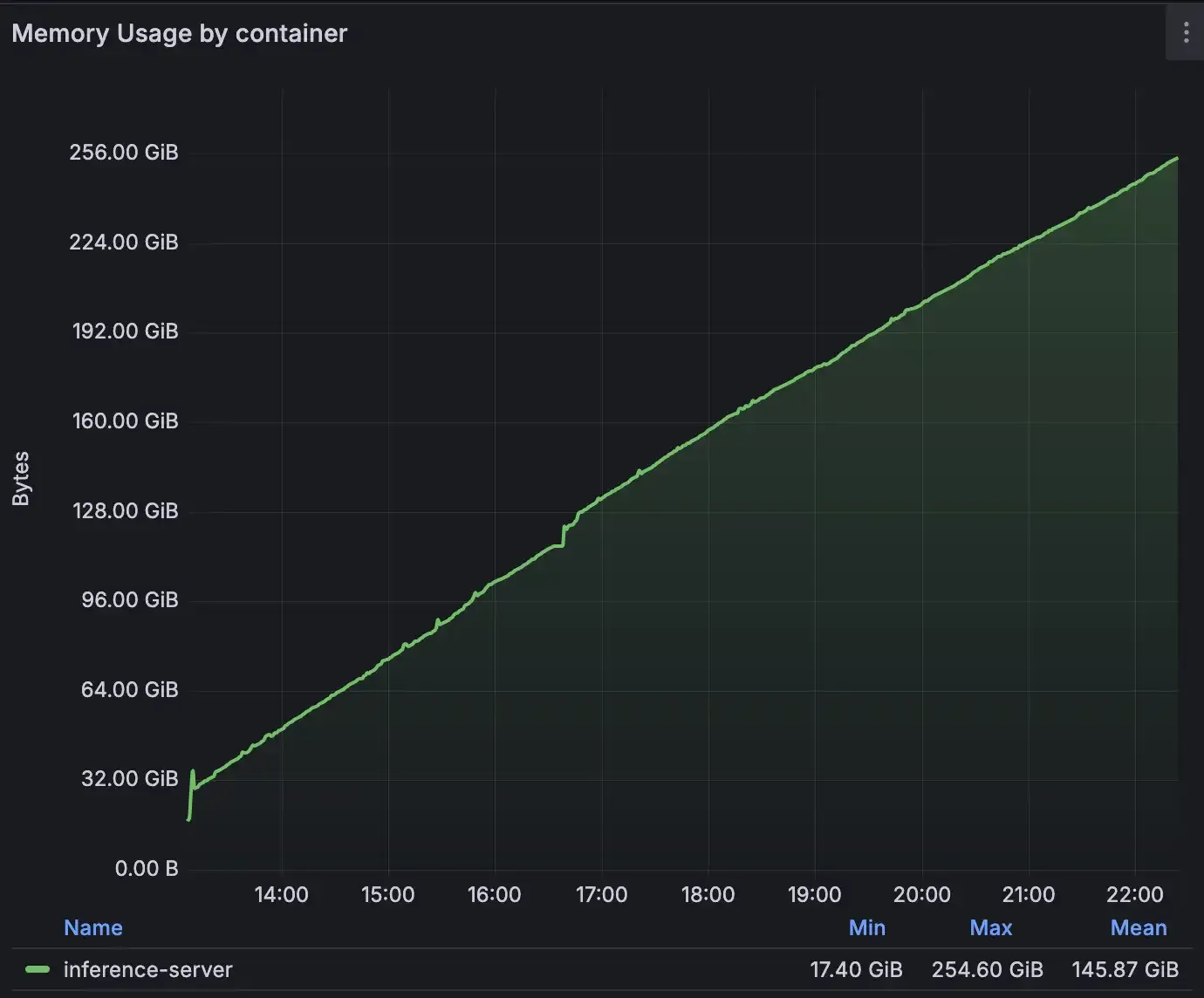
*Not the kind of trending upwards graph we like to see on Grafana *
A leak that played hide and seek.
Initially, our approach followed a standard troubleshooting path: we aimed to isolate the source of the leak by replicating the issue on a smaller model, with fewer production optimizations activated. But after trying different settings and models we couldn’t reproduce that on another setup. The error was only present on a Prefill/Decode disaggregated setup with NIXL.
Given the central role Prefill/Decode (P/D) disaggregation plays in our story, let us walk you through the high-level mechanisms of how this inference setup works. P/D Disaggregated splits the processing of a query into two phases, processed by different instances:
- First the router sends a “prefill request” (by setting
max_tokens=1and by setting an empty set of KV Transfer metadata) to a prefill vLLM instance to compute the KVCache of the request. - On completion, the router transfers KVCache metadata alongside a “decode request” to a decode vLLM instance.
- KVCache transfer is initiated through NIXL and token generation happens on the decode vLLM instance by using and extending the transferred KVCache.