I mentioned in passing in a previous blog post that the “immediate retirement” of MDT was caused by Microsoft not wanting to fix a security vulnerability identified by security researchers in the MDT monitoring service. If you aren’t using the monitoring service, you’re OK (as long as you follow some general best practices described below). If you are using the monitoring service, the easiest answer is to just turn it off, which you can do through the deployment share’s properties:
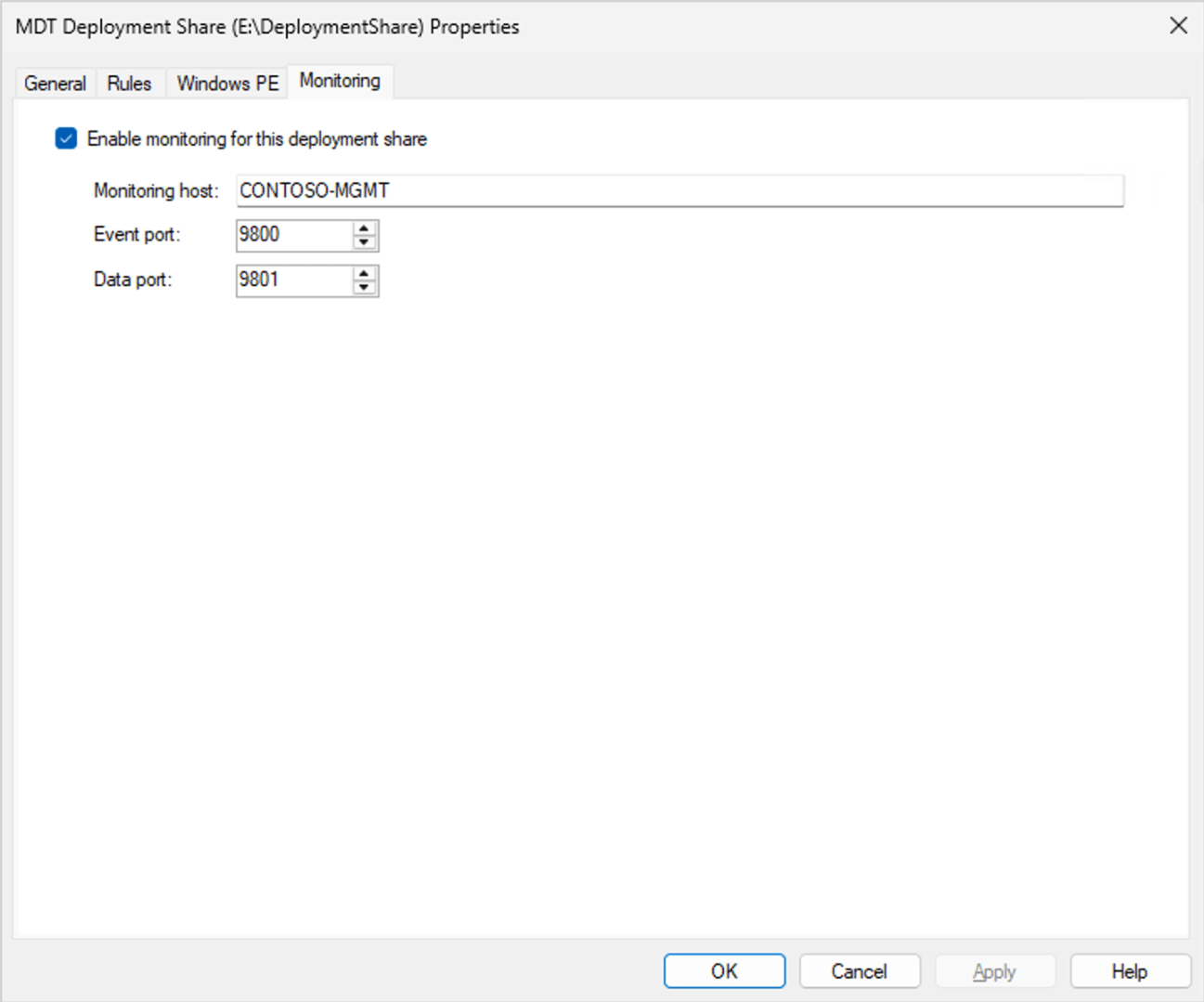
Just uncheck the “Enable monitoring for this deployment share” checkbox and click “OK.”
You can read the full security report by Garrett Foster of SpecterOps here:
That calls out two issues:
- The monitoring service does not implement any sort of authentication, so anyone who can access the endpoint can query or update the data it contains.
- The monitoring service has a mechanism for storing settings (which would be consumed by ZTIGather.wsf) via an XML blob, but when retrieving that blob it could exfiltrate data from the server because the XML parsing being done in this .NET 2.0 application will process URL references (e.g. file URLs pointing to other files on the server).
There are a number of other items mentioned in the report, but I consider those to be more mundane. The root issue is that if you put credentials or other secrets in publicly-accessible locations (e.g. bootstrap.ini embedded in your Windows PE boot images that are accessible via PXE/TFTP), bad things can happen. Some best practices should be employed:
- Don’t use a domain join account with domain admin rights. Use an account that is restricted to only one OU and can only add objects. (This is what the bad guys are really after.)
- Don’t put credentials in the Bootstrap.ini unless you want the bad guys (who would already need to be on your internal network) to read them. Have the technicians log in with their own credentials, and make sure the security only allows them read rights to the deployment share content.
- Don’t put anything else in a Windows PE boot image that is being served via PXE that is sensitive (no 802.1x certs or anything else with private keys).
- Don’t put your MDT server on the internet. You are inviting attacks on any vulnerability that is ever discovered in Windows. (And yes, there are hundreds of MDT servers on the internet at the moment.)
How hard is it to exploit this issue?
As far as exploits go, I would consider this one to be pretty easy. You can add a computer into the monitoring database (I’m using PowerShell here, “curl” is just an alias):