Today we are testing DLSS 4.5 against DLSS 4 to explore improvements to image quality across a wide variety of games and scenarios. DLSS 4.5 is an impressive step forward for Nvidia’s upscaling technology. While it may not be on the same level of improvement as DLSS 4 versus DLSS 3, and the performance hit may be larger than expected for owners of older GeForce GPUs, Nvidia is nevertheless continuing to improve its upscaler at a solid pace.
DLSS 4.5 builds on DLSS 4 by introducing a second-gen transformer model, accelerated using FP8 instructions. Nvidia claims this model delivers better temporal stability, reduced ghosting, smoother edges, and improved lighting.
A particular focus has been placed on the Performance mode, where Nvidia expects the largest gains in image quality relative to performance. DLSS 4.5 is. But of course, DLSS 4.5 is available to use across all the modes.
The new DLSS 4.5 Super Resolution features are accessed through one of two model presets.
"Preset M" is the primary model and has been optimized for the Performance mode. It is also the recommended DLSS 4.5 preset for most other modes.
"Preset L" is optimized for the Ultra Performance mode. In the Nvidia App, users still have access to all previous model presets, including "Preset K", which corresponds to DLSS 4.0 using the first-gen transformer model.
Enabling DLSS 4.5 is simple. Install the latest Nvidia App, head to the Graphics tab, find the game you’re playing, and in the Driver Settings find DLSS Override – Model Presets and set Super Resolution to Preset M.
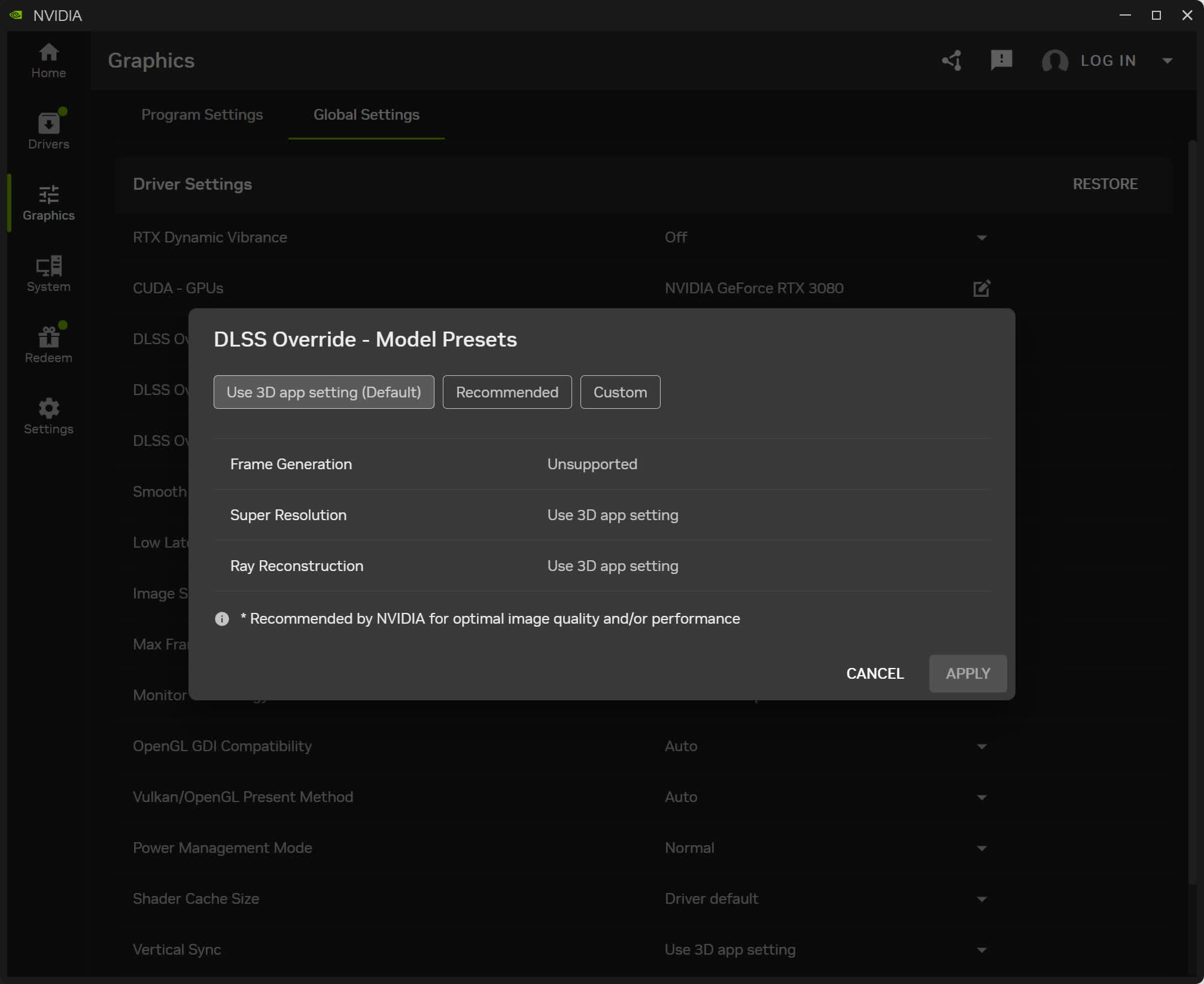
You can also do this globally across all titles, or use Nvidia’s "Recommended" setting – though be aware that using the Recommended mode only applies DLSS 4.5 to the Performance and Ultra Performance modes; in other modes, like Quality, it uses Preset K which is DLSS 4.0. You can verify that DLSS 4.5 is enabled by using the DLSS Statistics view in the Nvidia overlay, and looking for Preset M or Preset L on screen.