Adobe has announced that Photoshop, Express and Acrobat apps are now available in ChatGPT. Here’s how to access them.
(Image courtesy: Adobe)
Before you get started, you will need to sign in to your ChatGPT account and open the Settings, and go to Apps and Connectors. Here’s the direct URL for the page: https://chatgpt.com/#settings/Connectors
Select Adobe Photoshop, Adobe Acrobat or Adobe Express, and click on the Connect button. Now you have access to the three apps within ChatGPT.
Note: You don’t need an Adobe account to access the apps, but Adobe’s terms and conditions, privacy policy will apply to the content you allow the apps to access in ChatGPT. You can disconnect the apps at any time.
Once you have uploaded an image to C…
Adobe has announced that Photoshop, Express and Acrobat apps are now available in ChatGPT. Here’s how to access them.
(Image courtesy: Adobe)
Before you get started, you will need to sign in to your ChatGPT account and open the Settings, and go to Apps and Connectors. Here’s the direct URL for the page: https://chatgpt.com/#settings/Connectors
Select Adobe Photoshop, Adobe Acrobat or Adobe Express, and click on the Connect button. Now you have access to the three apps within ChatGPT.
Note: You don’t need an Adobe account to access the apps, but Adobe’s terms and conditions, privacy policy will apply to the content you allow the apps to access in ChatGPT. You can disconnect the apps at any time.
Once you have uploaded an image to ChatGPT, you can use Photoshop to edit and enhance their images by using simple prompts in the chat. You can describe what you want to the AI, and it will make the adjustments accordingly. To use it, just type "Adobe Photoshop" (without the quotes), and follow it with your request. For example, "Adobe Photoshop, make the people pop in my vacation photo."
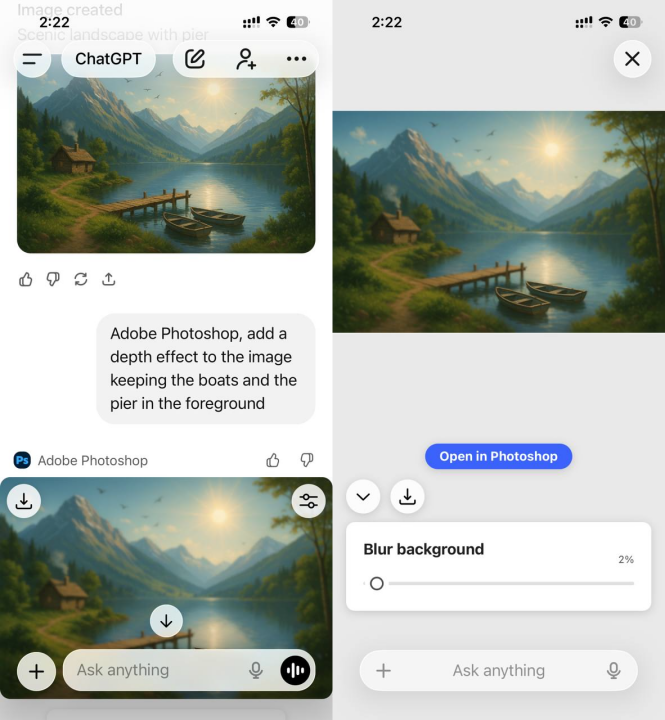
You can ask it to make people in an image pop, or change the background. It also allows some manual controls for adjusting the brightness, contrast, exposure, and to apply effects like Glitch and Glow.
Note: Photoshop requires your browser to support WebGPU.
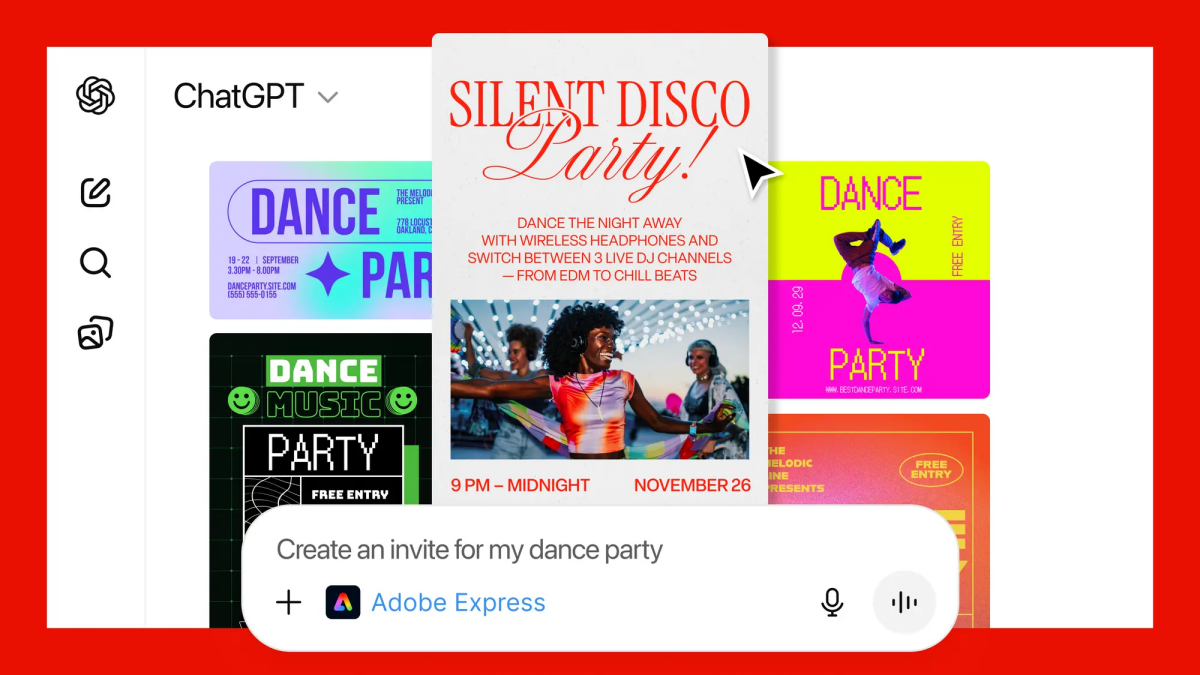
Adobe’s Express app for ChatGPT can be used to create images, invitations, holiday cards, etc. The app lets you take your pick from various templates, which you can use as a base, and customize it to your liking. You can edit the text, replace images, animate designs, etc.
(Image credit: Adobe)
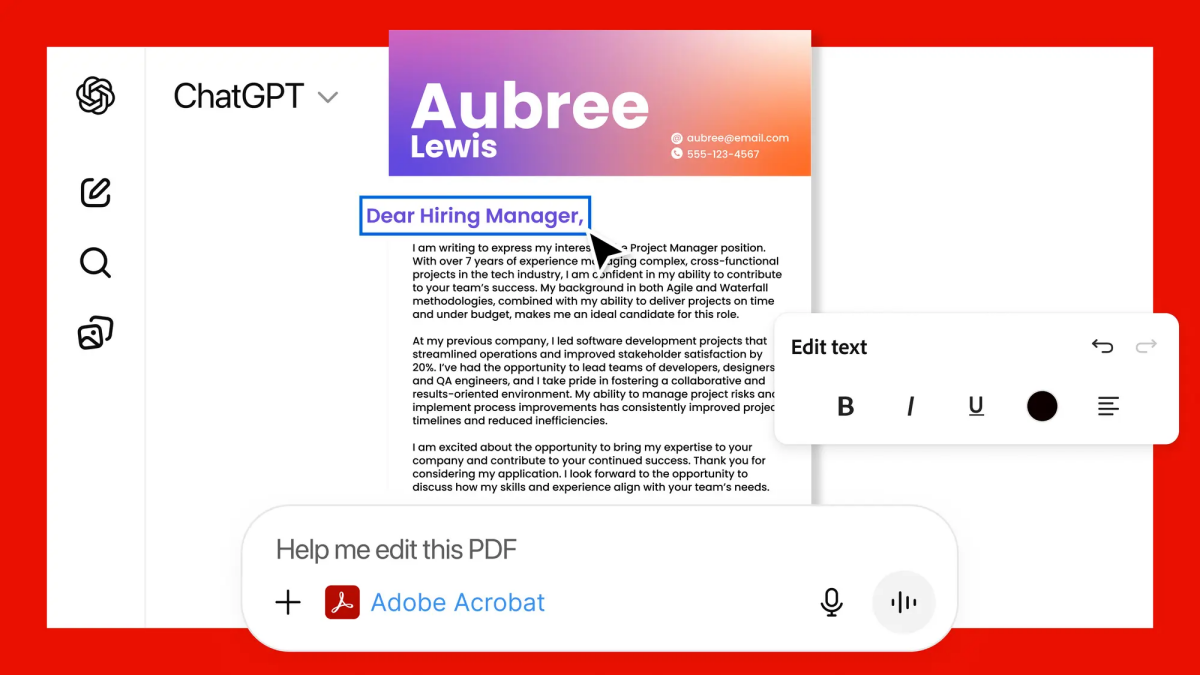
Users can use Adobe Acrobat in ChatGPT to edit PDFs, extract text or tables using Optical Character Recognition (OCR). The app can be used to redact sensitive details from documents. It can organize, split or merge or files. You can convert your images and documents to PDFs. Adobe says the app will preserve the formatting of the original document. Here’s a support page with more details.
(Image courtesy: Adobe)
Adobe Photoshop, Adobe Express and Adobe Acrobat are available for all ChatGPT users globally, including those with a free account. The apps are available on ChatGPT desktop, web and iOS. Adobe Express for ChatGPT is available on Android, and the company’s announcement says that the Photoshop and Acrobat for ChatGPT apps are coming soon to Android.
I guess it’s kinda cool to make edits in Photoshop easily by just describing them, even if you have zero editing skills. I only tested it briefly, but the toolset seems to be pretty basic. It is unclear whether there are usage limits for the apps.
FYI, Google Photos lets you edit photos using AI, and to transform photos into videos or create Shorts.
Have you tried Adobe’s apps in ChatGPT?
Advertisement