Introduction
We’re excited to announce that v7 of MediaCMS has been released! This is a big release, that includes lots of new functionality and improvements. The video player has been upgraded to the latest version of video.js and Chapter’s support for videos and audio files is now available, through an intuitive visual Chapter’s editor. Bulk actions can be performed from a user’s media page, that includes the ability to mass set metadata or status on media, add to playlists, category and tags, share with other collaborators and perform other actions as well. Let’s explore these along with all other additions in detail.
Chapters support
Chapters can be added to video and audio files, and they show up on the player after selecting t…
Introduction
We’re excited to announce that v7 of MediaCMS has been released! This is a big release, that includes lots of new functionality and improvements. The video player has been upgraded to the latest version of video.js and Chapter’s support for videos and audio files is now available, through an intuitive visual Chapter’s editor. Bulk actions can be performed from a user’s media page, that includes the ability to mass set metadata or status on media, add to playlists, category and tags, share with other collaborators and perform other actions as well. Let’s explore these along with all other additions in detail.
Chapters support
Chapters can be added to video and audio files, and they show up on the player after selecting the chapters icon in the player options.
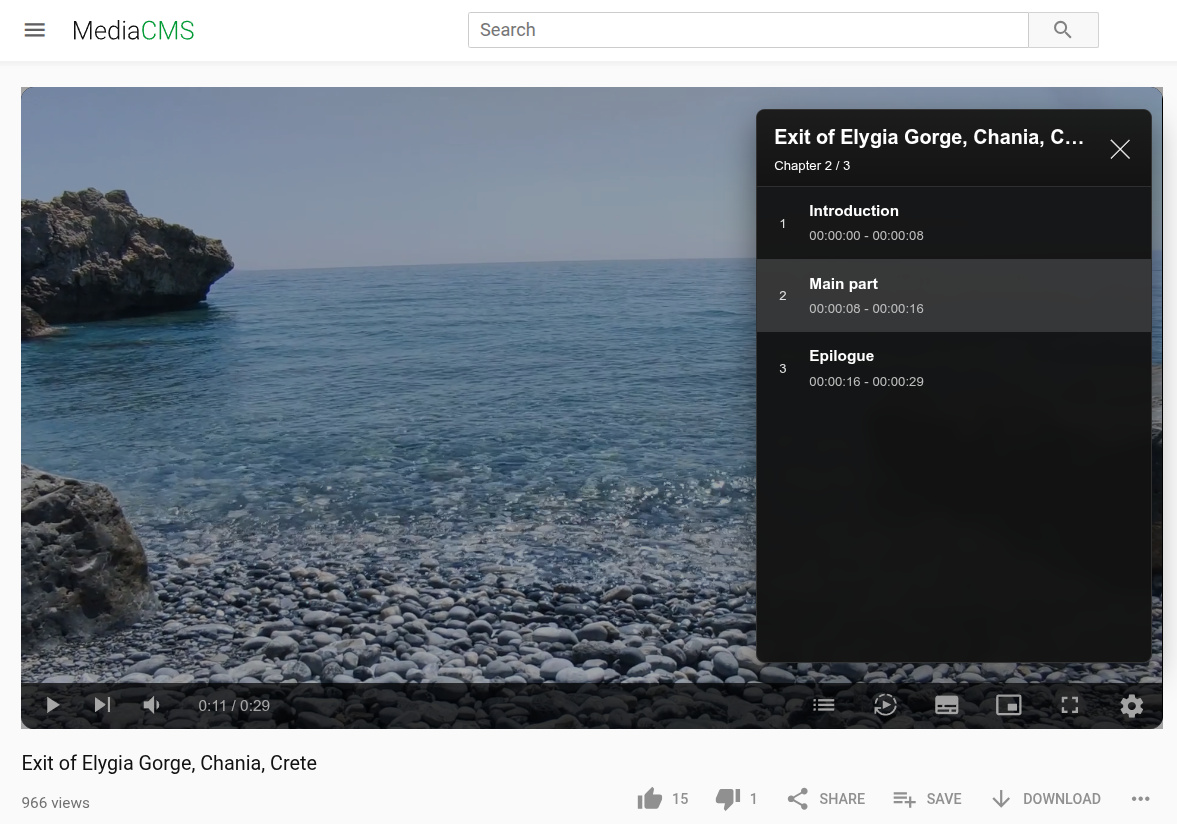 Chapters displayed in the video player
They can be added and updated through the intuitive editor that appears after selecting the Edit Media icon on the media page. You can add any number of chapters. Chapter starts are indicated in the timeline of the video or audio through a yellow dot. It is not necessary for one chapter to start when another chapter finishes.
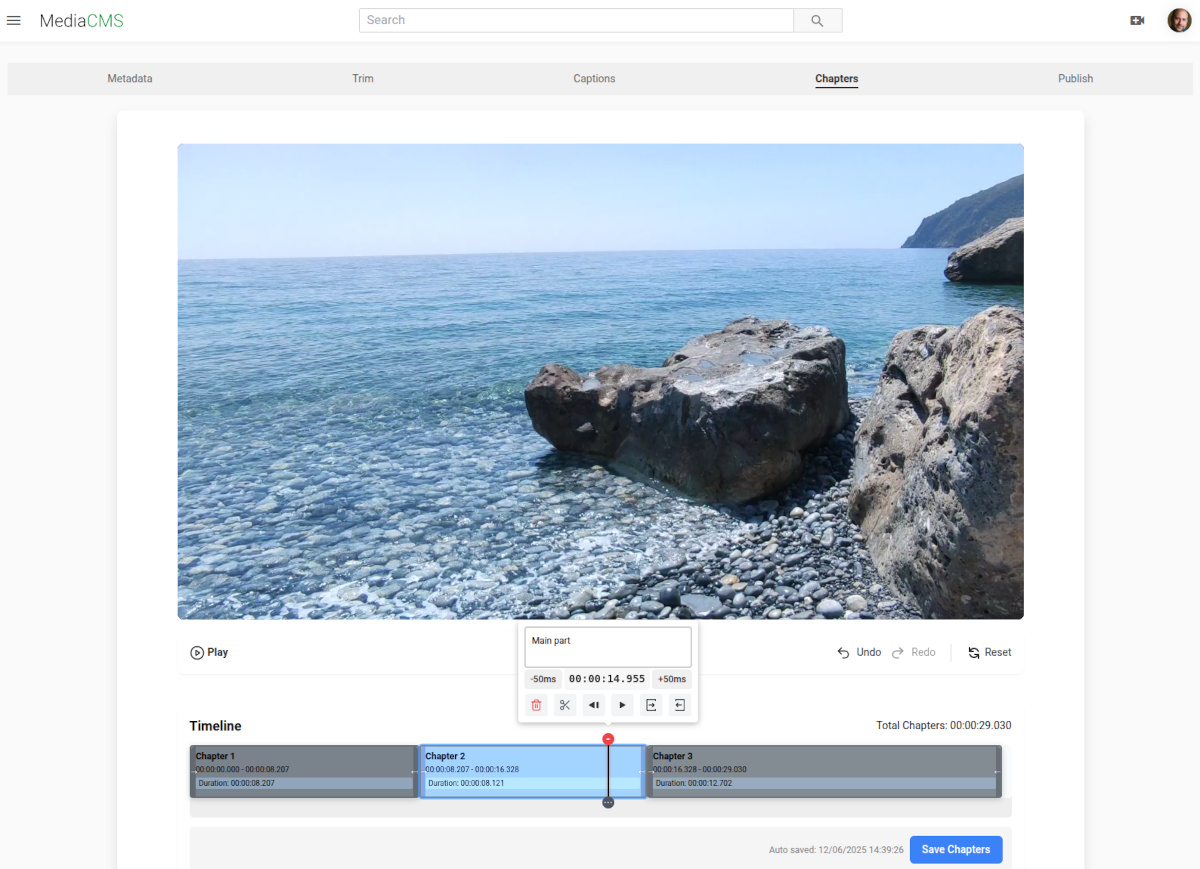 Chapters editing interface
The complete workflow for video/audio media now has become: Upload media → Edit metadata → Trim (optionally) → Add Chapters (optionally) → Publish
Video player updates
We’ve updated video.js to the latest version 8 and rewritten a significant part of the integration in a modern way. The player can now be easily customized as it supports passing all the powerful options available in video.js that affect not only the aesthetics but also how HLS behaves, the policy for requesting next chunks while a video is playing, and more.
The video player now includes the following features:
- Fullscreen mode
- Chapters
- Captions
- Settings (quality / speed)
- Picture in picture
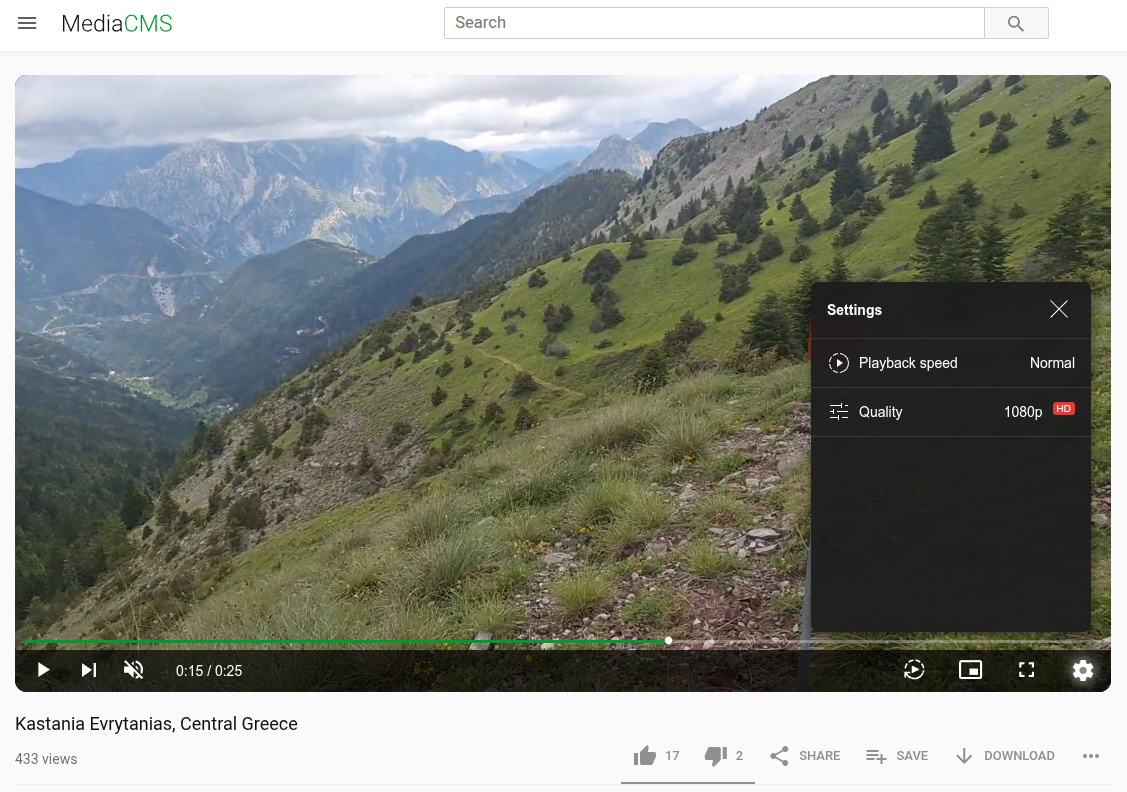 Updated video player with enhanced features
Bulk actions
This is the second major improvement of this milestone. The ability to perform mass actions on a user’s media is now possible, along with two new tabs: media shared by the user, and media shared with the user. These actions are available to users once they are logged in.
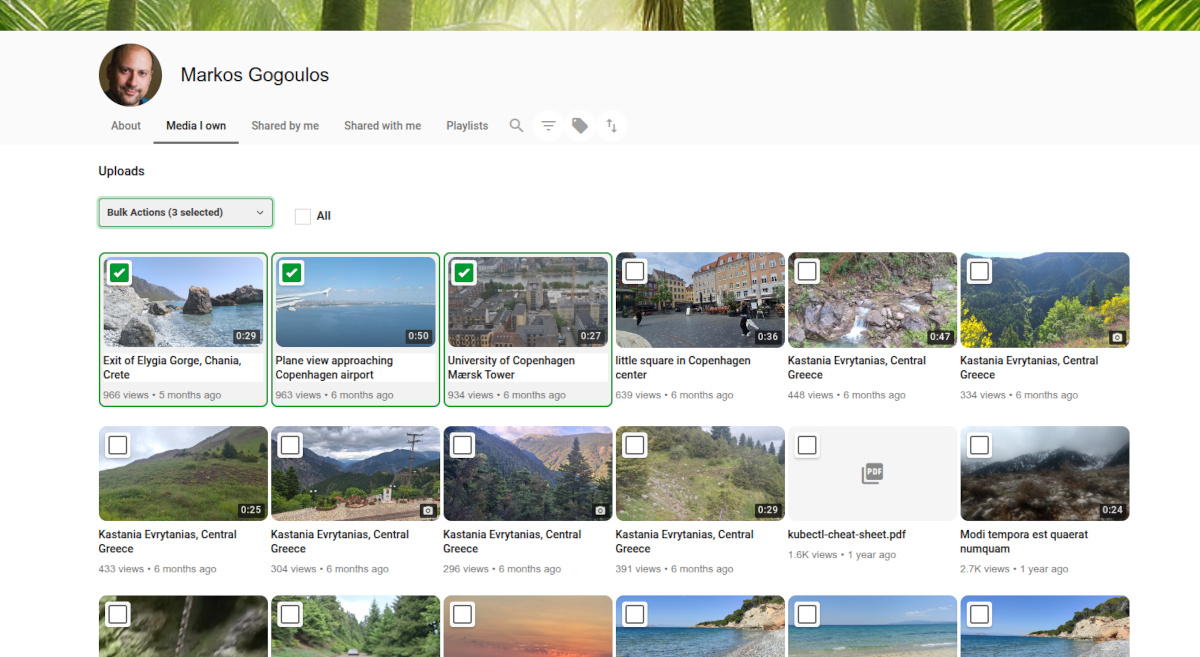 My Media page with bulk actions
The complete list of actions allowed includes:
- Add / Remove Co-Viewers
- Add / Remove Co-Editors
- Add / Remove Co-Owners
- Add to / Remove from Playlist
- Add to / Remove from Category
- Add / Remove Tags
- Enable / Disable Comments
- Enable / Disable Download
- Publish State
- Change Owner
- Copy Media
- Delete Media
Bulk actions interface
Moreover, there are advanced searching capabilities including many characteristics such as tags, media type, video duration, and more. Curating one’s media and sharing with others is now much easier than it used to be!
Whisper speech-to-text integration
We integrate with Whisper for Speech-To-Text on video and audio files. This provides the ability to request transcription on uploaded media files. There are two options that can be requested: Transcription and Transcription and Translation to English.
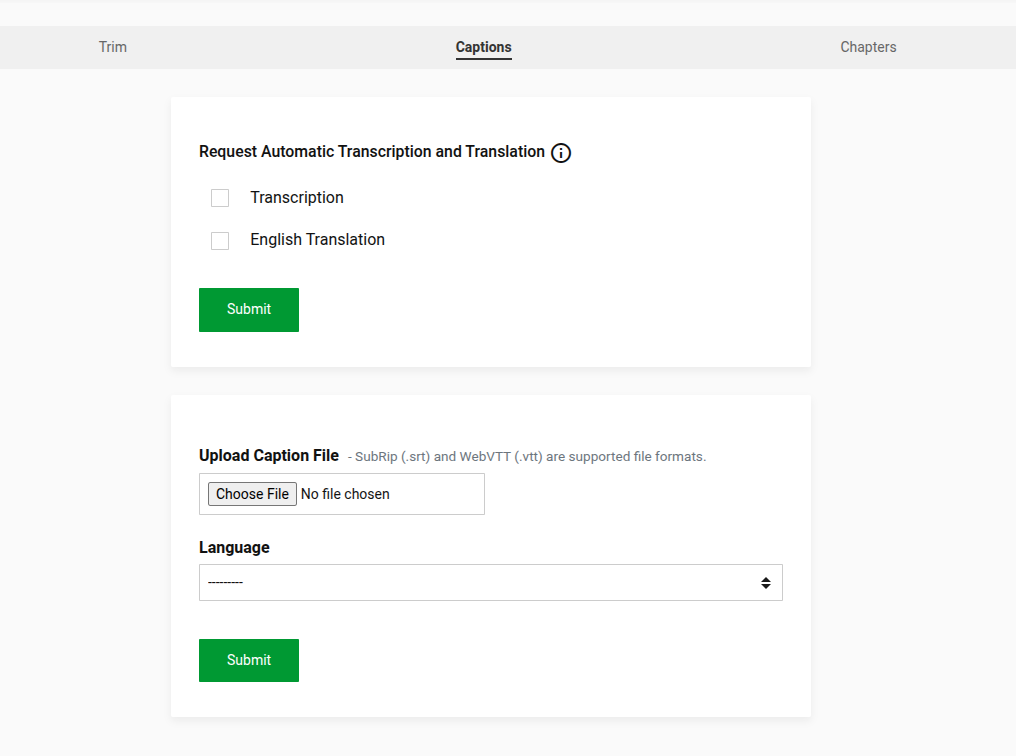 Transcription and translation options
These options are found on the transcription tab while editing video or audio files. Upon selecting one of the two options, a background task is triggered that will perform the transcription (and if translation to English is enabled, the translation to English). At the same time the ability to upload an srt or webvtt file with captions is still supported. And all of the captions (produced or uploaded) are editable.
Because transcription with Whisper is a heavy task that installs a large number of dependencies, it is not part of the default installation. Instead, the mediacms-full image has to be selected while installing in docker-compose.yaml.
There are a couple more options available in MediaCMS settings: the Whisper model (by default it is the base model), and whether all users can request transcription or only editors and managers of MediaCMS.
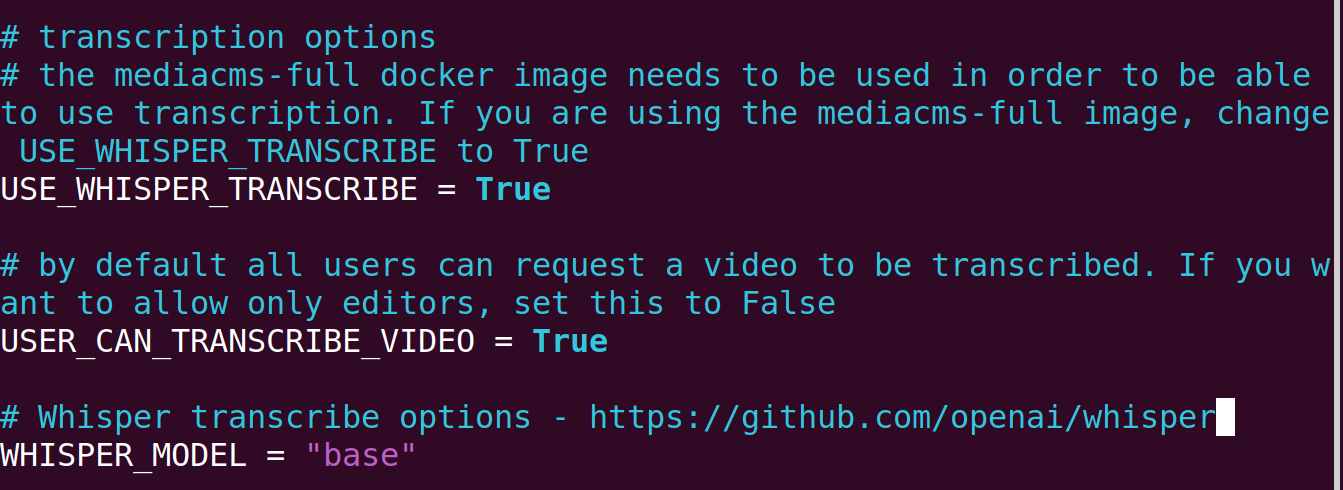 Whisper transcription configuration options
Record screen and upload recording
Along with uploading media files, the ability to record the screen is also introduced. This work is experimental and not all browsers are currently supported. However, it provides a very useful way of uploading content in many cases where you want to record a screen session and upload it!
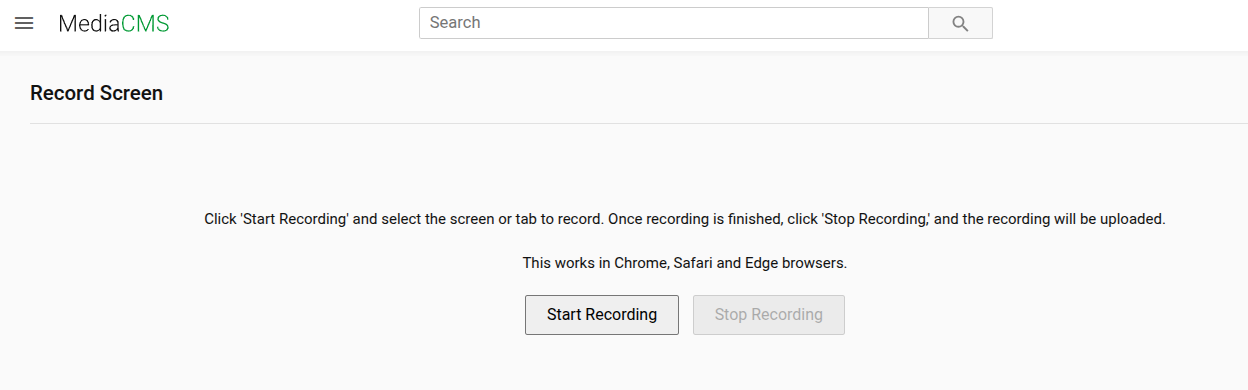 Screen recording interface
More configuration options
A number of configurable settings have also been introduced, such as the types of media files that are allowed to be uploaded, or the default number of media files a user can upload. These parameters are: NUMBER_OF_MEDIA_USER_CAN_UPLOAD and ALLOWED_MEDIA_UPLOAD_TYPES.
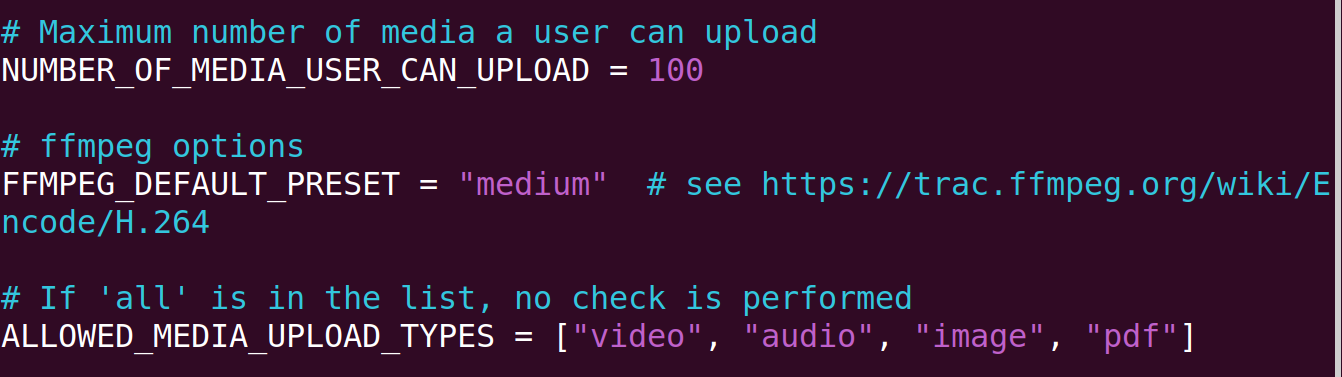 Additional configuration options
Users management
Through the "Manage Users" page, which is available only to MediaCMS admins and managers, a number of actions can now be performed:
- Add users by specifying email, username, name, and password
- Change password for a user
- Delete user
- Approve users
By default, new users do not need to be approved in order to log in. If the new variable USERS_NEEDS_TO_BE_APPROVED is set to True, then new users will have to be approved before they can log in successfully. Additionally, the option to approve a user will appear in the "Manage Users" page.
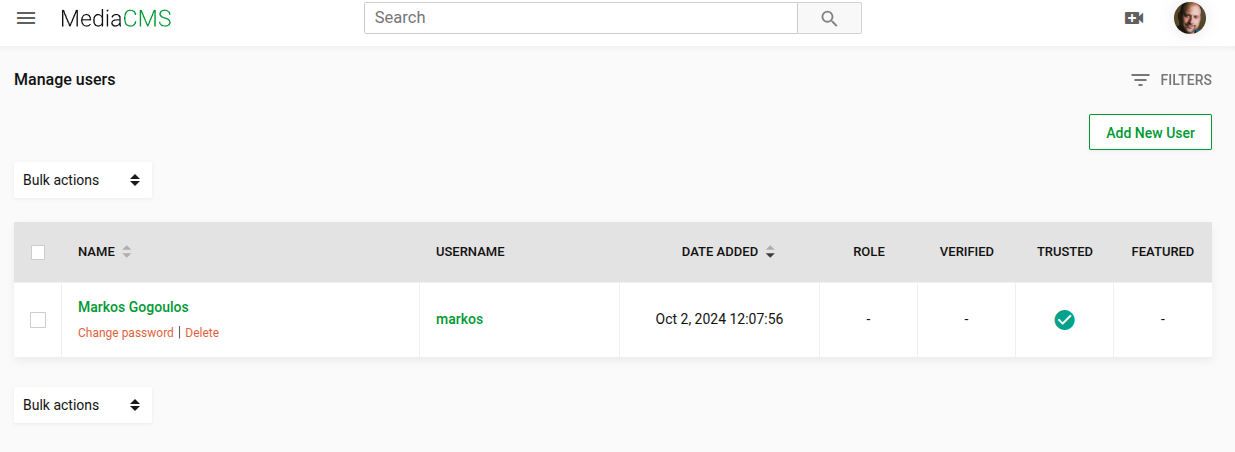 Manage Users page
Custom pages
While MediaCMS is optimized for serving media files, there are cases where it’s handy to add some standard HTML pages. This is now possible through custom page creation in the MediaCMS admin. A slug can be specified, which will determine the page URL. Then the title and page content can be added, featuring a WYSIWYG editor.
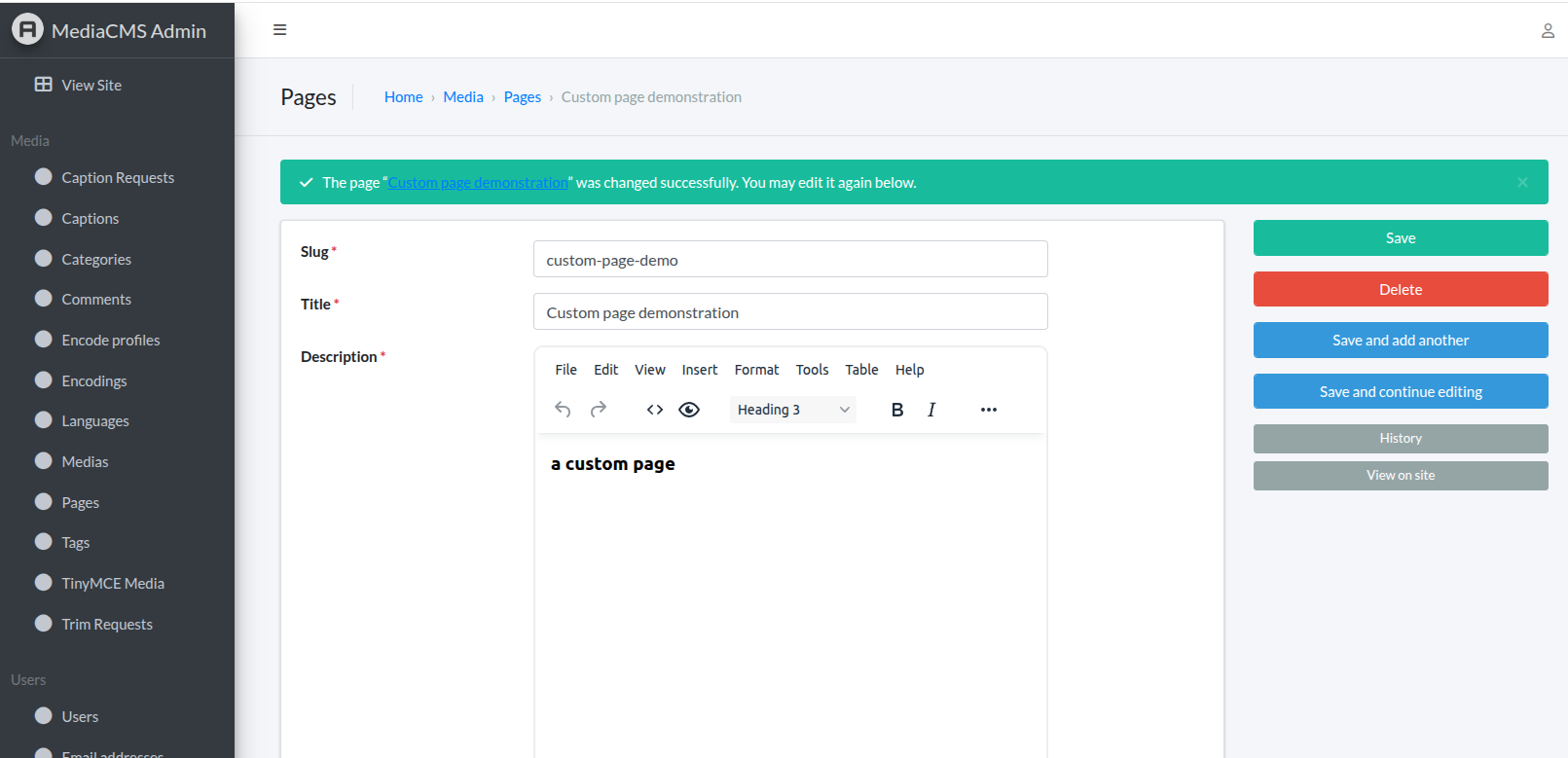 Custom page creation interface
Next steps
We are now working on integration with LTI (Learning Tools Interoperability) so that MediaCMS can be used in different LMS platforms (including Moodle and Canvas) to serve educational content. Through this integration, we’d like to see educational organizations adopting MediaCMS to accommodate their media files, while maintaining full control over their ownership and bringing an optimized experience to their end users.
Stay tuned and contact us for more info!